KeepSolid SmartDNS
Updated
Current Version
1.16.3
Offered By

Stop worrying about high battery drain when using KeepSolid SmartDNS on your phone. Free yourself from the tiny screen and enjoy the app on a much larger display. From now on, get a full-screen experience of your app with the convenience of a keyboard and mouse. MEmu offers you all the surprising features you’d expect: quick installation and easy setup, intuitive controls, and no more worries about battery life, mobile data, or unexpected calls. The all-new MEmu 9 is the choice for using KeepSolid SmartDNS on your computer. With the MEmu multi-instance manager, you can run two or more accounts at the same time. Most importantly, our exclusive emulation engine unlocks your PC’s full potential, delivering smooth and enjoyable performance.
Show more
Enjoy superb experience of using KeepSolid SmartDNS on PC with MEMU App Player. It's a powerful free Android emulator which provides you with thousands of android apps for their desktop version. Enjoy connecting with friends and polishing your work with higher efficiency! Avoid geo-restrictions and access the most popular streaming services with KeepSolid SmartDNS !
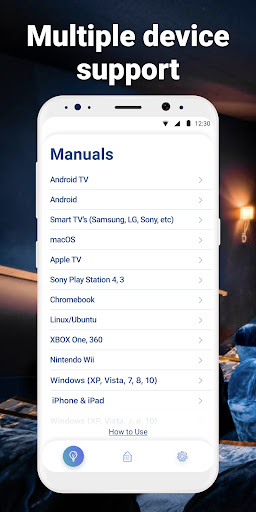
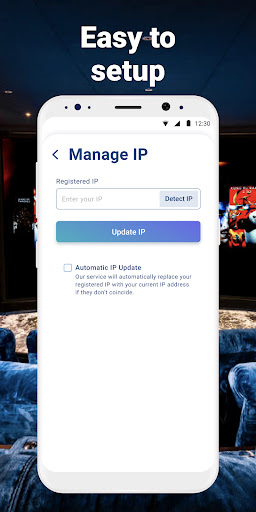
Avoid geo-restrictions and access the most popular streaming services with KeepSolid SmartDNS ! Our DNS proxy lets you unblock American Hulu, Amazon Prime, and BBC iPlayer and watch your favorite TV series and shows from anywhere in the world.
Top benefits of KeepSolid SmartDNS proxy
No bandwidth or traffic limits
Access to the top streaming services
Blazing fast performance
Smart TV support
Intuitive interface
Unlimited number of devices
24/7 client support
BYPASS GEO-RESTRICTIONS
Say goodbye to internet censorship and experience unrestricted web browsing with KeepSolid SmartDNS. Just connect to our European or American DNS server to disguise your real location and win back your internet freedom!
UNBLOCK TOP STREAMING SERVICES
Access the most popular streaming services and enjoy the amazing world of entertainment! KeepSolid SmartDNS for Android easily unblocks Hulu, Amazon Prime, and BBС iPlayer. Watch your favorite shows wherever you are!
ENJOY BLAZING FAST SPEEDS
Unlike VPN services, which also bypass geo-restrictions, KeepSolid SmartDNS technology doesn’t affect your connection speed at all. Browse the web and stream videos at the maximum speeds possible.
CONNECT IN ONE TAP
Unrestricted internet is just one tap away! Our DNS proxy for Android features an intuitive interface and is very easy to use. Connect to our secure servers in the US or the European regions in just one tap and access all the content you want.
USE ON ANY DEVICE
KeepSolid SmartDNS is compatible with any internet-capable device. Whether you need DNS for Smart TV, smartphone, laptop, router, media player, or game console, KeepSolid SmartDNS is a perfect choice for you!
Activate your free 7-day trial now! And when the trial expires, choose any subscription which suits you most:
▶ 7 Days
▶ 1 Month
▶ 1 Year
▶ 3 Years
◆◆◆◆◆
Subscriptions will auto-renew unless canceled.
Subscriptions may be managed and auto-renewal may be turned off in the Account Settings.
No cancellation of the active subscription is allowed.
Subscriptions automatically renew unless this option is turned off at least 24-hours before the end of the current period.
The account is charged for renewal for the amount of the current subscription within 24-hours prior to the end of the current period.
Legal information:
https://www.keepsolid.com/eua
https://www.keepsolid.com/privacy-policy
Have any questions or want to share your feedback? Feel free to contact us at support@keepsolid.com any time.
Show more

1. Download MEmu installer and finish the setup

2. Start MEmu then open Google Play on the desktop

3. Search KeepSolid SmartDNS in Google Play
Install
4. Download and Install KeepSolid SmartDNS
5. On install completion click the icon to start

6. Enjoy using KeepSolid SmartDNS on PC with MEmu
MEmu Play is the best Android emulator, and 100 million users already enjoy its superb Android app experience. Powered by advanced virtualization technology, it lets you enjoy thousands of Android apps smoothly on your PC—including the most graphics-intensive ones.
Bigger screen with better graphics; Long duration, without limitation of battery or mobile data.
Full Keymapping support for precise control of keyboard and mouse or gamepad.
Multiple game accounts or tasks on single PC at one time with Multi-Instance manager.
Use KeepSolid SmartDNS on PC by following steps: