Knowunity: Homework Helper
Updated
Current Version
6.36.1
Offered By

Stop worrying about high battery drain when using Knowunity: Homework Helper on your phone. Free yourself from the tiny screen and enjoy the app on a much larger display. From now on, get a full-screen experience of your app with the convenience of a keyboard and mouse. MEmu offers you all the surprising features you’d expect: quick installation and easy setup, intuitive controls, and no more worries about battery life, mobile data, or unexpected calls. The all-new MEmu 9 is the choice for using Knowunity: Homework Helper on your computer. With the MEmu multi-instance manager, you can run two or more accounts at the same time. Most importantly, our exclusive emulation engine unlocks your PC’s full potential, delivering smooth and enjoyable performance.
Show more
Enjoy superb experience of using Knowunity: Homework Helper on PC with MEMU App Player. It's a powerful free Android emulator which provides you with thousands of android apps for their desktop version. Enjoy connecting with friends and polishing your work with higher efficiency! Hey, I'm Knowie - your new way of learning.
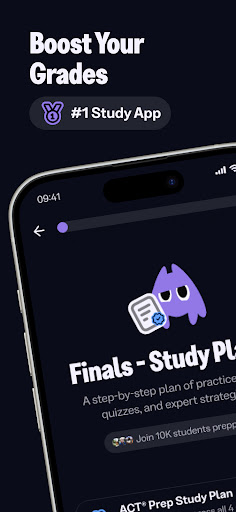
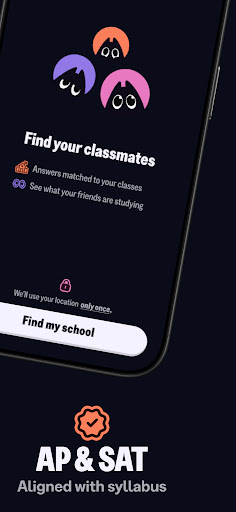
Hey, I'm Knowie - your new way of learning. Whatever you're working on, I'll help you understand it, remember it, and walk into your next SAT, ACT, or AP feeling ready. 30 million students already study with me, I am created by the best students and the core tools are free.
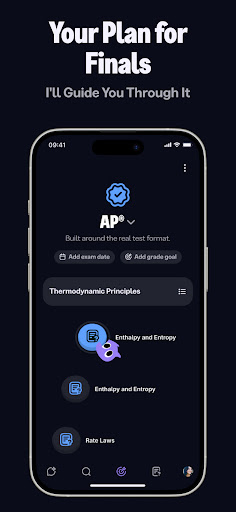
This is a the new way of learning - here is how we do it. Everything runs through one place: your exam plan. Instead of a pile of separate features, I pull it all together - flashcards, quizzes, summaries, mock exams, voice practice, and the official SAT, ACT, and AP guidelines - and structure it into a day-by-day plan built around your test date and your topics.
Your exam plan, made with you. Tell me when your test is and what you need to cover, and I'll map out exactly what to do each day, with the right notes and flashcards for your course. Add your class timetable and I'll fit study around your lessons - no all-nighters. As the test gets closer the plan adapts, and you always see what you've got down and what's next.
Study that actually sticks - active recall. Rereading feels productive but fades fast, so your plan is built around active recall: pulling answers out of your own memory. Quizzes and flashcards ask you to remember, not just recognize, and mastery tracking shows each topic move from shaky to solid.
Just say it out loud. This is where voice comes in. With voice recall in your plan, you say your answer from memory and I check it with you - hands-free, out loud, the way real recall works. And in chat, switch on voice mode to talk to me like a tutor: ask anything, no typing needed.
Stuck on homework? Snap a photo of any problem - math, chemistry, physics, biology - and I'll walk you through it step by step, so you get the how, not just the answer. Keep a separate chat for each class so nothing gets mixed up.
Turn anything into study material. Upload PDFs, slides, photos, or handwritten notes, paste in text and links, bring your old flashcard decks, or drop in a YouTube video - I'll turn it into flashcards, quizzes, and clean summaries in seconds, ready to slot straight into your plan. Need vocab for a language class or a clearer essay outline? I've got you there too.
Practice like it's the real thing. Take full, AI-scored mock exams in real SAT and AP format and see where you stand before test day - then I fold the results back into your plan, so you review exactly what needs work.
Learn from real students. Browse over 1 million notes, summaries, and past-paper solutions shared by students in your subject and grade - right alongside everything we make together.
Keep your streak going. Earn XP as you study, join a weekly league of up to 30 classmates, and climb from Bronze to Gold. A little friendly competition to keep you coming back.
I'm built for every subject - AP courses, Math, Sciences, Social Studies, English, World Languages, Computing, and SAT and ACT prep. Whether you're cramming tonight or planning weeks ahead, we'll get you there - and the core tools are always free.
Ready when you are. Download Knowunity, and let's study smarter, not harder.
Show more

1. Download MEmu installer and finish the setup

2. Start MEmu then open Google Play on the desktop

3. Search Knowunity: Homework Helper in Google Play
Install
4. Download and Install Knowunity: Homework Helper
5. On install completion click the icon to start

6. Enjoy using Knowunity: Homework Helper on PC with MEmu
MEmu Play is the best Android emulator, and 100 million users already enjoy its superb Android app experience. Powered by advanced virtualization technology, it lets you enjoy thousands of Android apps smoothly on your PC—including the most graphics-intensive ones.
Bigger screen with better graphics; Long duration, without limitation of battery or mobile data.
Full Keymapping support for precise control of keyboard and mouse or gamepad.
Multiple game accounts or tasks on single PC at one time with Multi-Instance manager.
Use Knowunity: Homework Helper on PC by following steps: