KucingPink - Nonton Anime
Updated
Current Version
3.5.6
Offered By

Stop worrying about high battery drain when using KucingPink - Nonton Anime on your phone. Free yourself from the tiny screen and enjoy the app on a much larger display. From now on, get a full-screen experience of your app with the convenience of a keyboard and mouse. MEmu offers you all the surprising features you’d expect: quick installation and easy setup, intuitive controls, and no more worries about battery life, mobile data, or unexpected calls. The all-new MEmu 9 is the choice for using KucingPink - Nonton Anime on your computer. With the MEmu multi-instance manager, you can run two or more accounts at the same time. Most importantly, our exclusive emulation engine unlocks your PC’s full potential, delivering smooth and enjoyable performance.
Show more
Enjoy superb experience of using KucingPink - Nonton Anime on PC with MEMU App Player. It's a powerful free Android emulator which provides you with thousands of android apps for their desktop version. Enjoy connecting with friends and polishing your work with higher efficiency! KucingPink adalah aplikasi nonton anime untuk menemukan serial anime, film anime, dan judul yang sedang trending dalam satu tempat.
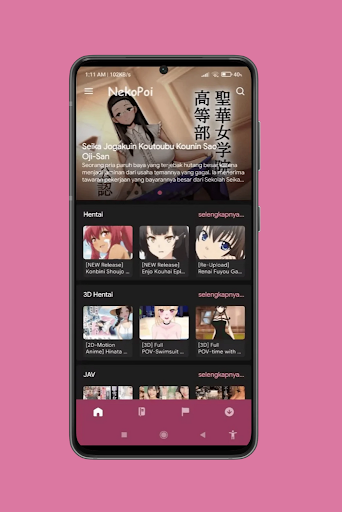
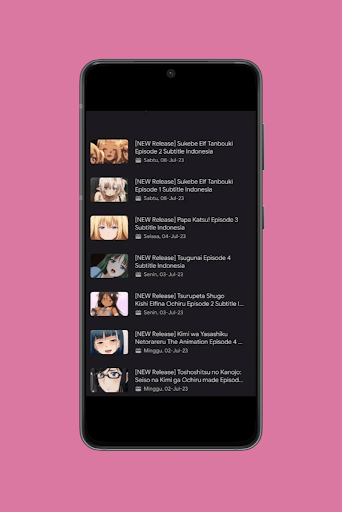
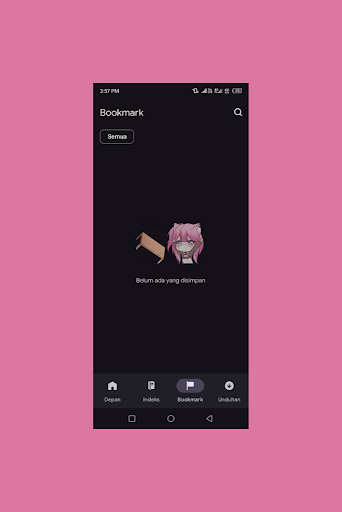
KucingPink adalah aplikasi nonton anime untuk menemukan serial anime, film anime, dan judul yang sedang trending dalam satu tempat. Cari tontonan favorit, simpan ke My List, lalu lanjutkan episode terakhir dengan mudah.
TEMUKAN ANIME YANG COCOK UNTUKMU
• Trending dan populer: lihat judul yang sedang banyak dibicarakan.
• Serial dan film anime: bedakan tipe tontonan langsung dari setiap kartu.
• Jelajah berdasarkan genre: temukan aksi, petualangan, komedi, fantasi, romansa, dan genre lainnya.
• Pencarian cepat: cari judul lalu filter hasil berdasarkan serial, film, atau genre.
• Detail lengkap: lihat sinopsis, tahun rilis, rating, musim, episode, dan trailer.
NONTON ANIME DENGAN LEBIH NYAMAN
• Pilihan server: ganti server dari player jika sumber yang dipilih kurang sesuai.
• Continue Watching: kembali ke episode dan server terakhir yang digunakan.
• My List: simpan serial atau film anime yang ingin kamu tonton nanti.
• Notifikasi episode: aktifkan pemberitahuan untuk serial pilihanmu.
• Kontrol player: akses subtitle, layar penuh, dan kontrol pemutaran saat tersedia.
• Binge Tools: buka Auto Next, antrean episode, dan Skip Intro untuk tiga episode melalui iklan berhadiah opsional.
DUKUNGAN ANIME SUB INDO
Saat subtitle tersedia pada judul dan server yang dipilih, aktifkan langsung melalui kontrol player. Ketersediaan anime sub Indo, kualitas video, bahasa, dan episode dapat berbeda untuk setiap sumber.
TAMPILAN MODERN, NAVIGASI SEDERHANA
KucingPink menggunakan desain gelap yang nyaman, kartu poster responsif, dan navigasi yang jelas. Beralih antara Home, My List, Browse, Search, dan halaman detail tanpa kehilangan alur tontonanmu.
Baik kamu sedang mencari anime terbaru, serial favorit, maupun film anime untuk akhir pekan, KucingPink membantu pengalaman nonton anime terasa lebih teratur. Temukan judul, simpan pilihan, aktifkan update episode, dan mulai streaming anime dari perangkat Android-mu.
Unduh KucingPink dan bangun daftar tontonan anime versimu sendiri.
Catatan: katalog, subtitle, kualitas, dan ketersediaan pemutaran dapat berbeda menurut judul, wilayah, serta server yang tersedia.
Show more

1. Download MEmu installer and finish the setup

2. Start MEmu then open Google Play on the desktop

3. Search KucingPink - Nonton Anime in Google Play
Install
4. Download and Install KucingPink - Nonton Anime
5. On install completion click the icon to start

6. Enjoy using KucingPink - Nonton Anime on PC with MEmu
MEmu Play is the best Android emulator, and 100 million users already enjoy its superb Android app experience. Powered by advanced virtualization technology, it lets you enjoy thousands of Android apps smoothly on your PC—including the most graphics-intensive ones.
Bigger screen with better graphics; Long duration, without limitation of battery or mobile data.
Full Keymapping support for precise control of keyboard and mouse or gamepad.
Multiple game accounts or tasks on single PC at one time with Multi-Instance manager.
Use KucingPink - Nonton Anime on PC by following steps: