MANGA Plus by SHUEISHA
Updated
Current Version
1.12.4
Offered By

Stop worrying about high battery drain when using MANGA Plus by SHUEISHA on your phone. Free yourself from the tiny screen and enjoy the app on a much larger display. From now on, get a full-screen experience of your app with the convenience of a keyboard and mouse. MEmu offers you all the surprising features you’d expect: quick installation and easy setup, intuitive controls, and no more worries about battery life, mobile data, or unexpected calls. The all-new MEmu 9 is the choice for using MANGA Plus by SHUEISHA on your computer. With the MEmu multi-instance manager, you can run two or more accounts at the same time. Most importantly, our exclusive emulation engine unlocks your PC’s full potential, delivering smooth and enjoyable performance.
Show more
Enjoy superb experience of using MANGA Plus by SHUEISHA on PC with MEMU App Player. It's a powerful free Android emulator which provides you with thousands of android apps for their desktop version. Enjoy connecting with friends and polishing your work with higher efficiency! MANGA Plus by SHUEISHA, is the official manga reading service from Shueisha, that provides you with the latest chapters for free at the same time as in Japan.

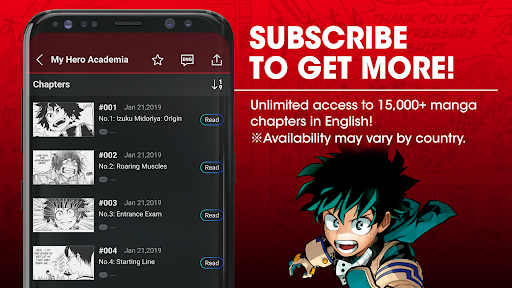

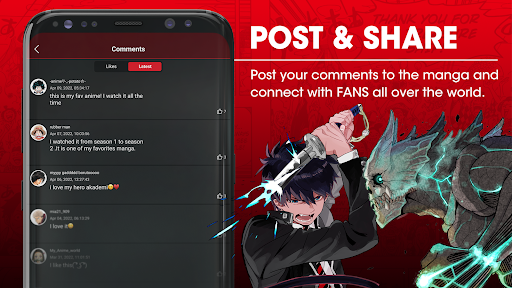
MANGA Plus by SHUEISHA, is the official manga reading service from Shueisha, that provides you with the latest chapters for free at the same time as in Japan. Immerse yourself in binge-worthy and anime-adapted comics like; One Piece, Chainsaw Man, Boruto: Two Blue Vortex, Jujutsu Kaisen, My Hero Academia, 【OSHI NO KO】, Dandadan and Red Cat Ramen.
Enjoy the first three and newest three chapters for FREE. Want to catch up on SPY x FAMILY, Kaiju No.8 (Monster #8), and Kagurabachi? You can read all chapters of currently ongoing manga in English once for free! Some titles are also available in other languages, including Spanish, Thai, Portuguese, Indonesian, Russian, French, German, and Vietnamese*. Available titles may vary by language and region.
Want unlimited reading with no ads? MANGA Plus MAX is just for you! Access over 17,000 chapters in English from anywhere in the world*. Standard Plan will keep you up to date with current ongoing comics. Upgrade to the Deluxe Plan to dive into current comics as well as completed classics like Dragon Ball, NARUTO, BLEACH, Demon Slayer: Kimetsu no Yaiba, Death Note, Tokyo Ghoul, Haikyuu! and Bakuman.! *Unavailable in Japan, China, and Korea. Prices and available titles vary by country/region. Only English titles are available in the subscription plan.
Using this official service means that your support goes directly to the creators who work tirelessly to bring you new stories.
Download now and embark on a journey through captivating narratives, with fresh chapters waiting for you every day!
Follow us on our social media accounts for news and information
X: https://twitter.com/mangaplus_o
Discord: https://discord.com/invite/qAkpHxH
Facebook: https://www.facebook.com/mangaplus.en/
Show more

1. Download MEmu installer and finish the setup

2. Start MEmu then open Google Play on the desktop

3. Search MANGA Plus by SHUEISHA in Google Play
Install
4. Download and Install MANGA Plus by SHUEISHA
5. On install completion click the icon to start

6. Enjoy using MANGA Plus by SHUEISHA on PC with MEmu
MEmu Play is the best Android emulator, and 100 million users already enjoy its superb Android app experience. Powered by advanced virtualization technology, it lets you enjoy thousands of Android apps smoothly on your PC—including the most graphics-intensive ones.
Bigger screen with better graphics; Long duration, without limitation of battery or mobile data.
Full Keymapping support for precise control of keyboard and mouse or gamepad.
Multiple game accounts or tasks on single PC at one time with Multi-Instance manager.
Use MANGA Plus by SHUEISHA on PC by following steps: