
MBC Shahid
Updated
Current Version
6.2.0
Offered By

Stop worrying about high battery drain when using MBC Shahid on your phone. Free yourself from the tiny screen and enjoy the app on a much larger display. From now on, get a full-screen experience of your app with the convenience of a keyboard and mouse. MEmu offers you all the surprising features you’d expect: quick installation and easy setup, intuitive controls, and no more worries about battery life, mobile data, or unexpected calls. The all-new MEmu 9 is the choice for using MBC Shahid on your computer. With the MEmu multi-instance manager, you can run two or more accounts at the same time. Most importantly, our exclusive emulation engine unlocks your PC’s full potential, delivering smooth and enjoyable performance.
Show more
Enjoy superb experience of using MBC Shahid on PC with MEMU App Player. It's a powerful free Android emulator which provides you with thousands of android apps for their desktop version. Enjoy connecting with friends and polishing your work with higher efficiency! Welcome to MBC Shahid – Your Ultimate Entertainment Destination .
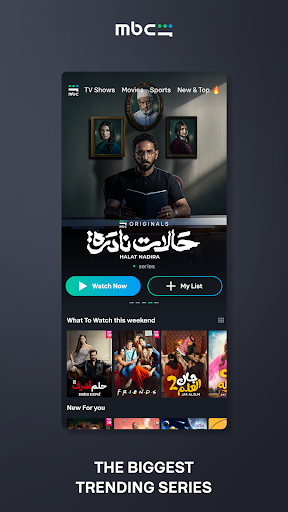
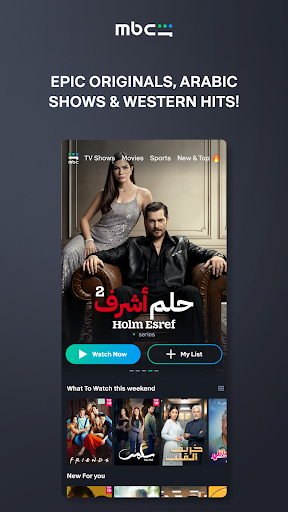
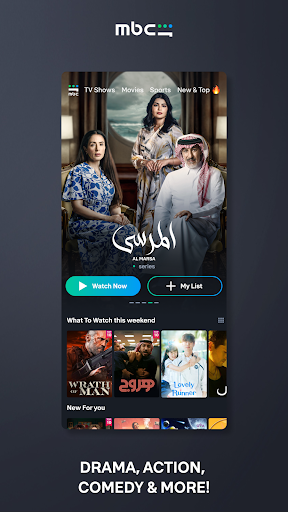
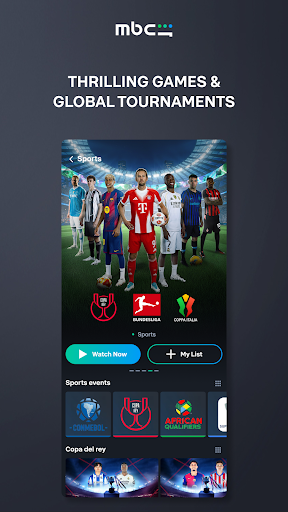
Welcome to MBC Shahid – Your Ultimate Entertainment Destination
Dive into the world of endless entertainment with MBC Shahid, the leading platform for the best Arabic Originals, exclusive series, blockbuster movies, live TV, sports, and so much more. Whether you’re watching for free or subscribing to one of MBC Shahid’s packages, you’ll gain unlimited access to a world of premium content tailored just for you.
Why Choose MBC Shahid?
1. Exclusive Arabic Originals
Enjoy the finest Arabic Original productions available exclusively on MBC Shahid. From gripping dramas to captivating comedies, we bring you stories that resonate with your heart.
2. Live Sports in HD
Catch the thrill of local and international sports and tournaments, all in stunning HD (available in MENA only).
3. Unmissable Live Events
Stay entertained with iconic events like Riyadh Season, Jeddah Season, live concerts, and theatrical plays.
4. Ad-Free Streaming
Enjoy uninterrupted, non-stop entertainment when you subscribe. Say goodbye to ads and hello to seamless viewing.
5. Live TV Channels
Watch your favorite channels in crystal-clear Full HD and stay on top of the latest news, entertainment, and more.
6. Exclusive Movie & Series Premieres
Be the first to watch the latest series and movies before they hit TV or cinemas.
7. A World of Genres
From heart-pounding horror and thrilling dramas to laugh-out-loud comedies and enchanting romance, MBC Shahid’s vast library has something for everyone. Explore Egyptian classics, Turkish sensations, and captivating foreign series at your fingertips.
8. Family-Friendly Content
Secure profiles and exclusive kids’ content ensure entertainment for all ages in a safe and dedicated environment.
Features You’ll Love
Create Personalized Profiles: Assign unique profiles to each family member for a tailored viewing experience.
Build Your Watchlist: Save your favorite shows and movies for easy access anytime.
Download & Watch Offline: Take your entertainment on the go by downloading content to watch without an internet connection.
Why MBC Shahid is Perfect for You
A constantly updated media library keeps you up-to-date with the latest blockbusters and trending series.
Instant access to a global selection of TV favorites, tailored for you.
Effortlessly browse curated categories for every mood and preference.
Personalized recommendations and updates so you never miss a thing.
Download the MBC Shahid app now and explore our unlimited benefits and perks. Immerse yourself in a world of award-winning movies, trending series, and captivating live events—all in ultimate quality and comfort. Once you start, you’ll be hooked.
Enjoy access to the best movies, series, and live entertainment awaits—don’t miss out!
Privacy Policy: https://www.mbc.net/en/privacy-policy
Terms of Use: https://shahid.mbc.net/ar/terms-and-conditions
Show more

1. Download MEmu installer and finish the setup

2. Start MEmu then open Google Play on the desktop

3. Search MBC Shahid in Google Play
Install
4. Download and Install MBC Shahid
5. On install completion click the icon to start

6. Enjoy using MBC Shahid on PC with MEmu
MEmu Play is the best Android emulator, and 100 million users already enjoy its superb Android app experience. Powered by advanced virtualization technology, it lets you enjoy thousands of Android apps smoothly on your PC—including the most graphics-intensive ones.
Bigger screen with better graphics; Long duration, without limitation of battery or mobile data.
Full Keymapping support for precise control of keyboard and mouse or gamepad.
Multiple game accounts or tasks on single PC at one time with Multi-Instance manager.
Use MBC Shahid on PC by following steps: