Meta View
Updated
Current Version
292.1.0.19.164
Offered By

Stop worrying about high battery drain when using Meta View on your phone. Free yourself from the tiny screen and enjoy the app on a much larger display. From now on, get a full-screen experience of your app with the convenience of a keyboard and mouse. MEmu offers you all the surprising features you’d expect: quick installation and easy setup, intuitive controls, and no more worries about battery life, mobile data, or unexpected calls. The all-new MEmu 9 is the choice for using Meta View on your computer. With the MEmu multi-instance manager, you can run two or more accounts at the same time. Most importantly, our exclusive emulation engine unlocks your PC’s full potential, delivering smooth and enjoyable performance.
Show more
Enjoy superb experience of using Meta View on PC with MEMU App Player. It's a powerful free Android emulator which provides you with thousands of android apps for their desktop version. Enjoy connecting with friends and polishing your work with higher efficiency! Meta AI is your personal AI assistant — connected to the world, but rooted in yours.
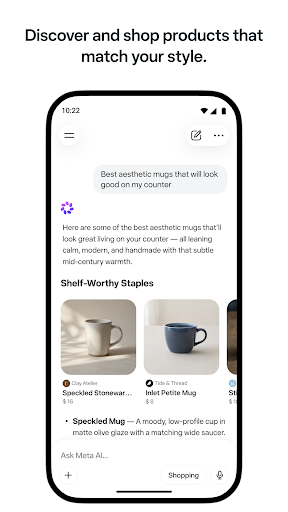
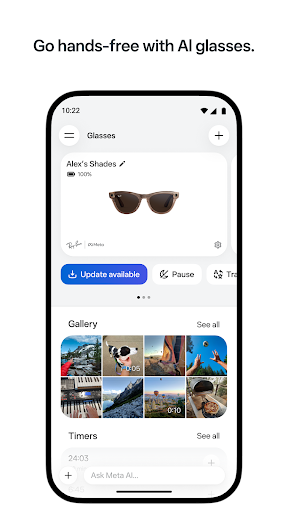
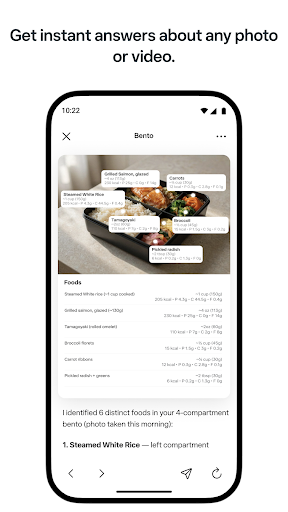
Meta AI is your personal AI assistant — connected to the world, but rooted in yours. It answers, creates, and helps get things done.
• Do more: Meta AI can take on bigger tasks—get daily briefings and reminders, stay on top of your email and calendar, build shopping lists, track workout plans, and more.
• Get creative: Create and edit images with Meta Al's newest image generation capabilities. Use presets inspired by trending styles or easily create your own. Easily edit photos just by sketching on them or asking Meta Al to make specific changes.
• Shop smarter: Describe what you're looking for or snap a photo to find inspiration. Meta Al picks up on the creators you follow and the brands you love to surface recommendations that reflect your style.
• Richer responses: Meta Al taps into what people are sharing and talking about across Instagram, Facebook, and Threads.
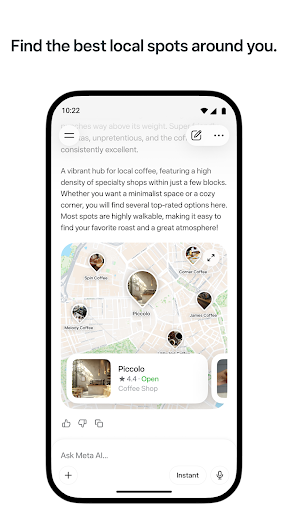
• Discover local spots: Ask for restaurant recommendations, things to do, or where to go this weekend. Meta Al draws from real reviews, posts, and what's trending to surface suggestions with ratings, photos, and details.
• Go deep on any topic: Meta AI can search across sources and deliver a structured, detailed research report in minutes.
• Make things: Create presentations, lookbooks, quizzes, games, and more with a simple prompt.
• Get answers from any photo, video, doc, or file: Snap a pic for instant help. Upload docs, PDFs, or spreadsheets for summaries, comparisons, or analysis. Send multiple files and Meta Al works through them together.
• Think through the hard stuff: Whether it's a big decision or a quick question, Meta Al helps you think it through. Turn on Thinking to reason step by step through complex questions.
• Chat privately: Start an Incognito Chat with Meta AI for a private, temporary conversation that only you can see.
• Talk it out: Chat with Meta AI through voice or text. Voice conversations are faster and more natural, with support for 13 languages. Get real-time answers on anything you see with live AI.
• Go hands-free: Pair your AI glasses for personal assistance as you go about your day. The Meta AI app is the required companion app for managing your AI glasses from Meta, importing and sharing media, and more.
Meta AI is built with Muse Spark, the latest natively multimodal reasoning model from Meta Superintelligence Labs. You can use Meta Al across WhatsApp, Messenger, Instagram, Facebook, AI glasses, the Meta AI app, and meta.ai.
Certain Meta Al features are only available in select countries and languages. Some features may roll out over time. Need to report an issue or share feedback? Shake your phone and tap "Submit a report."
Show more

1. Download MEmu installer and finish the setup

2. Start MEmu then open Google Play on the desktop

3. Search Meta View in Google Play
Install
4. Download and Install Meta View
5. On install completion click the icon to start

6. Enjoy using Meta View on PC with MEmu
MEmu Play is the best Android emulator, and 100 million users already enjoy its superb Android app experience. Powered by advanced virtualization technology, it lets you enjoy thousands of Android apps smoothly on your PC—including the most graphics-intensive ones.
Bigger screen with better graphics; Long duration, without limitation of battery or mobile data.
Full Keymapping support for precise control of keyboard and mouse or gamepad.
Multiple game accounts or tasks on single PC at one time with Multi-Instance manager.
Use Meta View on PC by following steps: