
MingloTalk: Interactive Story
Updated
Current Version
1.0.22
Offered By

Stop worrying about high battery drain when using MingloTalk: Interactive Story on your phone. Free yourself from the tiny screen and enjoy the app on a much larger display. From now on, get a full-screen experience of your app with the convenience of a keyboard and mouse. MEmu offers you all the surprising features you’d expect: quick installation and easy setup, intuitive controls, and no more worries about battery life, mobile data, or unexpected calls. The all-new MEmu 9 is the choice for using MingloTalk: Interactive Story on your computer. With the MEmu multi-instance manager, you can run two or more accounts at the same time. Most importantly, our exclusive emulation engine unlocks your PC’s full potential, delivering smooth and enjoyable performance.
Show more
Enjoy superb experience of using MingloTalk: Interactive Story on PC with MEMU App Player. It's a powerful free Android emulator which provides you with thousands of android apps for their desktop version. Enjoy connecting with friends and polishing your work with higher efficiency! Discover the ultimate multiverse of interactive storytelling.
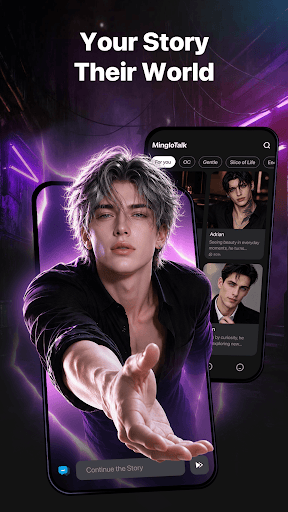
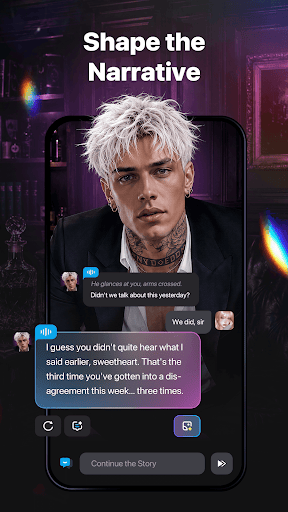
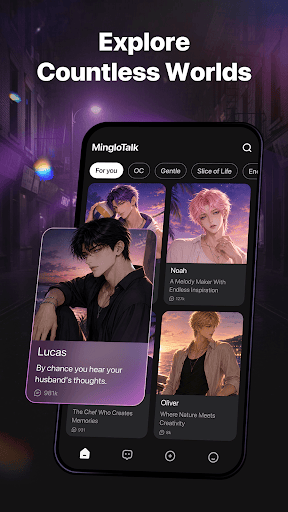
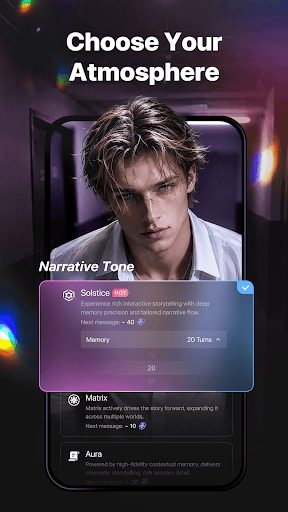
Discover the ultimate multiverse of interactive storytelling. Whether you’re looking to outwit a strategic rival, embark on a legendary quest, or shape a dramatic saga, MingloTalk brings your creative vision to life. Explore an extensive library of unique narrative archetypes or design your own personalized legends in seconds.
Your next great adventure begins with a single choice.
1. Infinite Cast, Endless Discovery
From cunning strategists and mystical heroes to enigmatic travelers and fantasy icons—explore a vast library of unique story figures. Powered by an advanced narrative engine, every protagonist responds with depth, remembering your shared narrative history and evolving with your style.
2. Design Your Own Story Universe
Have a specific vision? Bring it to life with intuitive creation tools. Customize behavioral traits, define rich backstories, and shape distinct narrative styles. Keep all your creations safely stored for your private storytelling sessions.
3. Immersive Interactive Narratives
Step into the center of rich, dynamic plots. Become the lead in your favorite anime-inspired world, navigate a high-stakes mystery, or experience a classic rivalry arc. Real-time narrative twists ensure that every path remains fresh, engaging, and unpredictable.
4. Secure & Seamless Experience
Your creativity belongs to you. Enjoy your creative journey with total peace of mind. We prioritize data protection so you can explore your imagination freely and securely.
Why Choose MingloTalk?
* Contextual Memory: Our narrative engine preserves every plot detail, maintaining full continuity across your story arcs.
* Seamless Access: Jump back into your favorite storylines anytime, anywhere without interruption.
* Personalized Lore: Craft and expand your exclusive narrative universes tailored entirely to your preferences.
* Limitless Exploration: Dive into thousands of interactive genres effortlessly.
Who Is It For?
* Anime & Fiction Enthusiasts: Engage with story figures inspired by your favorite genres, tropes, and universes.
* Creative Writers: Use the dynamic story engine as a creative partner to test narrative flow, build lore, and brainstorm new arcs.
* Interactive Fiction Fans: Enjoy text-based adventures, immersive narrative choices, and deep world-building.
Ready to lead the narrative? Download MingloTalk today and let your imagination take center stage!
Privacy Policy: https://ai.minglotalk.com/static/fe-minglotalk-pc/privacyPolicy/index.html
Terms of Use: https://ai.minglotalk.com/static/fe-minglotalk-pc/termsOfUse/index.html
EULA: https://ai.minglotalk.com/static/fe-minglotalk-pc/eula/index.html
Show more

1. Download MEmu installer and finish the setup

2. Start MEmu then open Google Play on the desktop

3. Search MingloTalk: Interactive Story in Google Play
Install
4. Download and Install MingloTalk: Interactive Story
5. On install completion click the icon to start

6. Enjoy using MingloTalk: Interactive Story on PC with MEmu
MEmu Play is the best Android emulator, and 100 million users already enjoy its superb Android app experience. Powered by advanced virtualization technology, it lets you enjoy thousands of Android apps smoothly on your PC—including the most graphics-intensive ones.
Bigger screen with better graphics; Long duration, without limitation of battery or mobile data.
Full Keymapping support for precise control of keyboard and mouse or gamepad.
Multiple game accounts or tasks on single PC at one time with Multi-Instance manager.
Use MingloTalk: Interactive Story on PC by following steps:































