
My Name Meaning - AI
Updated
Current Version
2.1
Offered By

Stop worrying about high battery drain when using My Name Meaning - AI on your phone. Free yourself from the tiny screen and enjoy the app on a much larger display. From now on, get a full-screen experience of your app with the convenience of a keyboard and mouse. MEmu offers you all the surprising features you’d expect: quick installation and easy setup, intuitive controls, and no more worries about battery life, mobile data, or unexpected calls. The all-new MEmu 9 is the choice for using My Name Meaning - AI on your computer. With the MEmu multi-instance manager, you can run two or more accounts at the same time. Most importantly, our exclusive emulation engine unlocks your PC’s full potential, delivering smooth and enjoyable performance.
Show more
Enjoy superb experience of using My Name Meaning - AI on PC with MEMU App Player. It's a powerful free Android emulator which provides you with thousands of android apps for their desktop version. Enjoy connecting with friends and polishing your work with higher efficiency! My Name Meaning helps you look up names and find baby names by meaning, origin, and style.
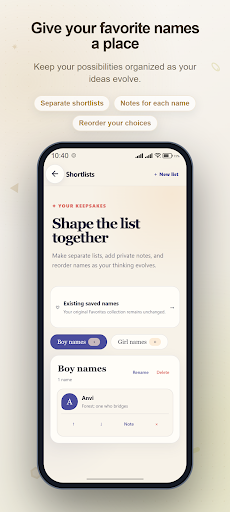
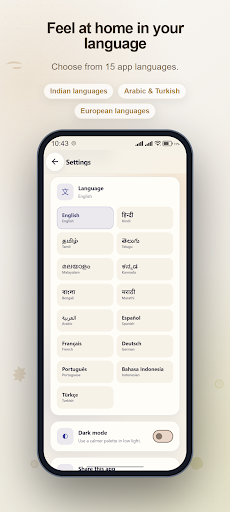
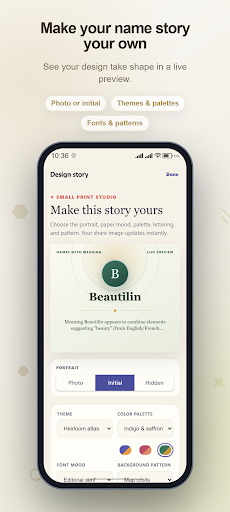
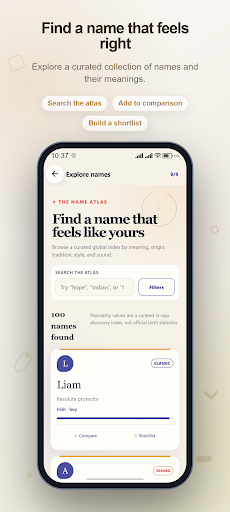
My Name Meaning helps you look up names and find baby names by meaning, origin, and style. Explore the included collection, ask for AI suggestions, and compare the names you would like to keep.
FIND A NAME WITH THE MEANING YOU WANT
Search by name, meaning, or origin, then narrow the collection by boy, girl, or unisex usage. Choose a cultural tradition, a meaning theme, a modern or classic style, or a shorter name. The collection includes Indian names and entries with Hindu or Muslim usage, alongside names from other backgrounds.
Open a name to read its included meaning, origin details, and phonetic spelling. On supported devices, listen using an available text-to-speech voice.
ASK FOR BABY NAME SUGGESTIONS
Describe what you are looking for, such as a short name with a particular meaning or a cultural connection. The AI assistant returns suggestions with explanations. You can also request an AI explanation for a name you enter.
AI requests need internet access and an available service. When the assistant service is unavailable, matching suggestions from the included collection may be shown instead. AI responses can contain mistakes, and meanings can vary across cultures.
COMPARE BEFORE YOU CHOOSE
Review up to five names side by side. Compare meanings and origins, and optionally enter a surname for an illustrative rhythm and style guide. Save promising names to a shortlist and add a note about why each one appeals to you.
KEEP YOUR CHOICES TOGETHER
Create separate lists, rename them, and move entries into your preferred order. Saved results and recent lookup history let you return to earlier ideas. These lists and records are stored on your device.
MAKE A PERSONAL NAME CARD
Choose a theme, color, font, and pattern. Use an initial, add and crop a photo, or hide the portrait. Share a result as text or an image, or prepare a PNG or PDF card in Card Studio for a compatible sharing app.
For names outside the collection, standard non-AI lookup assigns an inspirational message, not a verified meaning or origin. Surname style guidance is a creative aid rather than a compatibility prediction.
Show more

1. Download MEmu installer and finish the setup

2. Start MEmu then open Google Play on the desktop

3. Search My Name Meaning - AI in Google Play
Install
4. Download and Install My Name Meaning - AI
5. On install completion click the icon to start

6. Enjoy using My Name Meaning - AI on PC with MEmu
MEmu Play is the best Android emulator, and 100 million users already enjoy its superb Android app experience. Powered by advanced virtualization technology, it lets you enjoy thousands of Android apps smoothly on your PC—including the most graphics-intensive ones.
Bigger screen with better graphics; Long duration, without limitation of battery or mobile data.
Full Keymapping support for precise control of keyboard and mouse or gamepad.
Multiple game accounts or tasks on single PC at one time with Multi-Instance manager.
Use My Name Meaning - AI on PC by following steps:































