myVAILLANT
Updated
Current Version
2.23.2
Offered By

Stop worrying about high battery drain when using myVAILLANT on your phone. Free yourself from the tiny screen and enjoy the app on a much larger display. From now on, get a full-screen experience of your app with the convenience of a keyboard and mouse. MEmu offers you all the surprising features you’d expect: quick installation and easy setup, intuitive controls, and no more worries about battery life, mobile data, or unexpected calls. The all-new MEmu 9 is the choice for using myVAILLANT on your computer. With the MEmu multi-instance manager, you can run two or more accounts at the same time. Most importantly, our exclusive emulation engine unlocks your PC’s full potential, delivering smooth and enjoyable performance.
Show more
Enjoy superb experience of using myVAILLANT on PC with MEMU App Player. It's a powerful free Android emulator which provides you with thousands of android apps for their desktop version. Enjoy connecting with friends and polishing your work with higher efficiency! This app is compatible with all installations equipped with a gateway (internet module).
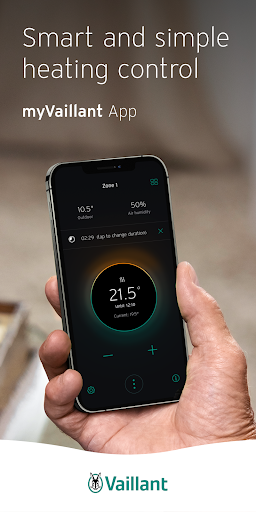
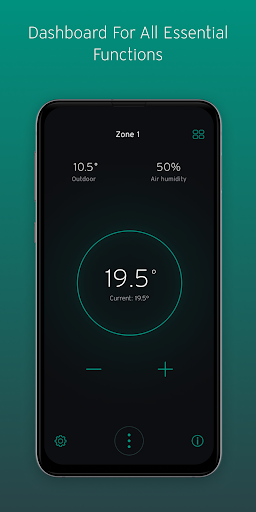
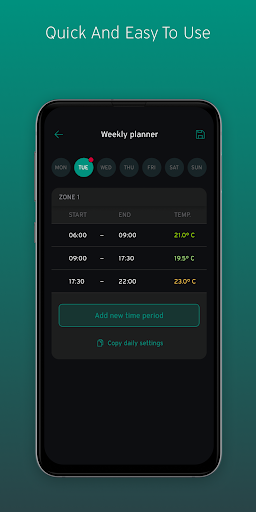
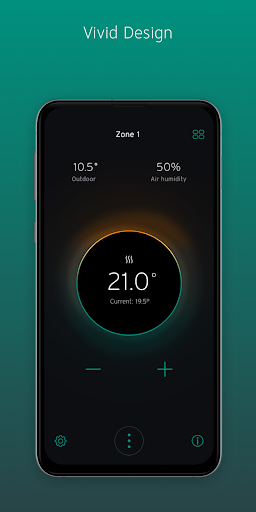
This app is compatible with all installations equipped with a gateway (internet module).
myVAILLANT takes care of your heating whilst you are busy doing other things.
Manage your smart heating system more easily than ever:
Define your settings once. Everything runs automatically in the background from then on. As long as you want it to. You can check on your settings at any time with real time information. Optimize your settings fast by swiping & tapping to make changes.
CHECK
- All important information in your myVAILLANT home screen
- Transparent and easy to understand energy consumption data
- Instant update on changes via push notifications
OPTIMIZE
- Time programmes and away-mode to automatically save energy when not needed
- Intelligent adjustment to local weather conditions
- Intelligent saving and setting recommendations based on your individual usage patterns
- Seamless integration into smart home system coming soon
MANAGE
- Time programme assist feature for flexible feel-good climate
- Direct connection to your installer for fast and smooth maintenance and troubleshooting
- Time saving for service interventions by remote diagnostics
- Significantly reduced downtimes and failure diagnosis time
Get the most out of your smart heating system to enjoy feel-good climate and protect the environment whilst saving money.
myVAILLANT App is constantly learning and will improve functionalities for you. Stay tuned for new releases and enhanced features!
Show more

1. Download MEmu installer and finish the setup

2. Start MEmu then open Google Play on the desktop

3. Search myVAILLANT in Google Play
Install
4. Download and Install myVAILLANT
5. On install completion click the icon to start

6. Enjoy using myVAILLANT on PC with MEmu
MEmu Play is the best Android emulator, and 100 million users already enjoy its superb Android app experience. Powered by advanced virtualization technology, it lets you enjoy thousands of Android apps smoothly on your PC—including the most graphics-intensive ones.
Bigger screen with better graphics; Long duration, without limitation of battery or mobile data.
Full Keymapping support for precise control of keyboard and mouse or gamepad.
Multiple game accounts or tasks on single PC at one time with Multi-Instance manager.
Use myVAILLANT on PC by following steps: