
Instapro
Updated
Current Version
10.7.1
Offered By

Stop worrying about high battery drain when using Instapro on your phone. Free yourself from the tiny screen and enjoy the app on a much larger display. From now on, get a full-screen experience of your app with the convenience of a keyboard and mouse. MEmu offers you all the surprising features you’d expect: quick installation and easy setup, intuitive controls, and no more worries about battery life, mobile data, or unexpected calls. The all-new MEmu 9 is the choice for using Instapro on your computer. With the MEmu multi-instance manager, you can run two or more accounts at the same time. Most importantly, our exclusive emulation engine unlocks your PC’s full potential, delivering smooth and enjoyable performance.
Show more
Enjoy superb experience of using Instapro on PC with MEMU App Player. It's a powerful free Android emulator which provides you with thousands of android apps for their desktop version. Enjoy connecting with friends and polishing your work with higher efficiency! Trova professionisti per la casa vicini a te ORA - grazie all'App grautita di Instapro.
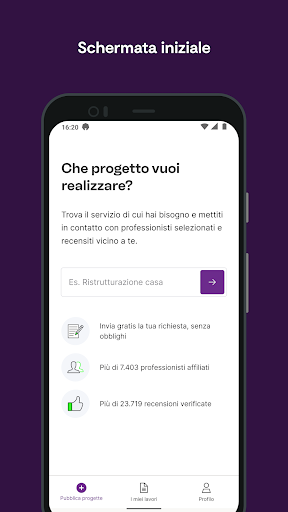
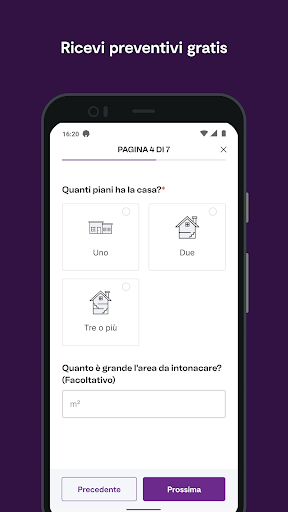
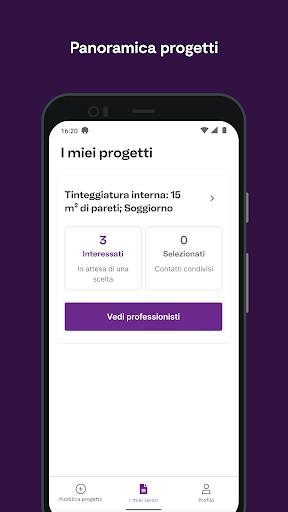
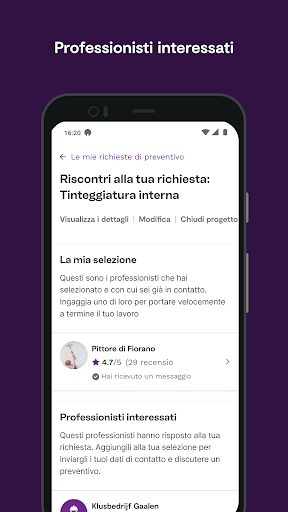
Trova professionisti per la casa vicini a te ORA - grazie all'App grautita di Instapro. Conciatetti, traslocatori, idraulici o imbianchini: l'App di Instapro ti permette di trovare velocemente e facilmente professionisti certificati per qualunque lavoro per la casa.
GRATIS! Posta e affida lavori gratuitamente*
Crea la tua richiesta di lavori gratuitamente, carica delle foto e ricevi preventivi da professionisti che fanno al caso tuo. A quel punto non ti resterà che scegliere la migliore offerta!
NESSUN OBBLIGO! Non c'è alcun obbligo di scegliere alcun professionista.
Se il tuo lavoro va posticipato, non sarai obbligato ad accettare nessuna offerta o ad assegnare il progetto.
FACILE DA UTILIZZARE! La ricerca professionisti di Instapro
Accedi a migliaia di profili di professionisti nella tua area, solo i migliori in circolazione e tutti certificati.
CERTIFICATO! Come i profili dei professionisti su Instapro
Visualizza le certificazioni, le aree di competenza e vere recensioni di altri clienti come te. Potrai consultare i loro lavori precedenti e verificare la qualità del loro servizio.
*Nota: un account grauito su Instapro ed una connessione internet attiva sono richieste per accedere a tutte le funzioni della piattaforma.
Show more

1. Download MEmu installer and finish the setup

2. Start MEmu then open Google Play on the desktop

3. Search Instapro in Google Play
Install
4. Download and Install Instapro
5. On install completion click the icon to start

6. Enjoy using Instapro on PC with MEmu
MEmu Play is the best Android emulator, and 100 million users already enjoy its superb Android app experience. Powered by advanced virtualization technology, it lets you enjoy thousands of Android apps smoothly on your PC—including the most graphics-intensive ones.
Bigger screen with better graphics; Long duration, without limitation of battery or mobile data.
Full Keymapping support for precise control of keyboard and mouse or gamepad.
Multiple game accounts or tasks on single PC at one time with Multi-Instance manager.
Use Instapro on PC by following steps: