NASA
Updated
Current Version
1775252846
Offered By

Stop worrying about high battery drain when using NASA on your phone. Free yourself from the tiny screen and enjoy the app on a much larger display. From now on, get a full-screen experience of your app with the convenience of a keyboard and mouse. MEmu offers you all the surprising features you’d expect: quick installation and easy setup, intuitive controls, and no more worries about battery life, mobile data, or unexpected calls. The all-new MEmu 9 is the choice for using NASA on your computer. With the MEmu multi-instance manager, you can run two or more accounts at the same time. Most importantly, our exclusive emulation engine unlocks your PC’s full potential, delivering smooth and enjoyable performance.
Show more
Enjoy superb experience of using NASA on PC with MEMU App Player. It's a powerful free Android emulator which provides you with thousands of android apps for their desktop version. Enjoy connecting with friends and polishing your work with higher efficiency! The NASA App puts you on the front row of the Artemis II mission!
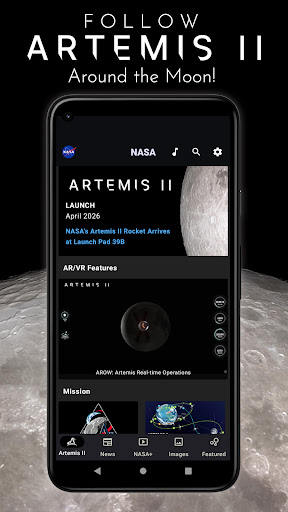
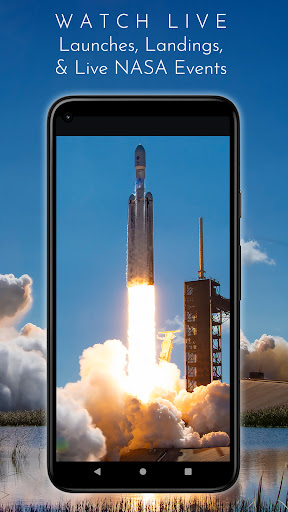
The NASA App puts you on the front row of the Artemis II mission! Stream live mission coverage on NASA+, track the Artemis crew's journey in real time, and use augmented reality to bring the Orion spacecraft right into your room. From liftoff to lunar flyby to splashdown, follow along and be part of the mission!
The new Artemis II tab (on phones and tablets) brings you up close to the mission to the Moon:
• 3… 2… 1… launch! View the countdown clock before launch, and the mission elapsed time between launch and splashdown
• Track Orion in real-time with AROW, the Artemis Real-time Orbit Website
• Explore the Artemis II mission overview and map, and meet the astronauts who will venture around the Moon
• Read the latest Artemis II news and blog entries
• Picture yourself in the Artemis crew helmet, “NASA Artemis Style”!
• Journey through space with Eyes on the Solar System: Artemis II
• Explore AR models of the SLS rocket and Orion capsule
• Listen to NASA’s latest podcasts covering missions, science, technology, and the people behind the exploration
• Follow NASA’s Artemis II on social media with quick links
And there’s much more to explore in the NASA App:
• Watch LIVE rocket launches and landings as NASA sends astronauts to the International Space Station and the Moon, delivers cargo to orbit, and launches science missions to explore the universe
• View LIVE events from the International Space Station – dockings, departures, spacewalks, and a continuous 24/7 live view from orbit
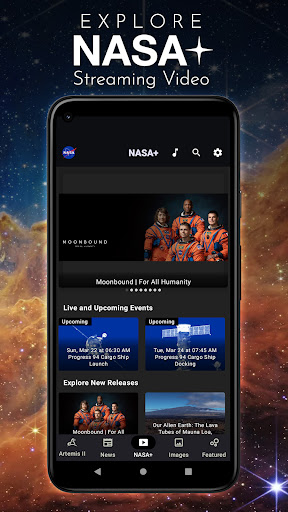
• Explore NASA+, our ad-free, on-demand free video streaming service – no subscription required! Watch NASA’s official live coverage, view original documentaries and series (including several series for kids), learn about NASA history and science exploration, and “Space Out” to music and high-definition visuals of our cosmic neighborhood.
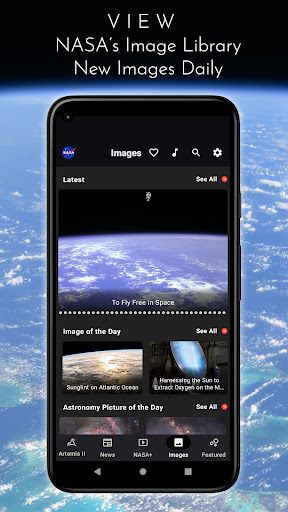
• View NASA’s image library (over 21,000 images), with new images posted daily
• Rate images, save your favorites, and automatically change your phone’s wallpaper to the latest NASA images each day
• Read all the latest NASA news and feature articles
• Get the latest updates on Artemis, the Nancy Grace Roman Space Telescope, and other featured NASA missions
• Track the International Space Station, and get a notification when the Station will fly over your location
• Tune in to Third Rock Radio – America's Space Station! (available in the US/UK/Canada)
• And so much more!
The NASA App puts the universe at your fingertips! Download it today!
Show more

1. Download MEmu installer and finish the setup

2. Start MEmu then open Google Play on the desktop

3. Search NASA in Google Play
Install
4. Download and Install NASA
5. On install completion click the icon to start

6. Enjoy using NASA on PC with MEmu
MEmu Play is the best Android emulator, and 100 million users already enjoy its superb Android app experience. Powered by advanced virtualization technology, it lets you enjoy thousands of Android apps smoothly on your PC—including the most graphics-intensive ones.
Bigger screen with better graphics; Long duration, without limitation of battery or mobile data.
Full Keymapping support for precise control of keyboard and mouse or gamepad.
Multiple game accounts or tasks on single PC at one time with Multi-Instance manager.
Use NASA on PC by following steps: