
Orange et moi France
Updated
Current Version
D
Offered By

Stop worrying about high battery drain when using Orange et moi France on your phone. Free yourself from the tiny screen and enjoy the app on a much larger display. From now on, get a full-screen experience of your app with the convenience of a keyboard and mouse. MEmu offers you all the surprising features you’d expect: quick installation and easy setup, intuitive controls, and no more worries about battery life, mobile data, or unexpected calls. The all-new MEmu 9 is the choice for using Orange et moi France on your computer. With the MEmu multi-instance manager, you can run two or more accounts at the same time. Most importantly, our exclusive emulation engine unlocks your PC’s full potential, delivering smooth and enjoyable performance.
Show more
Enjoy superb experience of using Orange et moi France on PC with MEMU App Player. It's a powerful free Android emulator which provides you with thousands of android apps for their desktop version. Enjoy connecting with friends and polishing your work with higher efficiency! The Orange et moi application allows you to monitor the details of your consumption at any time, manage your invoices, your packages as well as the options and equipment of your mobile and internet-TV-telephone contracts.
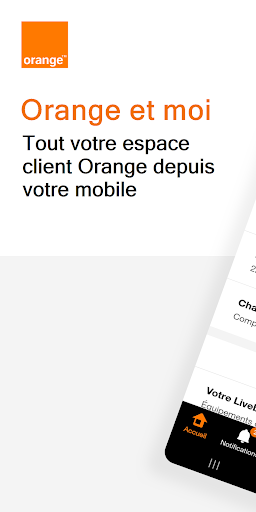
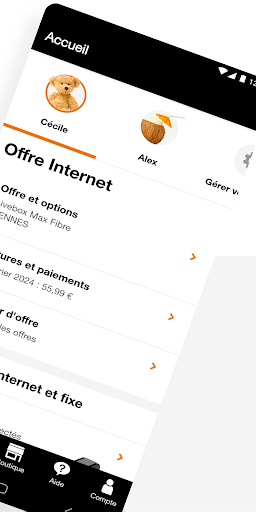
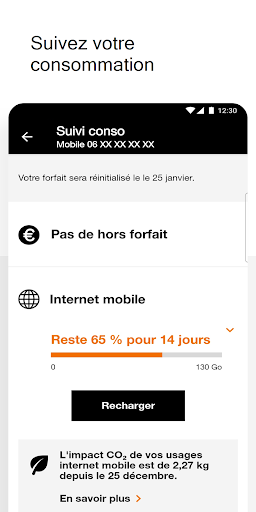
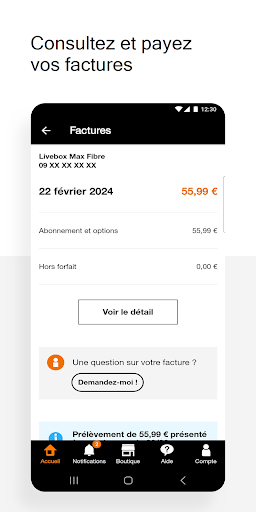
The Orange et moi application allows you to monitor the details of your consumption at any time, manage your invoices, your packages as well as the options and equipment of your mobile and internet-TV-telephone contracts.
Are you looking for information or encountering a problem? The Help section provides you with online solutions and allows you to chat with an Orange advisor by messaging.
If you prefer to go to an Orange store, the application allows you to locate a store near you and make an appointment.
Tip: a widget allows you to access your consumption monitoring in the blink of an eye.
How to install it? Long press from the home page of your mobile or tablet and choose the “Orange and me” widget.
With Orange and me, take advantage of many features:
- Track your orders
- Follow the details of your consumption for all of your offers
- View, download and pay your bills
- Update your banking details and change payment method
- Change offer or mobile phone
- Subscribe or cancel your options
- Top up mobile credit for prepaid or blocked mobile plans
- Check your included destinations, international rates
- Subscribe to a travel pass and schedule its activation date
- Access emergency procedures: PUK code, line suspension, unlocking, etc.
- Control your Livebox services remotely
- Test and troubleshoot your Livebox and your connected equipment
- Test and troubleshoot your services and equipment
- Access the Help section and speak with an advisor
- Make and manage your appointments in an Orange store
- Modify your personal information and data
- Manage the daily life of your contracts (power of attorney, moving, transfer of offer, termination)
- Identify and block unwanted calls on your mobile
- Stay informed with the notification center
To note ! The Orange et moi application is compatible with the accessibility options of your mobile or tablet.
Also take advantage of dark mode to rest your eyes and maximize your battery. The functionality is accessible from the application navigation bar:
Account > App Settings > Display.
Contribute! In order to continue to guarantee the best quality of service wherever you are, help improve network coverage (through the collection of technical network data).
Do you want to understand the permissions requested by the application and maintain control over your personal data? Go to the “Privacy and confidentiality” section accessible from the Account tab of the application navigation bar or at https://assistance.orange.fr/oid/81503
Do you like the Orange et moi application? Don’t hesitate to write a review on the store!
* Downloads and uses in the Orange et moi customer area are free (excluding mobile internet connection costs depending on the offer subscribed).
* The Orange et moi application is accessible to Orange France individual customers with a mobile or internet offer.
Show more

1. Download MEmu installer and finish the setup

2. Start MEmu then open Google Play on the desktop

3. Search Orange et moi France in Google Play
Install
4. Download and Install Orange et moi France
5. On install completion click the icon to start

6. Enjoy using Orange et moi France on PC with MEmu
MEmu Play is the best Android emulator, and 100 million users already enjoy its superb Android app experience. Powered by advanced virtualization technology, it lets you enjoy thousands of Android apps smoothly on your PC—including the most graphics-intensive ones.
Bigger screen with better graphics; Long duration, without limitation of battery or mobile data.
Full Keymapping support for precise control of keyboard and mouse or gamepad.
Multiple game accounts or tasks on single PC at one time with Multi-Instance manager.
Use Orange et moi France on PC by following steps: