
Photo Video Maker with Music
Updated
Current Version
1.0.0.2
Offered By

Stop worrying about high battery drain when using Photo Video Maker with Music on your phone. Free yourself from the tiny screen and enjoy the app on a much larger display. From now on, get a full-screen experience of your app with the convenience of a keyboard and mouse. MEmu offers you all the surprising features you’d expect: quick installation and easy setup, intuitive controls, and no more worries about battery life, mobile data, or unexpected calls. The all-new MEmu 9 is the choice for using Photo Video Maker with Music on your computer. With the MEmu multi-instance manager, you can run two or more accounts at the same time. Most importantly, our exclusive emulation engine unlocks your PC’s full potential, delivering smooth and enjoyable performance.
Show more
Enjoy superb experience of using Photo Video Maker with Music on PC with MEMU App Player. It's a powerful free Android emulator which provides you with thousands of android apps for their desktop version. Enjoy connecting with friends and polishing your work with higher efficiency! Photo video maker is one of the stylish and most important operations for creating vids, creating pictures, creating slide show pictures on your device.
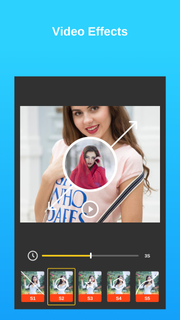
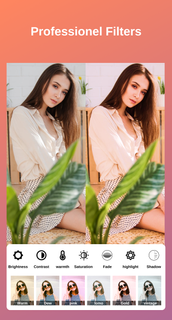
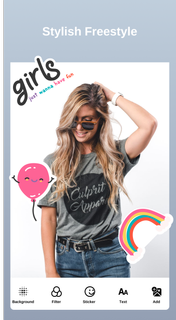
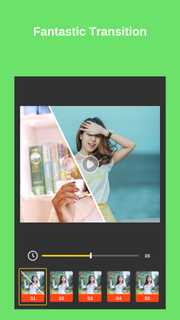
Photo video maker is one of the stylish and most important operations for creating vids, creating pictures, creating slide show pictures on your device. With this videotape creation operation from prints and music, you can fluently produce vids, edit vids from your own print gallery. You're using the app to produce vids from the images in your collection stylish on Google Play. All you need to do to produce great vids is Choose prints. Add music. Set goods, time. Save vids, slideshows and partake them with musketeers. Photo videotape maker is the easiest way to produce music vids. print videotape maker is a free videotape and music creation operation. This is the stylish option for you to store and partake filmland and sweet recollections with musketeers and cousins! The operation allows druggies to elect music from their phone, just elect your favorite print, beautiful slideshow videotape will be created. videotape maker- print Slideshow with music is the fastest and easiest videotape creation tool that helps you produce videotape with customization duration, mottoes , music, images and much further. It's designed to make the experience of creating music videotape with prints as easy and intuitive as possible. This is one of the stylish and most important operations for creating videotape from filmland indeed if you know nothing about music videotape product. Just one click to make great music vids or ideal print slideshow, pictures right down and you can partake it with your cousins, musketeers to enjoy your creative achievements. You can make vids with music, produce pictures, edit vids, combine prints to produce slideshow with audios from your library and filmland. The operation allows druggies to choose your favorite prints, music from your phone. Add a many simple way, you formerly have a music videotape product edited by yourself. To save time making vids- prints with music for people, we've handed some air, transition goods, frames, flipcharts available. videotape maker supports cutting prints, adding textbook, labeling, overlay, blurring. * Professional editing tool print editor with music editor and videotape provides the stylish tools to make it easy to produce vids from your prints and music to produce extremely easy donation vids * Beautiful goods The print videotape maker has a lot of awful goods and it's free. * Music The app provides warbles that match every videotape theme. You can also add your favorite songs and music tracks from the device to make your vids intriguing and engaging. * Frame and time slideshow Lots of beautiful and varied frames for your videotape to be unique. You can also edit the videotape speed snappily or sluggishly by opting the duration of the slideshow. - Main features of print videotape maker ★ Free videotape maker app for prints and music, the free videotape editing operation ★ Easy to use professional editing tools ★ Find prints from your gallery. You can choose as numerous prints as you want. Supports high- resolution images. ★ Support image editing is a print editing tool before creating vids. With further features add textbook, stickers, crop prints, flip prints, pollutants,. ★ Add music to the slideshow, fluently elect the music you love to add to the videotape. ★ Lots of free themes with beautiful and pictorial goods sets available in the app ★ Lots of print frames with different colors to make your vids more prominent. ★ Acclimate the videotape length as you like by changing the slide show time between images. ★ fluently provisory vids to bias with just one click. ★ Share vids for cherished musketeers through your favorite apps like Facebook, Twitter, Instagram, Dispatch. To learn further about advanced settings, download and try it out. We believe that harkening experience can be commodity more. This is why we created this print videotape maker.
Show more

1. Download MEmu installer and finish the setup

2. Start MEmu then open Google Play on the desktop

3. Search Photo Video Maker with Music in Google Play
Install
4. Download and Install Photo Video Maker with Music
5. On install completion click the icon to start

6. Enjoy using Photo Video Maker with Music on PC with MEmu
MEmu Play is the best Android emulator, and 100 million users already enjoy its superb Android app experience. Powered by advanced virtualization technology, it lets you enjoy thousands of Android apps smoothly on your PC—including the most graphics-intensive ones.
Bigger screen with better graphics; Long duration, without limitation of battery or mobile data.
Full Keymapping support for precise control of keyboard and mouse or gamepad.
Multiple game accounts or tasks on single PC at one time with Multi-Instance manager.
Use Photo Video Maker with Music on PC by following steps: