Qwen
Updated
Current Version
1.3.7
Offered By

Stop worrying about high battery drain when using Qwen on your phone. Free yourself from the tiny screen and enjoy the app on a much larger display. From now on, get a full-screen experience of your app with the convenience of a keyboard and mouse. MEmu offers you all the surprising features you’d expect: quick installation and easy setup, intuitive controls, and no more worries about battery life, mobile data, or unexpected calls. The all-new MEmu 9 is the choice for using Qwen on your computer. With the MEmu multi-instance manager, you can run two or more accounts at the same time. Most importantly, our exclusive emulation engine unlocks your PC’s full potential, delivering smooth and enjoyable performance.
Show more
Enjoy superb experience of using Qwen on PC with MEMU App Player. It's a powerful free Android emulator which provides you with thousands of android apps for their desktop version. Enjoy connecting with friends and polishing your work with higher efficiency! Qwen is the official AI app from Alibaba — your smart ia assistant for life, business, and entertainment.
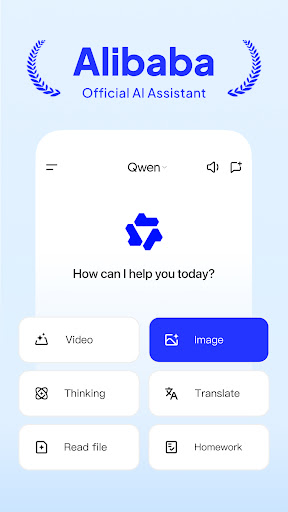
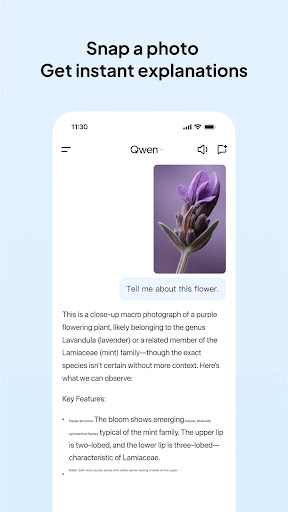
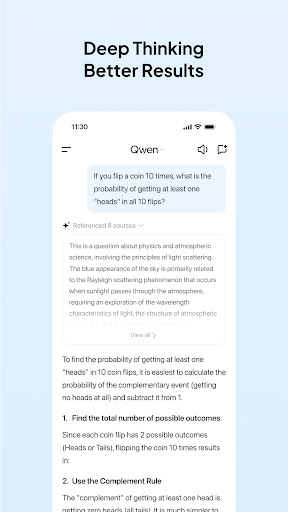
Qwen is the official AI app from Alibaba — your smart ia assistant for life, business, and entertainment.
Start an ai chat with Qwen to get answers in minutes: edit foto, create video, scan files, translate text, and find inspiration — all in one place.
WHAT CAN QWEN DO FOR YOU?
● Need to edit foto fast?
Just describe it in ai chat — Qwen transforms your photo with real results, from remove background to anime style.
● Need AI that understands photos and video?
Upload or scan a photo, then ask Qwen about the details — from text in documents to scenes in a short video, Qwen gets it right.
● Looking for a live daily partner?
Talk to Qwen for better communication, fresh ideas, and getting things done — for study, work, and life.
KEY FEATURES:
Qwen Smart Chat
Type a prompt or talk with voice — Qwen drafts ideas, plans, and full answers in minutes, saving you time. It's a real ai chat to connect with friends, brainstorm ideas, or plan a date.
Qwen Photos & Video
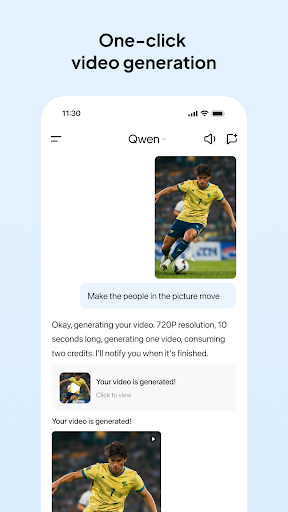
Turn text into stunning anime art, logos, or AI video instantly. Edit foto precisely to remove background or change elements for social media — professional design made simple.
Qwen Visual Recognition & Files
Identify text in photos, scan documents, and describe images accurately with Qwen. Work with files like Word and PDF to get information fast.
Qwen Stories & Content
Draft business plans, write a story, or script video projects via chat. From a short story to video scripts, save time on outlines and drafting with AI Qwen.
Qwen Global Connect
Translate messages instantly to connect with the world. Language barriers disappear for business, study, and dating with this smart assistant.
Qwen Study & Game Partner
Solve study challenges fast and get game strategy tips from Qwen — with privacy protection built in. Learn concepts easily and enjoy entertainment with AI Qwen.
Qwen: World-class tools in one app
Smart Chat: Business, code, and study improve via ai chat — talk or type, Qwen answers.
AI Creativity: Identify images, edit foto, translate languages, and script video content fast.
All-in-One: Scan files, work with Word and PDF, get information, and enjoy live entertainment. Share your creations and master the world — just ask Qwen!
Contact Qwen
If you have any issues or feature suggestions, please send them to: feedback@qwen.com.
Backed by Alibaba's latest technology, Qwen is dedicated to continuous improvement. We truly value your insights in helping us serve you better.
Show more

1. Download MEmu installer and finish the setup

2. Start MEmu then open Google Play on the desktop

3. Search Qwen in Google Play
Install
4. Download and Install Qwen
5. On install completion click the icon to start

6. Enjoy using Qwen on PC with MEmu
MEmu Play is the best Android emulator, and 100 million users already enjoy its superb Android app experience. Powered by advanced virtualization technology, it lets you enjoy thousands of Android apps smoothly on your PC—including the most graphics-intensive ones.
Bigger screen with better graphics; Long duration, without limitation of battery or mobile data.
Full Keymapping support for precise control of keyboard and mouse or gamepad.
Multiple game accounts or tasks on single PC at one time with Multi-Instance manager.
Use Qwen on PC by following steps: