ScratchJr
Updated
Current Version
N
Offered By

Stop worrying about high battery drain when using ScratchJr on your phone. Free yourself from the tiny screen and enjoy the app on a much larger display. From now on, get a full-screen experience of your app with the convenience of a keyboard and mouse. MEmu offers you all the surprising features you’d expect: quick installation and easy setup, intuitive controls, and no more worries about battery life, mobile data, or unexpected calls. The all-new MEmu 9 is the choice for using ScratchJr on your computer. With the MEmu multi-instance manager, you can run two or more accounts at the same time. Most importantly, our exclusive emulation engine unlocks your PC’s full potential, delivering smooth and enjoyable performance.
Show more
Enjoy superb experience of using ScratchJr on PC with MEMU App Player. It's a powerful free Android emulator which provides you with thousands of android apps for their desktop version. Enjoy connecting with friends and polishing your work with higher efficiency! ScratchJr is an introductory programming language that enables young children (ages 5 and up) to create their own interactive stories and games.
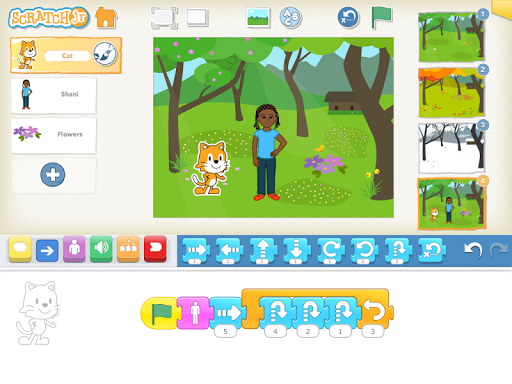
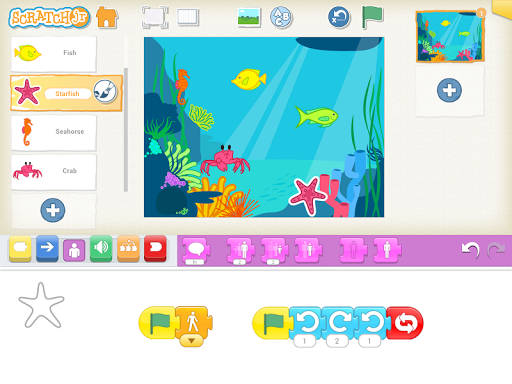
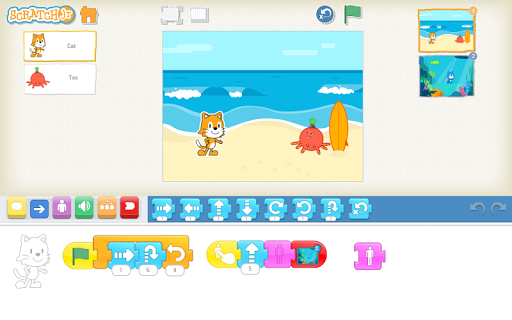
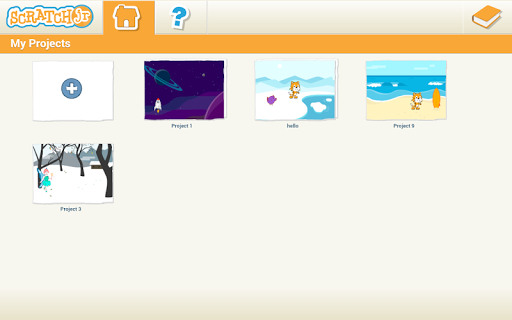
ScratchJr is an introductory programming language that enables young children (ages 5 and up) to create their own interactive stories and games. Children snap together graphical programming blocks to make characters move, jump, dance, and sing. Children can modify characters in the paint editor, add their own voices and sounds, even insert photos of themselves -- then use the programming blocks to make their characters come to life.
ScratchJr was inspired by the popular Scratch programming language (http://scratch.mit.edu), used by millions of young people (ages 8 and up) around the world. In creating ScratchJr, we redesigned the interface and programming language to make them developmentally appropriate for younger children, carefully designing features to match young children's cognitive, personal, social, and emotional development.
We see coding (or computer programming) as a new type of literacy. Just as writing helps you organize your thinking and express your ideas, the same is true for coding. In the past, coding was seen as too difficult for most people. But we think coding should be for everyone, just like writing.
As young children code with ScratchJr, they learn how to create and express themselves with the computer, not just to interact with it. In the process, children learn to solve problems and design projects, and they develop sequencing skills that are foundational for later academic success. They also use math and language in a meaningful and motivating context, supporting the development of early-childhood numeracy and literacy. With ScratchJr, children aren't just learning to code, they are coding to learn.
ScratchJr is a collaboration between the Developmental Technologies group at Tufts University, the Lifelong Kindergarten group at the MIT Media Lab, and the Playful Invention Company. Two Sigma led the implementation of the Android version of ScratchJr. The graphics and illustrations for ScratchJr were created by HvingtQuatre Company and Sarah Thomson.
If you enjoy using this free app, please consider making a donation to the Scratch Foundation (http://www.scratchfoundation.org), a nonprofit organization that provides ongoing support for ScratchJr. We appreciate donations of all sizes, large and small.
This version of ScratchJr works only on tablets that are 7-inches or larger, and running Android 4.2 (Jelly Bean) or higher.
Terms of Use: http://www.scratchjr.org/eula.html
Show more

1. Download MEmu installer and finish the setup

2. Start MEmu then open Google Play on the desktop

3. Search ScratchJr in Google Play
Install
4. Download and Install ScratchJr
5. On install completion click the icon to start

6. Enjoy using ScratchJr on PC with MEmu
MEmu Play is the best Android emulator, and 100 million users already enjoy its superb Android app experience. Powered by advanced virtualization technology, it lets you enjoy thousands of Android apps smoothly on your PC—including the most graphics-intensive ones.
Bigger screen with better graphics; Long duration, without limitation of battery or mobile data.
Full Keymapping support for precise control of keyboard and mouse or gamepad.
Multiple game accounts or tasks on single PC at one time with Multi-Instance manager.
Use ScratchJr on PC by following steps: