Screen Recorder: Video Capture
Updated
Current Version
1.0
Offered By

Stop worrying about high battery drain when using Screen Recorder: Video Capture on your phone. Free yourself from the tiny screen and enjoy the app on a much larger display. From now on, get a full-screen experience of your app with the convenience of a keyboard and mouse. MEmu offers you all the surprising features you’d expect: quick installation and easy setup, intuitive controls, and no more worries about battery life, mobile data, or unexpected calls. The all-new MEmu 9 is the choice for using Screen Recorder: Video Capture on your computer. With the MEmu multi-instance manager, you can run two or more accounts at the same time. Most importantly, our exclusive emulation engine unlocks your PC’s full potential, delivering smooth and enjoyable performance.
Show more
Enjoy superb experience of using Screen Recorder: Video Capture on PC with MEMU App Player. It's a powerful free Android emulator which provides you with thousands of android apps for their desktop version. Enjoy connecting with friends and polishing your work with higher efficiency! Record your screen effortlessly and share your moments with ease using Screen Recorder - Capture & Share.
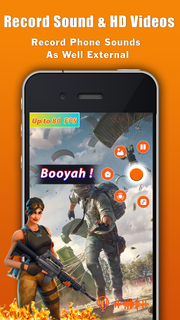
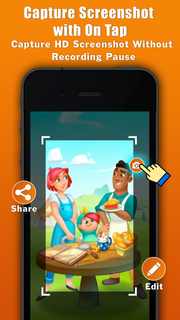
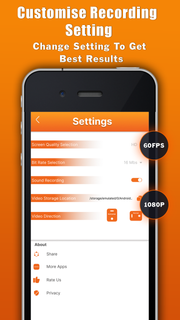
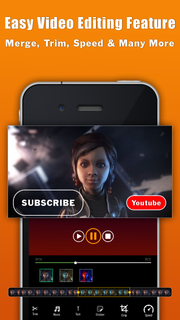
Record your screen effortlessly and share your moments with ease using Screen Recorder - Capture & Share. This powerful video recording app lets you capture all the action happening on your device's screen, whether it's app usage, gameplay, tutorials, presentations, or anything else you want to showcase. With a range of features and customization options, Screen Recorder - Capture & Share is the ultimate tool for creating engaging videos and sharing your experiences.Key Features:Record Screen: Capture every detail on your device's screen, showcasing your app usage, gameplay skills, or step-by-step tutorials.Video Recording Options: Choose from multiple recording options, including full screen, specific app windows, or a selected portion of the screen, ensuring precise and focused recordings.Audio Recording: Enable audio recording to capture system sounds, microphone input, or a mix of both, allowing you to add narrations, reactions, or preserve video audio.Video Resolution and Quality: Adjust the recording resolution and quality settings to meet your specific requirements. Higher resolutions offer superior clarity, while adjustable quality ensures optimal storage usage.Frame Rate Control: Set the frame rate for smooth playback, balancing between video quality and resource consumption.Screen Orientation: Record in landscape or portrait mode, depending on your preference or the content being captured.Countdown Timer: Use the countdown timer to prepare and set up before recording starts, ensuring you capture the perfect moment.Video Editing Tools: Enhance your recordings with basic editing features, such as trimming, cropping, adding text, annotations, or merging multiple clips.Front Camera Recording: Simultaneously record your screen and yourself using the front camera, perfect for reaction videos or including a facecam in tutorials.Drawing and Highlighting: Emphasize important areas on the screen with drawing tools and highlighter options, making your tutorials or presentations more engaging.GIF Creation: Convert your recorded videos into GIFs, making them easily shareable and compatible with platforms that support GIF formats.Customization and Settings: Personalize your recording experience with various settings, including video format, bitrate, audio source, screen taps visualization, or enabling touch gestures.Privacy and Security: Safeguard sensitive information by blurring or obscuring specific areas of the screen during recording, protecting your privacy.No Ads or Watermarks: Enjoy a seamless recording experience without any distracting ads or watermarks.Device Compatibility: Screen Recorder - Capture & Share is compatible with a wide range of Android devices, ensuring smooth performance and optimal functionality.With Screen Recorder - Capture & Share, you have the power to create engaging videos, share tutorials, and document any on-screen activity effortlessly. Download now and start capturing and sharing your screen moments in high-quality videos!
Show more

1. Download MEmu installer and finish the setup

2. Start MEmu then open Google Play on the desktop

3. Search Screen Recorder: Video Capture in Google Play
Install
4. Download and Install Screen Recorder: Video Capture
5. On install completion click the icon to start

6. Enjoy using Screen Recorder: Video Capture on PC with MEmu
MEmu Play is the best Android emulator, and 100 million users already enjoy its superb Android app experience. Powered by advanced virtualization technology, it lets you enjoy thousands of Android apps smoothly on your PC—including the most graphics-intensive ones.
Bigger screen with better graphics; Long duration, without limitation of battery or mobile data.
Full Keymapping support for precise control of keyboard and mouse or gamepad.
Multiple game accounts or tasks on single PC at one time with Multi-Instance manager.
Use Screen Recorder: Video Capture on PC by following steps: