SkinApe for Games & Gift Cards
Updated
Current Version
1.100
Offered By

Stop worrying about high battery drain when using SkinApe for Games & Gift Cards on your phone. Free yourself from the tiny screen and enjoy the app on a much larger display. From now on, get a full-screen experience of your app with the convenience of a keyboard and mouse. MEmu offers you all the surprising features you’d expect: quick installation and easy setup, intuitive controls, and no more worries about battery life, mobile data, or unexpected calls. The all-new MEmu 9 is the choice for using SkinApe for Games & Gift Cards on your computer. With the MEmu multi-instance manager, you can run two or more accounts at the same time. Most importantly, our exclusive emulation engine unlocks your PC’s full potential, delivering smooth and enjoyable performance.
Show more
Enjoy superb experience of using SkinApe for Games & Gift Cards on PC with MEMU App Player. It's a powerful free Android emulator which provides you with thousands of android apps for their desktop version. Enjoy connecting with friends and polishing your work with higher efficiency! SkinApe for Games & Gift Cards is a combination of a mobile app and a loyalty program created for real gamers, allowing you to get gift cards and in-game currencies for your favorite games in a simple and secure way.
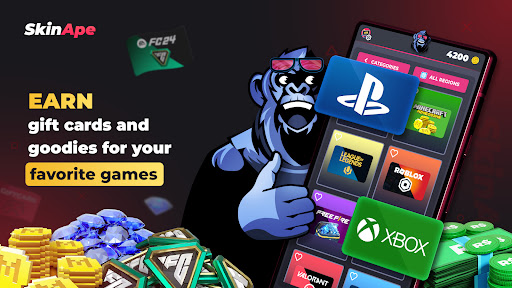
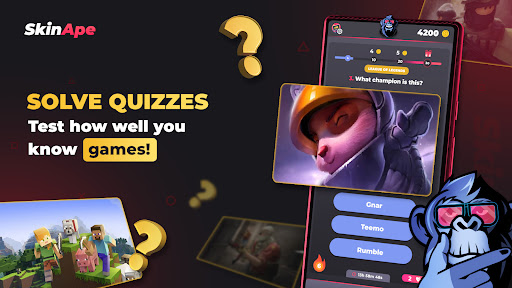
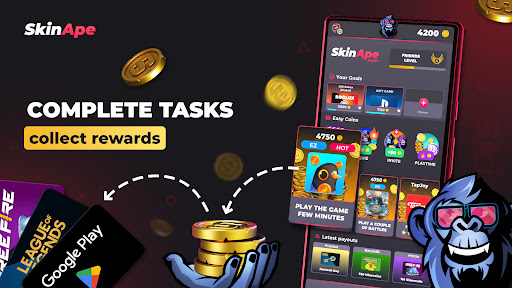
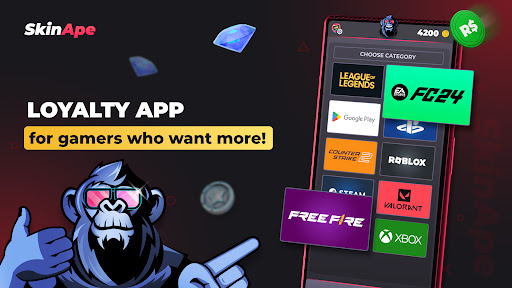
SkinApe for Games & Gift Cards is a combination of a mobile app and a loyalty program created for real gamers, allowing you to get gift cards and in-game currencies for your favorite games in a simple and secure way. Test your knowledge in quizzes, complete tasks from our partners, and collect rewards – all in this app made by gamers for gamers!
How is this possible? We earn from every ad, and a large portion of those funds is returned to you in the form of skins! It's a win-win situation for everyone! That's why SkinApe for Games is completely free with no hidden costs!
What does SkinApe for Games & Gift Cards offer?
Tasks and Quizzes: Solve exciting quizzes about games, complete tasks from our partners, and earn gift cards and in-game currencies for your favorite games. We've prepared hundreds of questions about your favorite titles. With us, not only will you gain in-game currency, but also test your knowledge and learn many interesting facts!
Rewards: Earn attractive prizes such as Robux, Minecoins, FreeFire diamond packs, Riot Points, Hextech chests, Hextech keys, FC Points, and more.
Gift Cards: You can convert your coins into Steam wallet top-ups, purchase Robux, Nintendo, PlayStation, Xbox gift cards, or use Google Play balance to buy in-game currencies in mobile games.
Features of the SkinApe for Games & Gift Cards app:
Our app is safe and does not require logging into your game account. All rewards are sent as a code to be entered on your favorite game's website.
Recommended by many influencers. Want to earn more coins at the start? Search for "SkinApe" on YouTube, and you will surely find a start-up coin code from one of them!
Active and friendly support, always ready to help in case of problems.
Earn 50 coins for every friend you refer.
Many different options for earning coins, from filling out surveys to playing selected mobile games, which will allow you to acquire in-game currencies for your favorite games.
Have a promotional code for SkinApe for Games? Enter it in the app and earn additional coins that you can use for your favorite in-game currencies.
Unlock exclusive items, upgrade your arsenal, and enjoy your favorite game even more! In our app, you can redeem gift codes for games like Minecraft, Roblox, League of Legends, Valorant, FC 24, Free Fire, and many more!
Supported languages: English, French, Polish, Portuguese (Brazil), Russian, Spanish, German.
Do you dream of getting gift cards, in-game currencies, skins, and items for your favorite games without spending your own money? You've come to the right place! Get them completely free thanks to our loyalty app for real gamers.
With the SkinApe for Games app, you can earn Robux, Minecoins, and many other rewards! Complete simple tasks, participate in quizzes, and earn gift cards and in-game currencies for the most popular games. This way, you can enjoy your favorite games even more without spending a dime!
Disclaimer:
The "SkinApe for Games" app is dedicated to gaming fans.
However, it is important to understand that the 'SkinApe for Games' app is not an official product of any game developers whose in-game currencies can be earned using our app.
In case of any problems related to our app or if you believe that we are infringing your intellectual property rights, please contact us by email at skinape@efezgames.com. We will try to respond to your report as soon as possible and take appropriate steps to resolve the issue.
Show more

1. Download MEmu installer and finish the setup

2. Start MEmu then open Google Play on the desktop

3. Search SkinApe for Games & Gift Cards in Google Play
Install
4. Download and Install SkinApe for Games & Gift Cards
5. On install completion click the icon to start

6. Enjoy using SkinApe for Games & Gift Cards on PC with MEmu
MEmu Play is the best Android emulator, and 100 million users already enjoy its superb Android app experience. Powered by advanced virtualization technology, it lets you enjoy thousands of Android apps smoothly on your PC—including the most graphics-intensive ones.
Bigger screen with better graphics; Long duration, without limitation of battery or mobile data.
Full Keymapping support for precise control of keyboard and mouse or gamepad.
Multiple game accounts or tasks on single PC at one time with Multi-Instance manager.
Use SkinApe for Games & Gift Cards on PC by following steps: