Superbook Kids Bible App
Updated
Current Version
v2.0.6
Offered By

Stop worrying about high battery drain when using Superbook Kids Bible App on your phone. Free yourself from the tiny screen and enjoy the app on a much larger display. From now on, get a full-screen experience of your app with the convenience of a keyboard and mouse. MEmu offers you all the surprising features you’d expect: quick installation and easy setup, intuitive controls, and no more worries about battery life, mobile data, or unexpected calls. The all-new MEmu 9 is the choice for using Superbook Kids Bible App on your computer. With the MEmu multi-instance manager, you can run two or more accounts at the same time. Most importantly, our exclusive emulation engine unlocks your PC’s full potential, delivering smooth and enjoyable performance.
Show more
Enjoy superb experience of using Superbook Kids Bible App on PC with MEMU App Player. It's a powerful free Android emulator which provides you with thousands of android apps for their desktop version. Enjoy connecting with friends and polishing your work with higher efficiency! This FREE Kids Bible App brings the Bible to life for the entire family with an easy to understand Bible, videos and fun engaging Bible games.
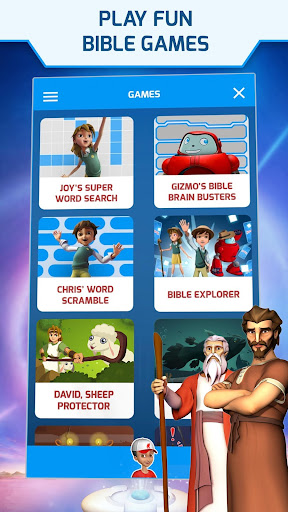
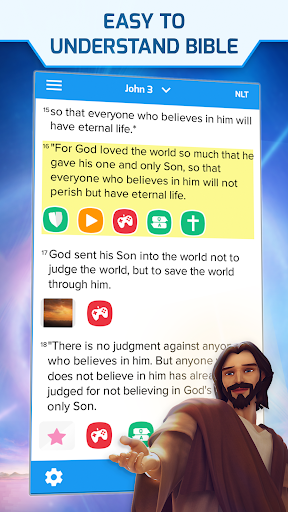
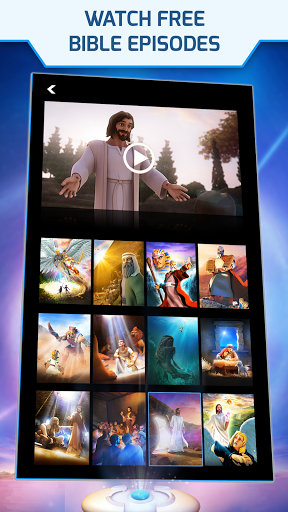
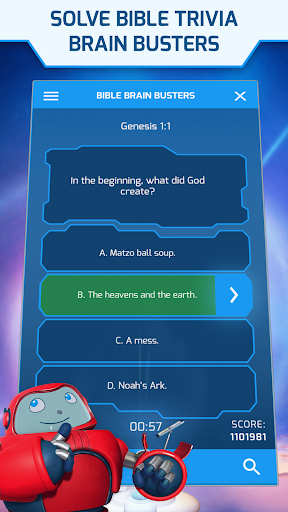
This FREE Kids Bible App brings the Bible to life for the entire family with an easy to understand Bible, videos and fun engaging Bible games. Featuring 52 full-length, free episodes from the exciting Superbook animation series that includes David and Goliath, Daniel in the Lions’ Den, the Miracles of Jesus, The First Christmas, He Is Risen and more!
The Kids Bible app is available for FREE and features include:
FULL KIDS BIBLE WITH AUDIO
• Easy to understand Bible
• Multiple versions and audio Bible
FUN BIBLE GAMES
• Play more than 20 fun games
• Trivia Games, Word Games and Action Games
FREE SUPERBOOK EPISODES
• Watch 52 full-length, free episodes from the Superbook animation series
• Now downloadable so you can watch full episodes offline
DAILY VERSE FOR KIDS
• Encouraging daily verse
• Learn while playing fun games
ANSWERS TO QUESTIONS
• Answers to common questions that kids ask about God, Jesus, Heaven and many other topics
• What does God look like? How do you get Jesus in your heart? What is heaven like?
• And hundreds more questions and answers
DISCOVER HOW TO KNOW GOD
• Experience a life-changing, kid-friendly Gospel message and discover how to begin a friendship with God
PEOPLE, PLACES AND ARTIFACTS
• Hundreds of profiles of people, places and artifacts with engaging images and detailed biographies
DYNAMIC CONTENT
• Verses have related questions and answers, profiles, games, video clips, images and more
PERSONALIZED KIDS BIBLE
• Favorite/bookmark verses that you like
• Highlight passages with multiple color choices
• Take notes and attach them to verses
• Add your own photos so that you can make a personal connection with a verse
• Your notes, favorite verses and personal photos can be accessed from the My Stuff area of the app
FULL SUPERBOOK EPISODES / BIBLE STORIES INCLUDE:
• Creation and Adam and Eve
• Noah's Ark
• Abraham and Isaac
• Jacob and Esau
• Joseph and Pharaoh's Dream
• Moses, the burning bush and the plagues of Egypt
• The Ten Commandments
• Rahab and the Walls of Jericho
• Gideon
• David and Goliath
• Elijah and the prophets of Baal
• Daniel and the fiery furnace
• Daniel in the lions' den
• Esther
• Job
• Jonah and the big fish
• John the Baptist
• The First Christmas and the birth of Jesus
• Miracles of Jesus - Jesus heals a paralyzed man
• Miracles of Jesus - Jesus calms the storm
• The parable of the sower
• The prodigal son
• The Last Supper
• The resurrection of Jesus
• Paul and the road to Damascus
• Paul and the shipwreck
• Revelation
DAILY INTERACTIVE ENGAGEMENT
• Take Daily Quests – game challenges that feature an encouraging verse of the day
• Find Biblical answers to questions that are important to kids – questions about God, Jesus, life and heaven
• Choose the right answer in an engaging trivia game – important questions with Biblical answers
• Try to find all of the hidden words in a challenging Word Search game
• Decode verses before time runs out in the exciting Verse Scramble game
OTHER FEATURES OF THE KIDS BIBLE APP
• Search the verses or the interactive content
• Email your friends your favorite verses, notes, or personal photos with related verses
• The Kids Bible app is available in English, Spanish, Arabic, Chinese, Farsi, Portuguese, Romanian, Russian, French and Hindi with full Superbook episodes available in many more languages!
The Kids Bible App is a wonderful Bible experience for the whole family. Download the Superbook Kids Bible App today and begin the adventure of a lifetime!
Show more

1. Download MEmu installer and finish the setup

2. Start MEmu then open Google Play on the desktop

3. Search Superbook Kids Bible App in Google Play
Install
4. Download and Install Superbook Kids Bible App
5. On install completion click the icon to start

6. Enjoy using Superbook Kids Bible App on PC with MEmu
MEmu Play is the best Android emulator, and 100 million users already enjoy its superb Android app experience. Powered by advanced virtualization technology, it lets you enjoy thousands of Android apps smoothly on your PC—including the most graphics-intensive ones.
Bigger screen with better graphics; Long duration, without limitation of battery or mobile data.
Full Keymapping support for precise control of keyboard and mouse or gamepad.
Multiple game accounts or tasks on single PC at one time with Multi-Instance manager.
Use Superbook Kids Bible App on PC by following steps: