Vidbite - Movie Hub & Stream
Updated
Current Version
1.1.0
Offered By

Stop worrying about high battery drain when using Vidbite - Movie Hub & Stream on your phone. Free yourself from the tiny screen and enjoy the app on a much larger display. From now on, get a full-screen experience of your app with the convenience of a keyboard and mouse. MEmu offers you all the surprising features you’d expect: quick installation and easy setup, intuitive controls, and no more worries about battery life, mobile data, or unexpected calls. The all-new MEmu 9 is the choice for using Vidbite - Movie Hub & Stream on your computer. With the MEmu multi-instance manager, you can run two or more accounts at the same time. Most importantly, our exclusive emulation engine unlocks your PC’s full potential, delivering smooth and enjoyable performance.
Show more
Enjoy superb experience of using Vidbite - Movie Hub & Stream on PC with MEMU App Player. It's a powerful free Android emulator which provides you with thousands of android apps for their desktop version. Enjoy connecting with friends and polishing your work with higher efficiency! Vidbite: Movie Tracker, Cinema.

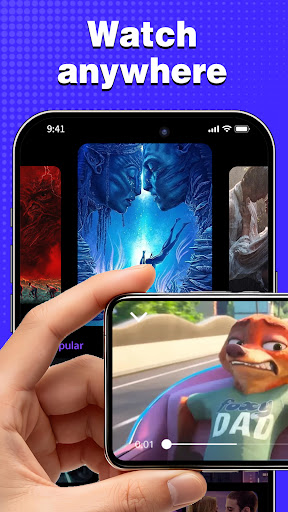
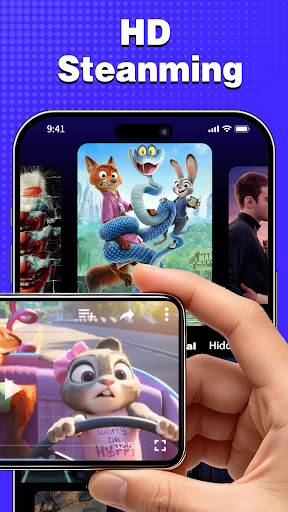
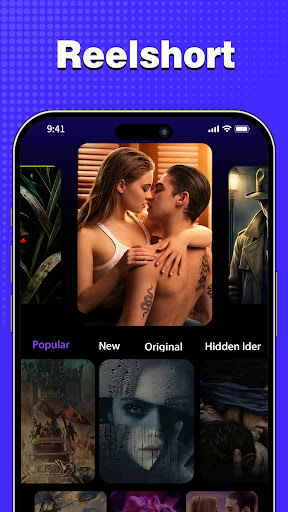
Vidbite: Movie Tracker, Cinema
Welcome to Vidbite, the ultimate digital companion designed specifically for movie lovers who appreciate the perfect cinematic experience at home. A great movie night requires two things: a fantastic film and perfectly fresh snacks. Vidbite is here to Keep Your Tongue Fresh and enjoy your life wisely. We have seamlessly integrated a world-class movie database and a legally curated, unlocked streaming library with an intelligent food inventory manager. Vidbite food preservation software, with its professional features and user-friendly design, is for your food ingredients to manage the freshness and safety of control, ensuring your binge-watching sessions are always delicious.
EXPLORE THE MOVIE UNIVERSE Before you head to the kitchen, discover what to watch. Vidbite features an exhaustive, IMDb-style movie and TV show database. Search for any film to instantly access comprehensive cast and crew profiles, detailed plot summaries, and high-definition trailers. Dive into fascinating behind-the-scenes trivia, production secrets, and hidden easter eggs. Read authentic, spoiler-free reviews from our passionate community of cinephiles, and build custom Watchlists to track your binge-watching habits.
STREAM UNLOCKED DOCUMENTARIES & FILMS When you are ready to hit play, Vidbite offers a legally licensed, hand-picked library of complimentary streaming content. Enjoy a diverse selection of public domain classics, independent films, and gripping documentaries at absolutely zero extra cost. There are no mandatory subscriptions and no hidden fees. Just pure, legal entertainment delivered in a stunning, distraction-free interface.
SMART FOOD & SNACK PRESERVATION While you watch, eat wisely! Freshness screening: Intelligent classification, precise control. Vidbite's freshness filter scientifically classifies ingredients as “Fresh”, “Consumed as soon as possible” or “Expired” based on the date they were created. This feature not only helps you clearly understand the current state of each ingredient, but also effectively avoids food waste due to expiration. Intelligent algorithms ensure that you can quickly select the best ingredients before you start cooking or snacking.
CREATE PERSONALIZED FOOD CARDS Creating food cards: personalizing information about ingredients. You can take high-resolution photos of each ingredient to record its initial state, enter the exact name of the ingredient, the expiration date, and even add additional storage conditions and purchase information. These detailed information records, not only convenient for your daily search and use, but also before the expiration of food recall reminder, ensure that ingredients are always in the best condition to eat during your movie marathon.
EFFICIENT KITCHEN MANAGEMENT Food classification: efficient screening, convenient management. VidBite food classification function, so that the management of food ingredients more efficient and convenient. You can sort the ingredients by category, such as vegetables, fruits, meats, seafood, dried goods, etc. On the basis of classification screening, combined with freshness screening, you can quickly locate the ingredients you need for your movie snacks.
VidBite food preservation software, is your kitchen in the intelligent preservation experts and your ultimate cinema hub. Download VidBite, start your journey of intelligent preservation, let every mouthful of food is full of fresh taste, make your eating life more healthy and convenient, and never miss a great movie again!
Show more

1. Download MEmu installer and finish the setup

2. Start MEmu then open Google Play on the desktop

3. Search Vidbite - Movie Hub & Stream in Google Play
Install
4. Download and Install Vidbite - Movie Hub & Stream
5. On install completion click the icon to start

6. Enjoy using Vidbite - Movie Hub & Stream on PC with MEmu
MEmu Play is the best Android emulator, and 100 million users already enjoy its superb Android app experience. Powered by advanced virtualization technology, it lets you enjoy thousands of Android apps smoothly on your PC—including the most graphics-intensive ones.
Bigger screen with better graphics; Long duration, without limitation of battery or mobile data.
Full Keymapping support for precise control of keyboard and mouse or gamepad.
Multiple game accounts or tasks on single PC at one time with Multi-Instance manager.
Use Vidbite - Movie Hub & Stream on PC by following steps: