
WBuilds for Building Guide
Updated
Current Version
2.55
Offered By

Stop worrying about high battery drain when using WBuilds for Building Guide on your phone. Free yourself from the tiny screen and enjoy the app on a much larger display. From now on, get a full-screen experience of your app with the convenience of a keyboard and mouse. MEmu offers you all the surprising features you’d expect: quick installation and easy setup, intuitive controls, and no more worries about battery life, mobile data, or unexpected calls. The all-new MEmu 9 is the choice for using WBuilds for Building Guide on your computer. With the MEmu multi-instance manager, you can run two or more accounts at the same time. Most importantly, our exclusive emulation engine unlocks your PC’s full potential, delivering smooth and enjoyable performance.
Show more
Enjoy superb experience of using WBuilds for Building Guide on PC with MEMU App Player. It's a powerful free Android emulator which provides you with thousands of android apps for their desktop version. Enjoy connecting with friends and polishing your work with higher efficiency! WBuilds is the complete Minecraft build guide with 700+ step-by-step builds, exact material lists, and clear blueprints to help you build faster and better, at any skill level.
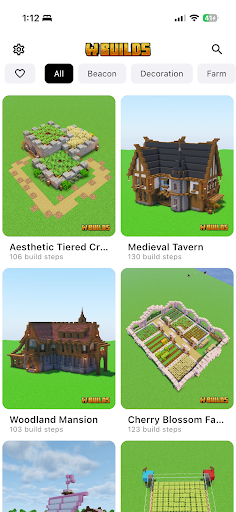
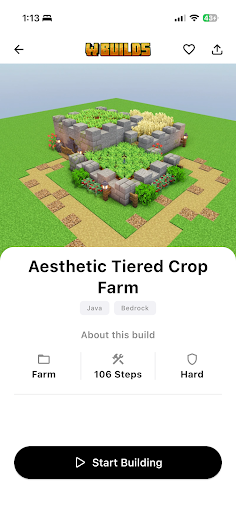
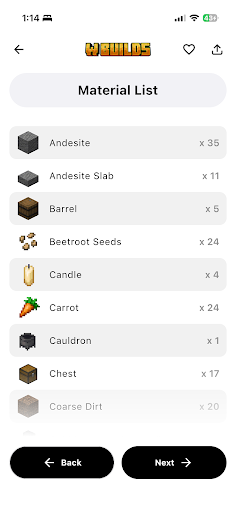
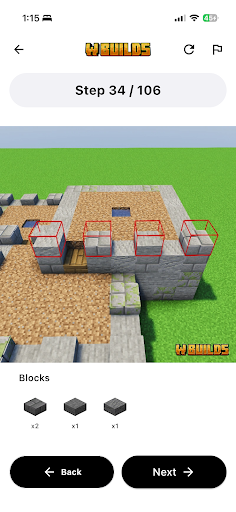
WBuilds is the complete Minecraft build guide with 700+ step-by-step builds, exact material lists, and clear blueprints to help you build faster and better, at any skill level.
The Ultimate Minecraft Building Guide
WBuilds is made for players who want real, follow-along Minecraft builds, not random videos. Every build is broken down block by block, with the exact materials you need, so you always know what to place and where. Perfect for Minecraft Bedrock, Java, and Pocket Edition.
Why players choose WBuilds
- 700+ step-by-step building guides and tutorials
- Exact material lists so you never miss a block
- Clear blueprints and layouts for easy placement
- Minecraft build ideas for every level, from starter bases to huge projects
- Difficulty levels: Easy, Medium, Hard
- Save your favorites and search the full library
- Works fully offline, with light and dark modes
- Supports Java, Bedrock, and Pocket Edition
Build smarter, faster
You don't need to be a pro builder. WBuilds gives you clear steps, easy diagrams, accurate block counts, and simple explanations, so you can build with confidence instead of guessing block positions.
What's inside
With 700+ guided builds, there's something for every world: houses, castles, towers, farms, statues, bridges, and decorations. Each build comes with step-by-step images, exact block counts, and simple instructions. Whether you are starting a survival base or planning a massive Minecraft build, WBuilds gives you a clear plan to follow.
Build ideas for everyone
- Starter homes and survival bases
- Modern houses, medieval towers, and castles
- Iron, wheat, and XP farms
- Statues, fountains, paths, and interiors
Better organized than YouTube. Clearer than random blueprint images. Everything you need in one clean Minecraft building guide.
Start building like a pro
From cozy starter homes to massive fortresses, WBuilds helps you build smarter, faster, and with complete accuracy.
Download WBuilds now and improve your Minecraft world.
Join our Discord and Reddit community!
Show more

1. Download MEmu installer and finish the setup

2. Start MEmu then open Google Play on the desktop

3. Search WBuilds for Building Guide in Google Play
Install
4. Download and Install WBuilds for Building Guide
5. On install completion click the icon to start

6. Enjoy using WBuilds for Building Guide on PC with MEmu
MEmu Play is the best Android emulator, and 100 million users already enjoy its superb Android app experience. Powered by advanced virtualization technology, it lets you enjoy thousands of Android apps smoothly on your PC—including the most graphics-intensive ones.
Bigger screen with better graphics; Long duration, without limitation of battery or mobile data.
Full Keymapping support for precise control of keyboard and mouse or gamepad.
Multiple game accounts or tasks on single PC at one time with Multi-Instance manager.
Use WBuilds for Building Guide on PC by following steps:































