
wiggly music play music theory
Updated
Current Version
1.0.1
Offered By

Stop worrying about high battery drain when using wiggly music play music theory on your phone. Free yourself from the tiny screen and enjoy the app on a much larger display. From now on, get a full-screen experience of your app with the convenience of a keyboard and mouse. MEmu offers you all the surprising features you’d expect: quick installation and easy setup, intuitive controls, and no more worries about battery life, mobile data, or unexpected calls. The all-new MEmu 9 is the choice for using wiggly music play music theory on your computer. With the MEmu multi-instance manager, you can run two or more accounts at the same time. Most importantly, our exclusive emulation engine unlocks your PC’s full potential, delivering smooth and enjoyable performance.
Show more
Enjoy superb experience of using wiggly music play music theory on PC with MEMU App Player. It's a powerful free Android emulator which provides you with thousands of android apps for their desktop version. Enjoy connecting with friends and polishing your work with higher efficiency! Play music theory through drawing with Wiggly Music, an independent visual music maker.
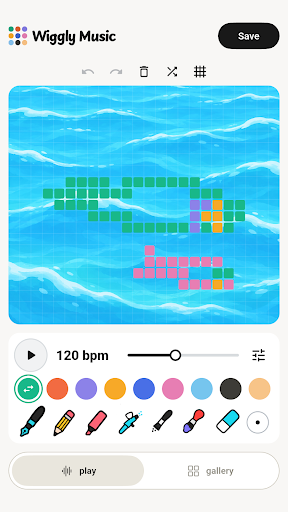
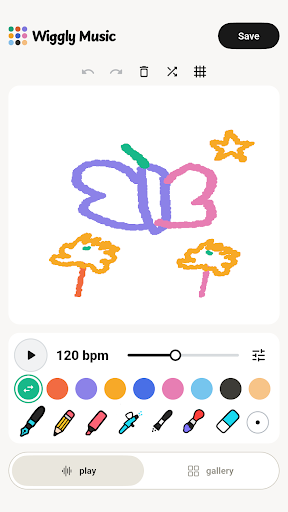
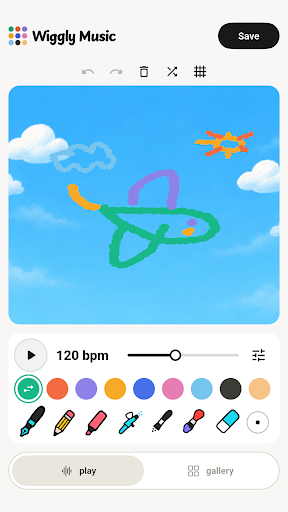
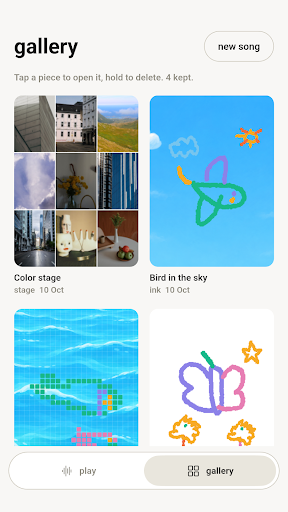
Play music theory through drawing with Wiggly Music, an independent visual music maker. Turn lines, colors and little doodles into looping melodies, then explore how pitch, timing, scales and rhythm change what you hear.
DRAW A LITTLE SONG
Choose a color for an instrument and draw on the canvas. Higher marks play higher notes; marks farther to the right play later in the loop. Press Play to hear your drawing. Erase a section, undo a change, or try a new idea. Pinch with two fingers to zoom and move around your canvas.
KEEP A GALLERY OF YOUR MUSIC
Save your creations on your device. Open a piece in Gallery to continue editing, or hold a card to delete it. Share a WAV recording or a PNG picture with your device's share menu.
EXPLORE SOUND AND RHYTHM
Draw freely in Ink, choose instrument colors, change tempo, and explore keys, scales and pitch ranges. Add bass and drums to your melody. Paper, Sky and Ocean backgrounds and basic rhythm controls are free to use.
OPTIONAL PRO FEATURES
Pro adds Pixels and Stage visual modes, arpeggios, advanced rhythm subdivisions, swing, octave and tuning controls, and custom photo backgrounds. Choose a monthly subscription, a yearly subscription, or a one-time lifetime purchase. You can also choose to watch a rewarded ad to unlock advanced features for 30 minutes when an ad is available.
No account is required to draw or keep local creations. Drawing and synthesis work offline. Purchases, purchase restoration and advertising require an internet connection. Subscriptions renew automatically unless canceled through Google Play; a lifetime purchase does not renew. Your local store displays the price before purchase.
Wiggly Music is an independent creative instrument for playful exploration of music theory, not a structured lesson course. Draw, listen, change one thing, and discover your next little loop.
Show more

1. Download MEmu installer and finish the setup

2. Start MEmu then open Google Play on the desktop

3. Search wiggly music play music theory in Google Play
Install
4. Download and Install wiggly music play music theory
5. On install completion click the icon to start

6. Enjoy using wiggly music play music theory on PC with MEmu
MEmu Play is the best Android emulator, and 100 million users already enjoy its superb Android app experience. Powered by advanced virtualization technology, it lets you enjoy thousands of Android apps smoothly on your PC—including the most graphics-intensive ones.
Bigger screen with better graphics; Long duration, without limitation of battery or mobile data.
Full Keymapping support for precise control of keyboard and mouse or gamepad.
Multiple game accounts or tasks on single PC at one time with Multi-Instance manager.
Use wiggly music play music theory on PC by following steps:































