
You-Cine TV FILMES E SERIES
Updated
Current Version
1.0
Offered By

Stop worrying about high battery drain when using You-Cine TV FILMES E SERIES on your phone. Free yourself from the tiny screen and enjoy the app on a much larger display. From now on, get a full-screen experience of your app with the convenience of a keyboard and mouse. MEmu offers you all the surprising features you’d expect: quick installation and easy setup, intuitive controls, and no more worries about battery life, mobile data, or unexpected calls. The all-new MEmu 9 is the choice for using You-Cine TV FILMES E SERIES on your computer. With the MEmu multi-instance manager, you can run two or more accounts at the same time. Most importantly, our exclusive emulation engine unlocks your PC’s full potential, delivering smooth and enjoyable performance.
Show more
Enjoy superb experience of using You-Cine TV FILMES E SERIES on PC with MEMU App Player. It's a powerful free Android emulator which provides you with thousands of android apps for their desktop version. Enjoy connecting with friends and polishing your work with higher efficiency! You-Cine TV is a video player for Android TV, TV Boxes, tablets, and mobile phones.

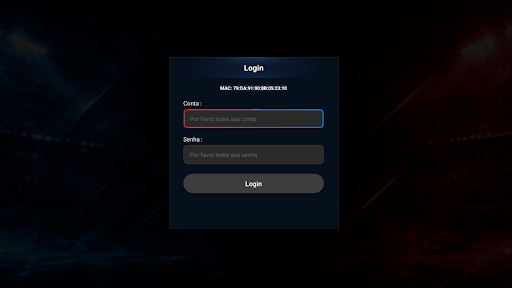
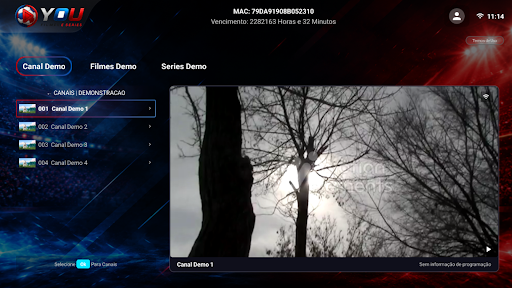
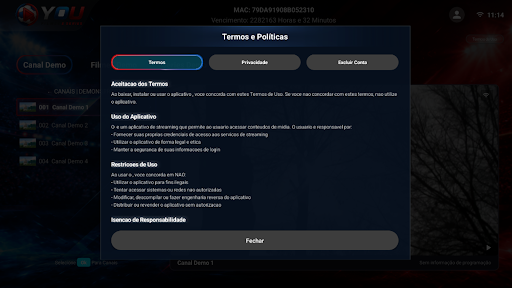
You-Cine TV is a video player for Android TV, TV Boxes, tablets, and mobile phones. Login is done using the user's existing credentials.
After logging in, the application displays the authorized content for that account, organized into sections and categories, with search by name and navigation optimized for remote control.
What the application offers:
- Login
- Display of authorized content
- Navigation via remote control on TV and by touch on mobile phones and tablets
- Grouping by categories and search by name
- Marking of favorites
- Resumption of playback from where it left off
- Programming information, when available
You-Cine TV does not provide, sell, or host content. Nothing accompanies the application: playback depends entirely on the credentials and permissions the user has received from their authorized provider, who is responsible for what they access.
Show more

1. Download MEmu installer and finish the setup

2. Start MEmu then open Google Play on the desktop

3. Search You-Cine TV FILMES E SERIES in Google Play
Install
4. Download and Install You-Cine TV FILMES E SERIES
5. On install completion click the icon to start

6. Enjoy using You-Cine TV FILMES E SERIES on PC with MEmu
MEmu Play is the best Android emulator, and 100 million users already enjoy its superb Android app experience. Powered by advanced virtualization technology, it lets you enjoy thousands of Android apps smoothly on your PC—including the most graphics-intensive ones.
Bigger screen with better graphics; Long duration, without limitation of battery or mobile data.
Full Keymapping support for precise control of keyboard and mouse or gamepad.
Multiple game accounts or tasks on single PC at one time with Multi-Instance manager.
Use You-Cine TV FILMES E SERIES on PC by following steps:































