DVB-T Driver
Diupdate
Versi Saat Ini
1.43
Ditawarkan Oleh

Hentilah khawatir tentang biaya berlebihan saat menggunakan DVB-T Driver di ponsel Anda, bebaskan diri Anda dari layar kecil dan nikmati menggunakan aplikasi pada tampilan yang lebih besar. Mulai sekarang, dapatkan pengalaman full-screen di aplikasi Anda dengan keyboard dan mouse. MEmu menyediakan semua fitur mengejutkan yang Anda harapkan: cepat menginstal dan mudah menggunakan, kontrol intuitif, tidak ada lagi batasan baterai, data seluler dan panggilan yang mengganggu. MEmu 9 yang baru adalah pilihan terbaik untuk menggunakan DVB-T Driver di komputer Anda. Bersandi dengan absorpsi kami, manajer multi-instance memungkinkan pembukaan 2 akun atau lebih pada saat yang bersamaan. Dan yang paling penting, mesin emulasi eksklusif kami dapat melepaskan potensi penuh PC Anda, menjadikan semuanya lancar dan menyenangkan.
Tampilkan Lebih banyak
Unduh DVB-T Driver di PC dengan Emulator Android MEmu. Nikmati permainan pada layar yang besar. This driver is required by some TV player apps to access USB TV tuners.
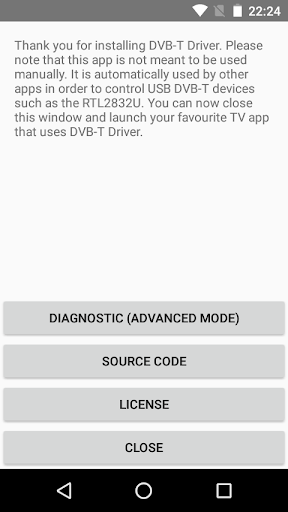
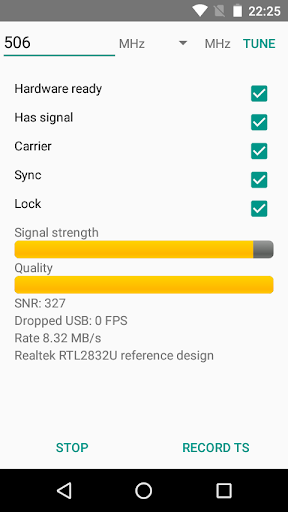
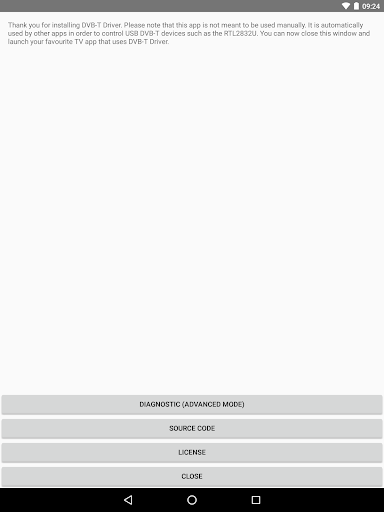
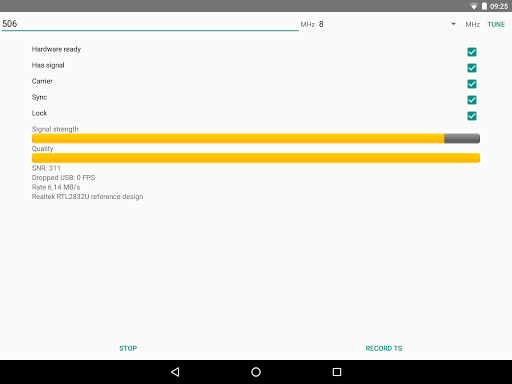
This driver is required by some TV player apps to access USB TV tuners. In order to receive DVB-T/T2, you need to have both the driver and a TV player app installed at the same.
Currently only the "Aerial TV" app supports this driver. Make sure to download and install Aerial TV in order to receive DVB-T/T2 with this driver.
For developers and advanced users, the driver provides a diagnostic mode that allows dumping DVB-T and DVB-T2 transport stream into a TS file. Files are stored on the external storage in the private directory of the app. Files need to be deleted manually.
More developer information and the source code could be found:
https://github.com/martinmarinov/AndroidDvbDriver
The project is released under the open source license GNU General Public License. The terms of the license can be found in the link above. All drivers, binaries and algorithms included are available under the GNU GPL open source license and are distributed in compliance with the GNU GPL license.
The app is not available for download in countries that do not use the DVB TV standard.
Supported devices:
- RTL-SDR devices (RTL2832 and RTL2832U)
- Astrometa DVB-T2
- Unbranded Android DVB-T dongles (AF9035 based)
- ASUS My Cinema-U3100Mini Plus V2
- Compro VideoMate U620F and U650F
- Crypto ReDi PC 50 A
- Dexatek DK DVB-T Dongle
- Dexatek DK mini DVB-T Dongle
- DigitalNow Quad DVB-T Receiver
- EVOLVEO XtraTV stick
- G-Tek Electronics Group Lifeview LV5TDLX DVB-T
- GIGABYTE U7300
- Genius TVGo DVB-T03
- GoTView MasterHD 3
- Leadtek WinFast DTV Dongle mini
- Leadtek WinFast DTV2000DS Plus
- Leadtek Winfast DTV Dongle Mini D
- MSI DIGIVOX Micro HD
- MaxMedia HU394-T
- PCTV AndroiDTV (78e)
- Peak DVB-T USB
- Sveon STV20, STV21 and STV27
- TURBO-X Pure TV Tuner DTT-2000
- TerraTec Cinergy T Stick/+ (Black, RC Rev. 3)
- TerraTec NOXON DAB Stick (rev 1, 2 and 3)
- Trekstor DVB-T Stick Terres 2.0
Experimental support *
- MyGica Pad TV Tuner PT360
- MyGica T230 DVB-T/T2/C
- MyGica (Geniatech) T230C DVB-T/T2/C
* Experimental support: The original app that comes with the dongles interferes with this driver. If you want to use these dongles you need to uninstall or disable the original app.
Tampilkan Lebih banyak

1. Unduh dan instal MEmu APP

2. Menjalankan MEmu lalu buka Google Play di halaman

3. Cari DVB-T Driver di Google Play
Install
4. Unduh dan instal DVB-T Driver
5. Setelah insatl APP selesai,klik ikon untuk mulai

6. Nikmati bermain DVB-T Driver di PC dengan MEmu
MEmu Play adalah emulator Android gratis terbaik dan 50 Juta orang sudah menikmati pengalaman luar biasa dalam Aplikasi Android. Teknologi virtualisasi MEmu memberi kekuasaan untuk memainkan ribuan Aplikasi Android dengan lancar di PC anda, bahkan Aplikasi dengan grafis yang paling tinggi.
Layar lebih besar dengan grafis yang lebih baik; durasi panjang, tanpa batasan baterai atau data seluler.
Didukung penuh oleh Pemetaan tombol yang lengkap untuk keakuratan kontrol keyboard dan mouse maupun gamepad.
Membuka beberapa akun game atau tugas di waktu yang sama hanya pada satu PC, dengan Multi-Instance manager.
Use DVB-T Driver on PC by following steps: