DVB-T Driver
Updated
Current Version
1.43
Offered By

Stop worrying about high battery drain when using DVB-T Driver on your phone. Free yourself from the tiny screen and enjoy the app on a much larger display. From now on, get a full-screen experience of your app with the convenience of a keyboard and mouse. MEmu offers you all the surprising features you’d expect: quick installation and easy setup, intuitive controls, and no more worries about battery life, mobile data, or unexpected calls. The all-new MEmu 9 is the choice for using DVB-T Driver on your computer. With the MEmu multi-instance manager, you can run two or more accounts at the same time. Most importantly, our exclusive emulation engine unlocks your PC’s full potential, delivering smooth and enjoyable performance.
Show more
Enjoy superb experience of using DVB-T Driver on PC with MEMU App Player. It's a powerful free Android emulator which provides you with thousands of android apps for their desktop version. Enjoy connecting with friends and polishing your work with higher efficiency! This driver is required by some TV player apps to access USB TV tuners.
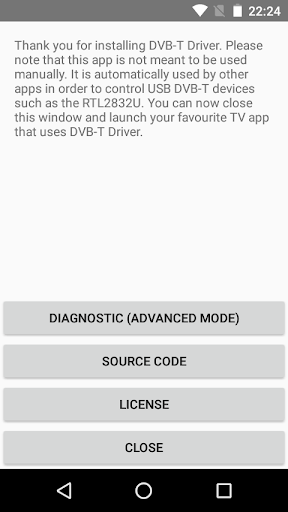
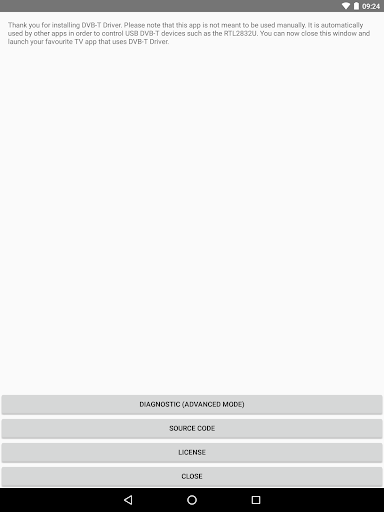
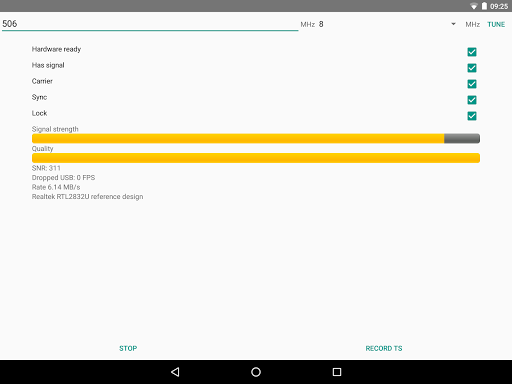
This driver is required by some TV player apps to access USB TV tuners. In order to receive DVB-T/T2, you need to have both the driver and a TV player app installed at the same.
Currently only the "Aerial TV" app supports this driver. Make sure to download and install Aerial TV in order to receive DVB-T/T2 with this driver.
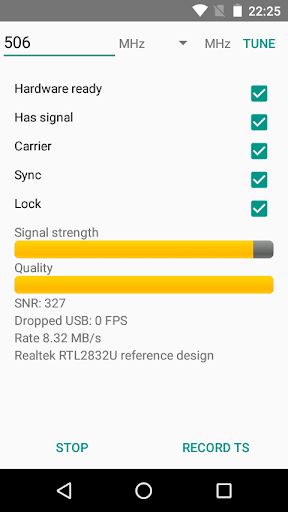
For developers and advanced users, the driver provides a diagnostic mode that allows dumping DVB-T and DVB-T2 transport stream into a TS file. Files are stored on the external storage in the private directory of the app. Files need to be deleted manually.
More developer information and the source code could be found:
https://github.com/martinmarinov/AndroidDvbDriver
The project is released under the open source license GNU General Public License. The terms of the license can be found in the link above. All drivers, binaries and algorithms included are available under the GNU GPL open source license and are distributed in compliance with the GNU GPL license.
The app is not available for download in countries that do not use the DVB TV standard.
Supported devices:
- RTL-SDR devices (RTL2832 and RTL2832U)
- Astrometa DVB-T2
- Unbranded Android DVB-T dongles (AF9035 based)
- ASUS My Cinema-U3100Mini Plus V2
- Compro VideoMate U620F and U650F
- Crypto ReDi PC 50 A
- Dexatek DK DVB-T Dongle
- Dexatek DK mini DVB-T Dongle
- DigitalNow Quad DVB-T Receiver
- EVOLVEO XtraTV stick
- G-Tek Electronics Group Lifeview LV5TDLX DVB-T
- GIGABYTE U7300
- Genius TVGo DVB-T03
- GoTView MasterHD 3
- Leadtek WinFast DTV Dongle mini
- Leadtek WinFast DTV2000DS Plus
- Leadtek Winfast DTV Dongle Mini D
- MSI DIGIVOX Micro HD
- MaxMedia HU394-T
- PCTV AndroiDTV (78e)
- Peak DVB-T USB
- Sveon STV20, STV21 and STV27
- TURBO-X Pure TV Tuner DTT-2000
- TerraTec Cinergy T Stick/+ (Black, RC Rev. 3)
- TerraTec NOXON DAB Stick (rev 1, 2 and 3)
- Trekstor DVB-T Stick Terres 2.0
Experimental support *
- MyGica Pad TV Tuner PT360
- MyGica T230 DVB-T/T2/C
- MyGica (Geniatech) T230C DVB-T/T2/C
* Experimental support: The original app that comes with the dongles interferes with this driver. If you want to use these dongles you need to uninstall or disable the original app.
Show more

1. Download MEmu installer and finish the setup

2. Start MEmu then open Google Play on the desktop

3. Search DVB-T Driver in Google Play
Install
4. Download and Install DVB-T Driver
5. On install completion click the icon to start

6. Enjoy using DVB-T Driver on PC with MEmu
MEmu Play is the best Android emulator, and 100 million users already enjoy its superb Android app experience. Powered by advanced virtualization technology, it lets you enjoy thousands of Android apps smoothly on your PC—including the most graphics-intensive ones.
Bigger screen with better graphics; Long duration, without limitation of battery or mobile data.
Full Keymapping support for precise control of keyboard and mouse or gamepad.
Multiple game accounts or tasks on single PC at one time with Multi-Instance manager.
Use DVB-T Driver on PC by following steps: