DVB-T Driver
更新日
現在のバージョン
1.43
提供元

スマートフォンは不要!パソコンと同じようにキーボードとマウスで操作できます。MEmu Playは、あなたが待ち望んでいたすべての楽しみをお届けします。バッテリー残量や小さな画面を気にすることなく、DVB-T Driverをご利用ください。最新のMEmu 9は、DVB-T DriverをPCで体験するのに最適です!完璧なキーマッピングシステムにより、PCのようなスムーズな操作性を実現します。マルチインスタンス機能により、複数のアプリケーションを同時に実行できます。独自の仮想化エンジンがPCのパフォーマンスを最大限に引き出します。アプリを使用するだけでなく、高品質な体験を得ることができます。
もっと見る
DVB-T DriverをPCでダウンロード!大画面でより楽しむ。電源が落ちてしまうとか通信料が足りないとかの問題を心配する必要がなく、PCの大画面でより快適にゲームを楽しましょう! This driver is required by some TV player apps to access USB TV tuners.
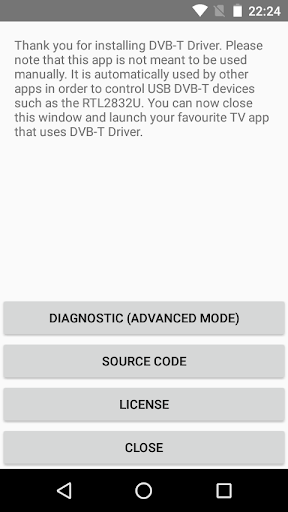
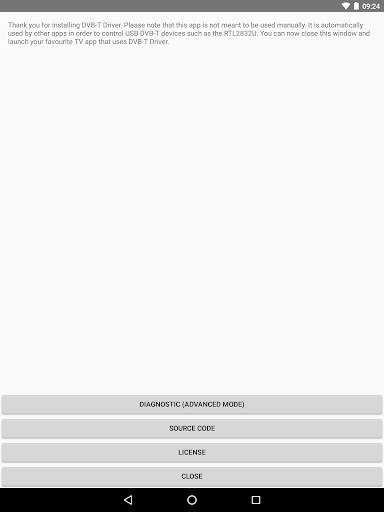
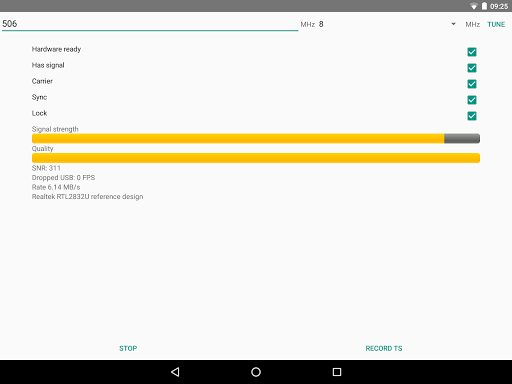
This driver is required by some TV player apps to access USB TV tuners. In order to receive DVB-T/T2, you need to have both the driver and a TV player app installed at the same.
Currently only the "Aerial TV" app supports this driver. Make sure to download and install Aerial TV in order to receive DVB-T/T2 with this driver.
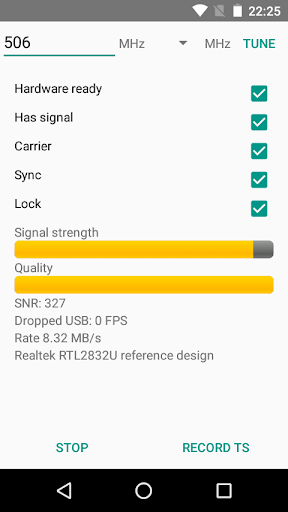
For developers and advanced users, the driver provides a diagnostic mode that allows dumping DVB-T and DVB-T2 transport stream into a TS file. Files are stored on the external storage in the private directory of the app. Files need to be deleted manually.
More developer information and the source code could be found:
https://github.com/martinmarinov/AndroidDvbDriver
The project is released under the open source license GNU General Public License. The terms of the license can be found in the link above. All drivers, binaries and algorithms included are available under the GNU GPL open source license and are distributed in compliance with the GNU GPL license.
The app is not available for download in countries that do not use the DVB TV standard.
Supported devices:
- RTL-SDR devices (RTL2832 and RTL2832U)
- Astrometa DVB-T2
- Unbranded Android DVB-T dongles (AF9035 based)
- ASUS My Cinema-U3100Mini Plus V2
- Compro VideoMate U620F and U650F
- Crypto ReDi PC 50 A
- Dexatek DK DVB-T Dongle
- Dexatek DK mini DVB-T Dongle
- DigitalNow Quad DVB-T Receiver
- EVOLVEO XtraTV stick
- G-Tek Electronics Group Lifeview LV5TDLX DVB-T
- GIGABYTE U7300
- Genius TVGo DVB-T03
- GoTView MasterHD 3
- Leadtek WinFast DTV Dongle mini
- Leadtek WinFast DTV2000DS Plus
- Leadtek Winfast DTV Dongle Mini D
- MSI DIGIVOX Micro HD
- MaxMedia HU394-T
- PCTV AndroiDTV (78e)
- Peak DVB-T USB
- Sveon STV20, STV21 and STV27
- TURBO-X Pure TV Tuner DTT-2000
- TerraTec Cinergy T Stick/+ (Black, RC Rev. 3)
- TerraTec NOXON DAB Stick (rev 1, 2 and 3)
- Trekstor DVB-T Stick Terres 2.0
Experimental support *
- MyGica Pad TV Tuner PT360
- MyGica T230 DVB-T/T2/C
- MyGica (Geniatech) T230C DVB-T/T2/C
* Experimental support: The original app that comes with the dongles interferes with this driver. If you want to use these dongles you need to uninstall or disable the original app.
もっと見る

1. MEmuインストーラーをダウンロードしてセットアップを完了する

2. MEmuを起動し、デスクトップでのPlayストアを開く

3. PlayストアでDVB-T Driverを検索する
Install
4. DVB-T Driverをダウンロードしてインストールする
5. インストールが完了したら、アイコンをクリックしてスタート

6. MEmuを使ってパソコンでDVB-T Driverを体験する
MEmu Playは現在、最高の無料Androidエミュレーターであり、5,000万人のユーザーが優れたAndroidアプリ体験を楽しんでいます。MEmuの仮想化テクノロジーにより、数千ものAndroidアプリをコンピューターでスムーズに実行できます。
大画面でより精細;無限の待機、電池とドラフィックの極限を超え
キーボード・マウス・コントローラーを全力でサポート、より快適
マルチインスタンスで複数のゲームを同時に実行
Use DVB-T Driver on PC by following steps: