Material You Dynamic Icon pack
Diupdate
Versi Saat Ini
10.6.6
Ditawarkan Oleh

Hentilah khawatir tentang biaya berlebihan saat menggunakan Material You Dynamic Icon pack di ponsel Anda, bebaskan diri Anda dari layar kecil dan nikmati menggunakan aplikasi pada tampilan yang lebih besar. Mulai sekarang, dapatkan pengalaman full-screen di aplikasi Anda dengan keyboard dan mouse. MEmu menyediakan semua fitur mengejutkan yang Anda harapkan: cepat menginstal dan mudah menggunakan, kontrol intuitif, tidak ada lagi batasan baterai, data seluler dan panggilan yang mengganggu. MEmu 9 yang baru adalah pilihan terbaik untuk menggunakan Material You Dynamic Icon pack di komputer Anda. Bersandi dengan absorpsi kami, manajer multi-instance memungkinkan pembukaan 2 akun atau lebih pada saat yang bersamaan. Dan yang paling penting, mesin emulasi eksklusif kami dapat melepaskan potensi penuh PC Anda, menjadikan semuanya lancar dan menyenangkan.
Tampilkan Lebih banyak
Unduh Material You Dynamic Icon pack di PC dengan Emulator Android MEmu. Nikmati permainan pada layar yang besar. Material You Dynamic Icons - These are icons for custom launchers that change color from wallpaper / accent of system, also change in the Light / Dark mode of the device.
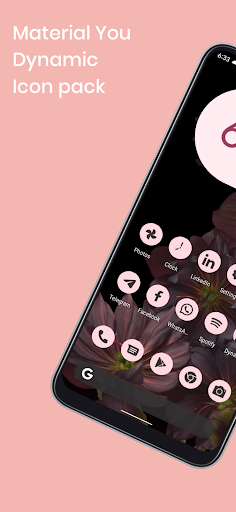
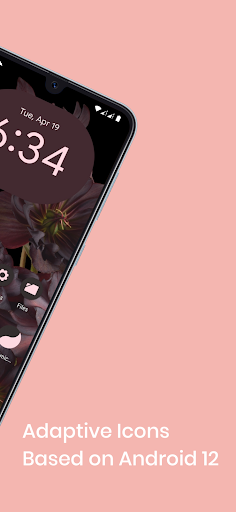
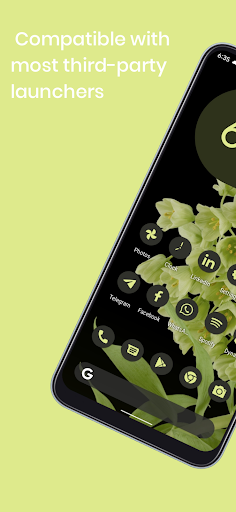
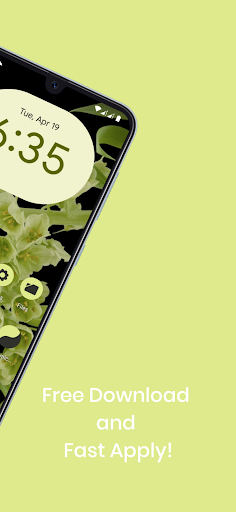
Material You Dynamic Icons - These are icons for custom launchers that change color from wallpaper / accent of system, also change in the Light / Dark mode of the device.
Available in application:
• Frequent updates.
• Adaptive icons.
• More than 3000 Exclusive thematic Wallpapers.
Recommendations
• A supported launcher is required to use this icon pack!
• FAQ section in the app, which answers a lot of questions you might have.
• Please read it before emailing your question.
Other Features
• Icon preview
• Dynamic calendar
• Material panel.
• Custom folder icons
• Category based icons
• Custom app drawer icons.
support
• If you have any problems while using the icon pack. Just email me at akbon.business@gmail.com
Supported launchers in icon pack
• Apus • Action Launcher • ADW Launcher • Apex • Atom • Aviate • LineageOS Theme Engine • GO • Holo Launcher • Holo HD • LG Home • Lucid • M Launcher • Mini • Next Launcher • Nougat Launcher • Nova Launcher (recommended) • Smart Launcher (recommended) • Solo Launcher • V Launcher • ZenUI • Zero • ABC Launcher • Evie • L Launcher • Lawnchair (recommended) • XOS Launcher • HiOS Launcher • Poco Launcher
Supported launchers are included in the icon pack, but do not require manual installation
• Arrow Launcher • ASAP Launcher • Cobo Launcher • Line Launcher • Mesh Launcher • Peek Launcher • Z Launcher Quixey Launcher • iTop Launcher • KK Launcher • MN Launcher • S Launcher • Open Launcher • Flick Launcher
This icon pack has been tested and works with these launchers. However, it may also work for others. In case the launcher is not in the application section of the icon pack. You can apply the icon pack from the launcher settings.
How to use this icon pack?:
Step 1: Install the supported launcher
Step 2: Open the Monet icon pack, go to the apply section of the Monet icon pack and select your launcher
If your launcher is not in the list, make sure to apply it from the settings of the launcher itself
How do I change the colors of the icons?:
After changing wallpaper / accent system, you need to reapply the icon pack (or apply another icon pack, and then immediately this one).
How do I change to light / dark mode?:
After changing device theme to light / dark, you need to reapply icon pack (or apply another icon pack, and then this one immediately).
Recommended use Launchers:
- Hyperion.
- Lawnchair.
- Nova Launcher.
- Niagara Launcher.
- Ruthless Launcher.
- Smart Launcher
- In Pixel Launcher (stock launcher in Pixel devices) work with the app Shortcut Maker.
- In Stock One UI Launcher uses Theme Park to change color.
Additional notes
• The icon pack needs a launcher to work.
• Icon missing? Feel free to send me an icon request and I'll try to update this pack with your requests.
If something does not work for you, you can contact "technical support" in telegram:
https://t.me/AKBON_Apps
credits
• AKBON (Ibrahim Fathelbab)
• Google Pixel Team
Tampilkan Lebih banyak

1. Unduh dan instal MEmu APP

2. Menjalankan MEmu lalu buka Google Play di halaman

3. Cari Material You Dynamic Icon pack di Google Play
Install
4. Unduh dan instal Material You Dynamic Icon pack
5. Setelah insatl APP selesai,klik ikon untuk mulai

6. Nikmati bermain Material You Dynamic Icon pack di PC dengan MEmu
MEmu Play adalah emulator Android gratis terbaik dan 50 Juta orang sudah menikmati pengalaman luar biasa dalam Aplikasi Android. Teknologi virtualisasi MEmu memberi kekuasaan untuk memainkan ribuan Aplikasi Android dengan lancar di PC anda, bahkan Aplikasi dengan grafis yang paling tinggi.
Layar lebih besar dengan grafis yang lebih baik; durasi panjang, tanpa batasan baterai atau data seluler.
Didukung penuh oleh Pemetaan tombol yang lengkap untuk keakuratan kontrol keyboard dan mouse maupun gamepad.
Membuka beberapa akun game atau tugas di waktu yang sama hanya pada satu PC, dengan Multi-Instance manager.
Use Material You Dynamic Icon pack on PC by following steps: