Material You Dynamic Icon pack
Atualizada
Versão atual
10.6.6
Oferecido por

Pare de se preocupar com sobrecargas ao usar Material You Dynamic Icon pack no seu celular, liberte-se da pequena tela e aproveite o uso do aplicativo numa tela muito maior. A partir de agora, obtenha uma experiência em tela cheia do seu aplicativo com teclado e mouse. O MEmu oferece-lhe todos os recursos surpreendentes que você esperava: instalação rápida e configuração fácil, controles intuitivos, sem mais limitações de bateria, dados móveis e chamadas perturbadoras. O novíssimo MEmu 9 é a melhor opção para usar Material You Dynamic Icon pack no seu computador. Codificado com a nossa absorção, o gerenciador de multi-instâncias possibilita a abertura de 2 ou mais contas ao mesmo tempo. E o mais importante, nosso mecanismo de emulação exclusivo pode liberar todo o potencial do seu PC, tornando tudo suave e agradável.
Mostre mais
Download do Material You Dynamic Icon pack no PC com MEmu Android Emulador: Divirta-se jogando na tela grande. Material You Dynamic Icons - These are icons for custom launchers that change color from wallpaper / accent of system, also change in the Light / Dark mode of the device.
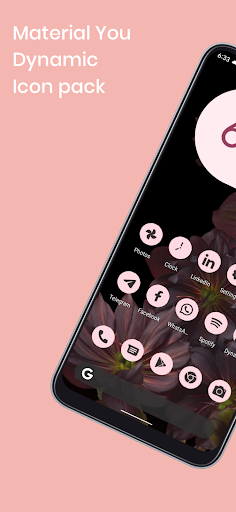
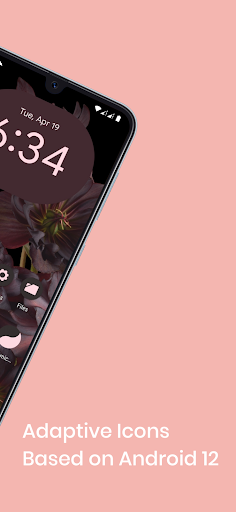
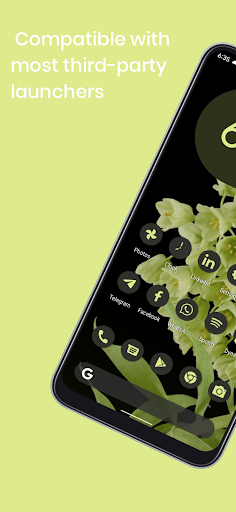
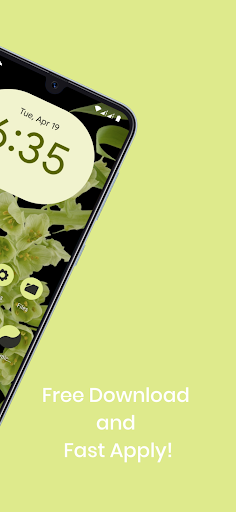
Material You Dynamic Icons - These are icons for custom launchers that change color from wallpaper / accent of system, also change in the Light / Dark mode of the device.
Available in application:
• Frequent updates.
• Adaptive icons.
• More than 3000 Exclusive thematic Wallpapers.
Recommendations
• A supported launcher is required to use this icon pack!
• FAQ section in the app, which answers a lot of questions you might have.
• Please read it before emailing your question.
Other Features
• Icon preview
• Dynamic calendar
• Material panel.
• Custom folder icons
• Category based icons
• Custom app drawer icons.
support
• If you have any problems while using the icon pack. Just email me at akbon.business@gmail.com
Supported launchers in icon pack
• Apus • Action Launcher • ADW Launcher • Apex • Atom • Aviate • LineageOS Theme Engine • GO • Holo Launcher • Holo HD • LG Home • Lucid • M Launcher • Mini • Next Launcher • Nougat Launcher • Nova Launcher (recommended) • Smart Launcher (recommended) • Solo Launcher • V Launcher • ZenUI • Zero • ABC Launcher • Evie • L Launcher • Lawnchair (recommended) • XOS Launcher • HiOS Launcher • Poco Launcher
Supported launchers are included in the icon pack, but do not require manual installation
• Arrow Launcher • ASAP Launcher • Cobo Launcher • Line Launcher • Mesh Launcher • Peek Launcher • Z Launcher Quixey Launcher • iTop Launcher • KK Launcher • MN Launcher • S Launcher • Open Launcher • Flick Launcher
This icon pack has been tested and works with these launchers. However, it may also work for others. In case the launcher is not in the application section of the icon pack. You can apply the icon pack from the launcher settings.
How to use this icon pack?:
Step 1: Install the supported launcher
Step 2: Open the Monet icon pack, go to the apply section of the Monet icon pack and select your launcher
If your launcher is not in the list, make sure to apply it from the settings of the launcher itself
How do I change the colors of the icons?:
After changing wallpaper / accent system, you need to reapply the icon pack (or apply another icon pack, and then immediately this one).
How do I change to light / dark mode?:
After changing device theme to light / dark, you need to reapply icon pack (or apply another icon pack, and then this one immediately).
Recommended use Launchers:
- Hyperion.
- Lawnchair.
- Nova Launcher.
- Niagara Launcher.
- Ruthless Launcher.
- Smart Launcher
- In Pixel Launcher (stock launcher in Pixel devices) work with the app Shortcut Maker.
- In Stock One UI Launcher uses Theme Park to change color.
Additional notes
• The icon pack needs a launcher to work.
• Icon missing? Feel free to send me an icon request and I'll try to update this pack with your requests.
If something does not work for you, you can contact "technical support" in telegram:
https://t.me/AKBON_Apps
credits
• AKBON (Ibrahim Fathelbab)
• Google Pixel Team
Mostre mais

1. Faça o download do instalador do MEmu e conclua a instalação

2. Inicie o MEmu e depois abra o Google Play na página inicial

3. Pesquise Material You Dynamic Icon pack no Google Play
Install
4. Baixe e Instale Material You Dynamic Icon pack
5. Na conclusão da instalação, clique no ícone para iniciar

6. º Experimente o Material You Dynamic Icon pack no PC com o MEmu.
O MEmu Play é o melhor emulador Android gratuito, com 50 milhões de utilizadores a desfrutar da sua experiência superior com aplicações Android. A tecnologia de virtualização do MEmu permite-lhe executar milhares de aplicações Android sem problemas no seu computador, mesmo as mais exigentes.
Tela maior com gráficos melhores; Longa duração e sem limitação de bateria ou dados móveis.
Suporte completo ao Mapaeamento de Teclas para controle preciso do teclado e mouse ou gamepad.
Várias contas de jogos ou tarefas em um único PC de uma só vez com o Gerenciador de várias instâncias.
Use Material You Dynamic Icon pack on PC by following steps:


![Color Changer Free [root] para PC](https://dl.memuplay.com/new_market/img/mobi.omegacentauri.red.icon.2024-12-13-07-17-50.png)