Material You Dynamic Icon pack
Aggiornata
Versione corrente
10.6.6
Offerta da

Non devi più preoccuparti dei sovraccarichi durante l'utilizzo di Material You Dynamic Icon pack sul tuo cellulare, liberati dal piccolo schermo e goditi dell'App su uno schermo molto più grande. D'ora in poi, sperimenta la tua App a schermo intero con tastiera e mouse. MEmu ti offre tutte le sorprendenti funzioni che ti aspettavi: installazione rapida e impostazione semplice, controlli intuitivi, niente più limitazioni di batteria, dati mobili e chiamate fastidiose. Il MEmu 9 nuovo di zecca è la prima scelta per utilizzare Material You Dynamic Icon pack sul tuo computer. Codificato con il nostro assorbimento, il gestore multi-istanza consente di aprire 2 o più account contemporaneamente. E soprattutto, il nostro esclusivo motore di emulazione può sbloccare il pieno potenziale del tuo PC, rendendo tutto liscio e piacevole.
Mostra altro
Scarica Material You Dynamic Icon pack su PC con MEmu Android Emulator. Divertiti giocando sul grande schermo. Material You Dynamic Icons - These are icons for custom launchers that change color from wallpaper / accent of system, also change in the Light / Dark mode of the device.
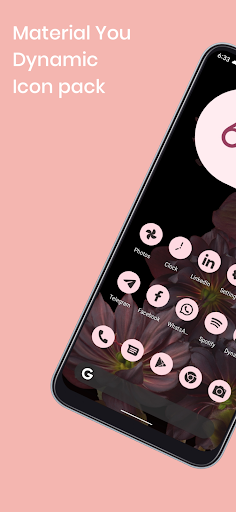
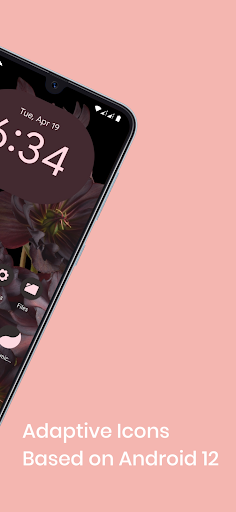
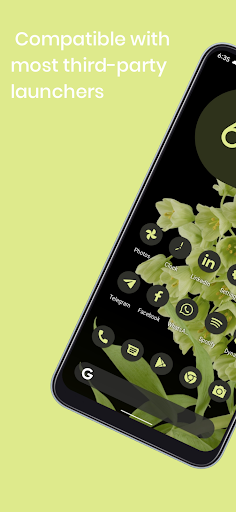
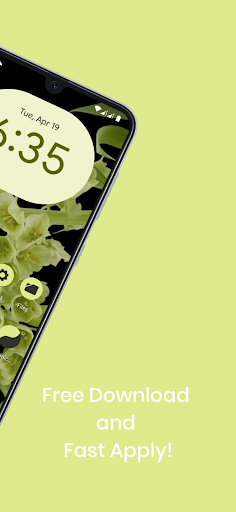
Material You Dynamic Icons - These are icons for custom launchers that change color from wallpaper / accent of system, also change in the Light / Dark mode of the device.
Available in application:
• Frequent updates.
• Adaptive icons.
• More than 3000 Exclusive thematic Wallpapers.
Recommendations
• A supported launcher is required to use this icon pack!
• FAQ section in the app, which answers a lot of questions you might have.
• Please read it before emailing your question.
Other Features
• Icon preview
• Dynamic calendar
• Material panel.
• Custom folder icons
• Category based icons
• Custom app drawer icons.
support
• If you have any problems while using the icon pack. Just email me at akbon.business@gmail.com
Supported launchers in icon pack
• Apus • Action Launcher • ADW Launcher • Apex • Atom • Aviate • LineageOS Theme Engine • GO • Holo Launcher • Holo HD • LG Home • Lucid • M Launcher • Mini • Next Launcher • Nougat Launcher • Nova Launcher (recommended) • Smart Launcher (recommended) • Solo Launcher • V Launcher • ZenUI • Zero • ABC Launcher • Evie • L Launcher • Lawnchair (recommended) • XOS Launcher • HiOS Launcher • Poco Launcher
Supported launchers are included in the icon pack, but do not require manual installation
• Arrow Launcher • ASAP Launcher • Cobo Launcher • Line Launcher • Mesh Launcher • Peek Launcher • Z Launcher Quixey Launcher • iTop Launcher • KK Launcher • MN Launcher • S Launcher • Open Launcher • Flick Launcher
This icon pack has been tested and works with these launchers. However, it may also work for others. In case the launcher is not in the application section of the icon pack. You can apply the icon pack from the launcher settings.
How to use this icon pack?:
Step 1: Install the supported launcher
Step 2: Open the Monet icon pack, go to the apply section of the Monet icon pack and select your launcher
If your launcher is not in the list, make sure to apply it from the settings of the launcher itself
How do I change the colors of the icons?:
After changing wallpaper / accent system, you need to reapply the icon pack (or apply another icon pack, and then immediately this one).
How do I change to light / dark mode?:
After changing device theme to light / dark, you need to reapply icon pack (or apply another icon pack, and then this one immediately).
Recommended use Launchers:
- Hyperion.
- Lawnchair.
- Nova Launcher.
- Niagara Launcher.
- Ruthless Launcher.
- Smart Launcher
- In Pixel Launcher (stock launcher in Pixel devices) work with the app Shortcut Maker.
- In Stock One UI Launcher uses Theme Park to change color.
Additional notes
• The icon pack needs a launcher to work.
• Icon missing? Feel free to send me an icon request and I'll try to update this pack with your requests.
If something does not work for you, you can contact "technical support" in telegram:
https://t.me/AKBON_Apps
credits
• AKBON (Ibrahim Fathelbab)
• Google Pixel Team
Mostra altro

1. Scarica il programma di installazione di MEmu e completa l'installazione

2. Avvia il Memu e apri il Google Play sulla homepage

3. Cerca Material You Dynamic Icon pack in Google Play
Install
4. Scarica e installa Material You Dynamic Icon pack
5. Al termine dell'installazione, fai clic sull'icona per avviar

6. Divertiti giocando a Material You Dynamic Icon pack su PC con MEmu
MEmu App Player è il miglior emulatore Android gratuito, utilizzato da 50 milioni di persone per ottenere un'esperienza di gioco Android superba. La tecnilogia di virtualizzazione MEmu ti permette di giocare a migliaia di giochi Android con semplicità sul tuo computer, anche i giochi con la grafica più esigente.
Schermo più grande con una grafica migliore; Lunga durata, senza limitazione di batteria o dati mobili.
Supporto completo per mappa di tastiera per un controllo preciso di tastiera e mouse o gamepad.
Multipli account di gioco o attività su un singolo PC contemporaneamente con il gestore di multi istanza.
Use Material You Dynamic Icon pack on PC by following steps: