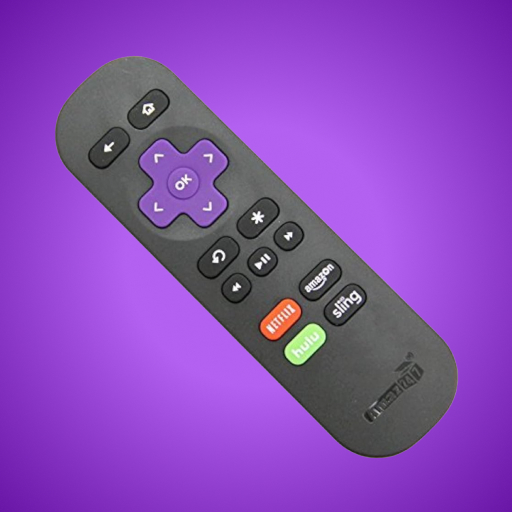
TV Control for Roku TV
Diupdate
Versi Saat Ini
9
Ditawarkan Oleh

Hentilah khawatir tentang biaya berlebihan saat menggunakan TV Control for Roku TV di ponsel Anda, bebaskan diri Anda dari layar kecil dan nikmati menggunakan aplikasi pada tampilan yang lebih besar. Mulai sekarang, dapatkan pengalaman full-screen di aplikasi Anda dengan keyboard dan mouse. MEmu menyediakan semua fitur mengejutkan yang Anda harapkan: cepat menginstal dan mudah menggunakan, kontrol intuitif, tidak ada lagi batasan baterai, data seluler dan panggilan yang mengganggu. MEmu 9 yang baru adalah pilihan terbaik untuk menggunakan TV Control for Roku TV di komputer Anda. Bersandi dengan absorpsi kami, manajer multi-instance memungkinkan pembukaan 2 akun atau lebih pada saat yang bersamaan. Dan yang paling penting, mesin emulasi eksklusif kami dapat melepaskan potensi penuh PC Anda, menjadikan semuanya lancar dan menyenangkan.
Tampilkan Lebih banyak
Unduh TV Control for Roku TV di PC dengan Emulator Android MEmu. Nikmati permainan pada layar yang besar. Roku TV Remote helps you control your TVs from the comfort of your phone.
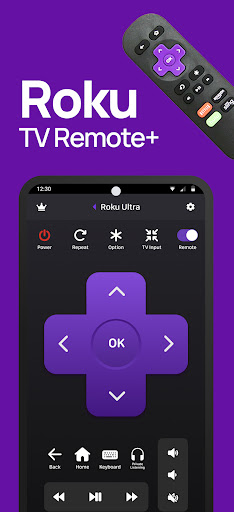
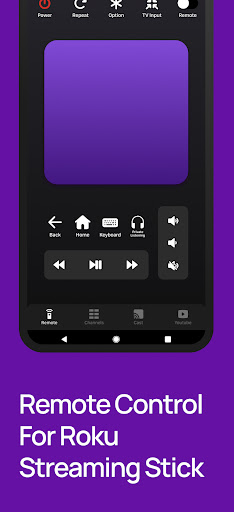
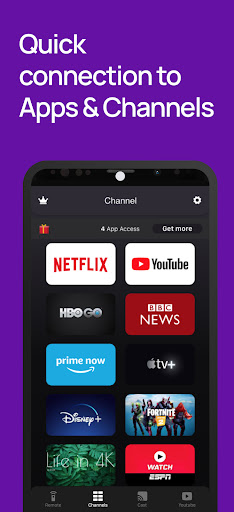
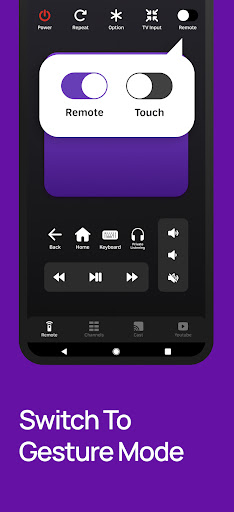
Roku TV Remote helps you control your TVs from the comfort of your phone.
This Remote Control App is compatible with all Roku TVs will full Remote Controller Access
Quick Cast To TV and Share Photos & Videos in high-definition from your Gallery directly onto your devices with the tap of a button on the dedicated ""Cast"" tab. Search effortlessly by using our friendly keyboard on the app.
Enjoy quick access to your favorite TV Streaming media channels like HBONow, Chill TLC, Shattered channel, YouTube, Rookie and others with the dedicated ""Channels"" Tab. This Smart TV Remote Control app also helps you use swipe-based gestures on your devices for easier navigation.
This Roku TV Remote app is the prime way for you to watch, cast to TV and play games on TV conveniently.
Features:
+ Intuitive remote control.
+ Quick access to your favorite apps and channels.
+ SmartCast feature: Cast media directly from your library.
Setup: Please connect both devices to the same WiFi network. Select your Roku TV in the app and, when prompted, ""Allow"" the app. That's it! Simple, quick, with complete features.
(Please note that this application cannot turn on your TV. Your TV is not connected to WiFi when it is OFF, so it can't accept the commands.)
Terms of Use: http://vulcanlabs.co/terms-of-use/
Privacy Policy: http://vulcanlabs.co/privacy-policy/"
DISCLAIMER:
This application is not affiliated nor endorsed by Roku Inc. and it is not an official product of Roku Inc. or its affiliates.
Tampilkan Lebih banyak

1. Unduh dan instal MEmu APP

2. Menjalankan MEmu lalu buka Google Play di halaman

3. Cari TV Control for Roku TV di Google Play
Install
4. Unduh dan instal TV Control for Roku TV
5. Setelah insatl APP selesai,klik ikon untuk mulai

6. Nikmati bermain TV Control for Roku TV di PC dengan MEmu
MEmu Play adalah emulator Android gratis terbaik dan 50 Juta orang sudah menikmati pengalaman luar biasa dalam Aplikasi Android. Teknologi virtualisasi MEmu memberi kekuasaan untuk memainkan ribuan Aplikasi Android dengan lancar di PC anda, bahkan Aplikasi dengan grafis yang paling tinggi.
Layar lebih besar dengan grafis yang lebih baik; durasi panjang, tanpa batasan baterai atau data seluler.
Didukung penuh oleh Pemetaan tombol yang lengkap untuk keakuratan kontrol keyboard dan mouse maupun gamepad.
Membuka beberapa akun game atau tugas di waktu yang sama hanya pada satu PC, dengan Multi-Instance manager.
Use TV Control for Roku TV on PC by following steps: