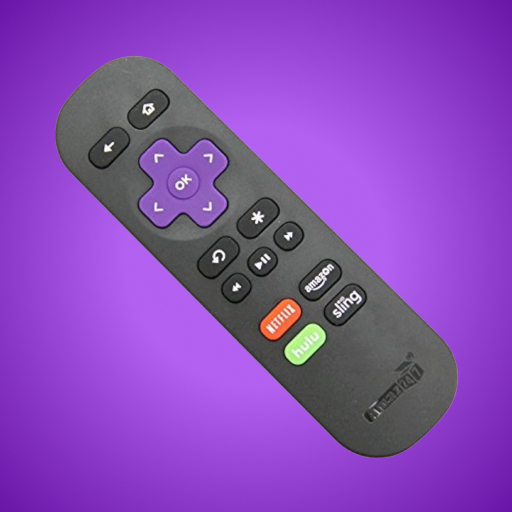
TV Control for Roku TV
अपडेट किया गया
वर्तमान वर्शन
9
संसाधन

TV Control for Roku TV पर अपनी मोबाइल डेटा सीमा पार करने को अलविदा कहें और छोटी स्क्रीन की सीमाओं से मुक्त होकर बड़े डिस्प्ले के लाभों का अनुभव करें। अब, आप अपने कीबोर्ड और माउस का उपयोग करके फुल-स्क्रीन मोड में टॉपर्स क्लैन की शक्ति का अनुभव कर सकते हैं। MEmu Play में वे सभी बेहतरीन सुविधाएँ हैं जिनकी आप अपेक्षा करते हैं: त्वरित इंस्टॉलेशन और आसान सेटअप, सहज नियंत्रण, बैटरी की आवश्यकता नहीं, और कोई डेटा या कॉल समय सीमा नहीं। नया MEmu 9 आपके कंप्यूटर पर TV Control for Roku TV का उपयोग करने के लिए सबसे अच्छा विकल्प है। हमारा मालिकाना मल्टी-इंस्टेंस मैनेजर एक साथ दो या अधिक खातों को चलाने का समर्थन करता है। इससे भी महत्वपूर्ण बात यह है कि हमारा अनूठा इम्यूलेशन इंजन आपके कंप्यूटर के प्रदर्शन का पूरा उपयोग करता है, जिससे एक सहज और निर्बाध अनुभव मिलता है।
और दिखाएं
डाउनलोड करें TV Control for Roku TV पीसी पर MEmu एंड्रॉयड एमुलेटर के साथ बड़े पर्दे पर खेलने का आनंद लें। Roku TV Remote helps you control your TVs from the comfort of your phone.
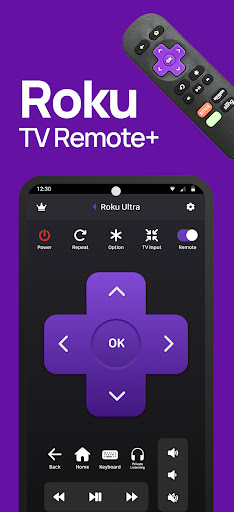
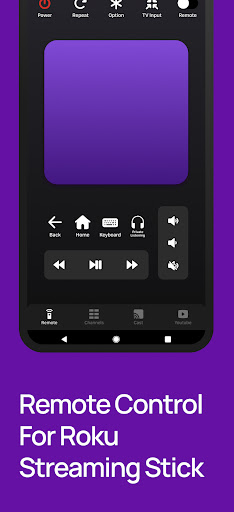
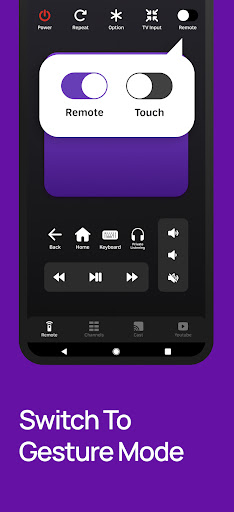
Roku TV Remote helps you control your TVs from the comfort of your phone.
This Remote Control App is compatible with all Roku TVs will full Remote Controller Access
Quick Cast To TV and Share Photos & Videos in high-definition from your Gallery directly onto your devices with the tap of a button on the dedicated ""Cast"" tab. Search effortlessly by using our friendly keyboard on the app.
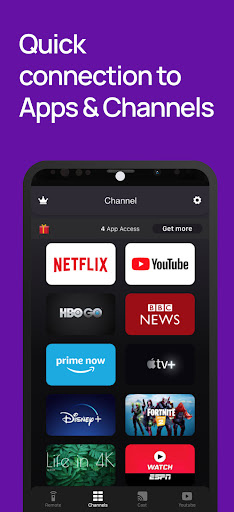
Enjoy quick access to your favorite TV Streaming media channels like HBONow, Chill TLC, Shattered channel, YouTube, Rookie and others with the dedicated ""Channels"" Tab. This Smart TV Remote Control app also helps you use swipe-based gestures on your devices for easier navigation.
This Roku TV Remote app is the prime way for you to watch, cast to TV and play games on TV conveniently.
Features:
+ Intuitive remote control.
+ Quick access to your favorite apps and channels.
+ SmartCast feature: Cast media directly from your library.
Setup: Please connect both devices to the same WiFi network. Select your Roku TV in the app and, when prompted, ""Allow"" the app. That's it! Simple, quick, with complete features.
(Please note that this application cannot turn on your TV. Your TV is not connected to WiFi when it is OFF, so it can't accept the commands.)
Terms of Use: http://vulcanlabs.co/terms-of-use/
Privacy Policy: http://vulcanlabs.co/privacy-policy/"
DISCLAIMER:
This application is not affiliated nor endorsed by Roku Inc. and it is not an official product of Roku Inc. or its affiliates.
और दिखाएं

1. MEmu इंस्टॉलर को डाउनलोड करें और इंस्टॉलेशन को पूरा करें

2. MEmu शुरू करें फिर होमपेज पर Google Play खोलें

3. Google Play में TV Control for Roku TV खोजें
Install
4. TV Control for Roku TV डाउनलोड कर इंस्टॉल करें
5. इंस्टॉल पूरा होने पर आइकन दबाएं

6. MEmu का उपयोग करके अपने कंप्यूटर पर TV Control for Roku TV का अनुभव करें
MEmu Play सबसे बेहतरीन मुफ़्त Android एमुलेटर है और 5 करोड़ लोग पहले ही इसके शानदार Android ऐप अनुभव का आनंद ले चुके हैं। MEmu 9 वर्चुअलाइज़ेशन तकनीक आपको अपने PC पर हज़ारों Android ऐप्स, यहाँ तक कि सबसे ज़्यादा ग्राफ़िक्स वाले ऐप्स भी, आसानी से चलाने की सुविधा देती है।
असीमित बैटरी या मोबाइल डेटा के साथ बेहतर ग्राफिक्स के साथ बड़ी स्क्रीन; लंबी अवधि।
कीबोर्ड और माउस या गेमपैड के उत्तम नियंत्रण के लिए संपूर्ण कीमैपिंग का समर्थन करता हैं।
एक ही पीसी पर मल्टी-इंस्टेंस मैनेजर के साथ एक समय में कई गेम खाते या कार्य कर सकते हैं।
Use TV Control for Roku TV on PC by following steps: