4x4 Solo Mini Chess LS test
Aggiornata
Versione corrente
Offerta da

Vista tutta la passione dimostrata nel giocare a 4x4 Solo Mini Chess LS test, le tue mani non dovrebbero essere limitate al minuscolo schermo di un telefono. Gioca come un professionista e ottieni il pieno controllo del gioco con tastiera e mouse. MEmu ti offre tutto ciò che ti aspetti. Scarica e gioca a 4x4 Solo Mini Chess LS test su PC. Gioca quanto vuoi, niente più limitazioni di batteria, dati mobili e chiamate inquietanti. Il nuovissimo MEmu 9 è la scelta migliore per giocare a 4x4 Solo Mini Chess LS test su PC. Realizzato sulla base della nostra esperienza, lo squisito sistema di mappatura dei tasti preimpostati rende 4x4 Solo Mini Chess LS test un vero e proprio gioco per PC. MEmu è un gestore multi-instanza che permette di giocare con 2 o più account sullo stesso dispositivo. E la cosa più importante, il nostro esclusivo motore di emulazione può liberare tutto il potenziale del tuo PC, rendendo tutto fluido.
Mostra altro
Scarica 4x4 Solo Mini Chess LS test su PC con MEmu Android Emulator. Divertiti giocando sul grande schermo. Same as the free version of 4x4 Solo Mini Chess, but testing support for both Portrait and Landscape modes.
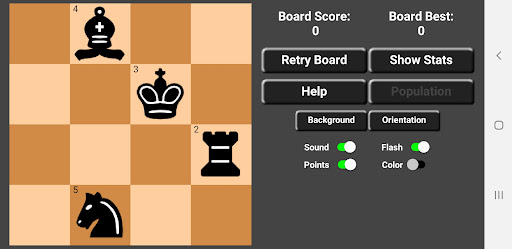
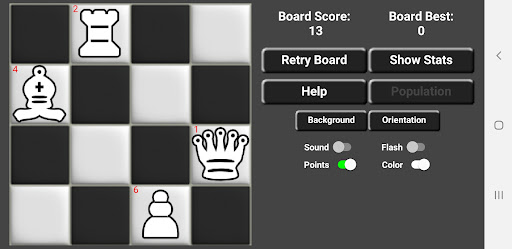
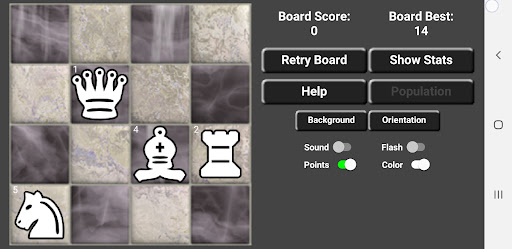
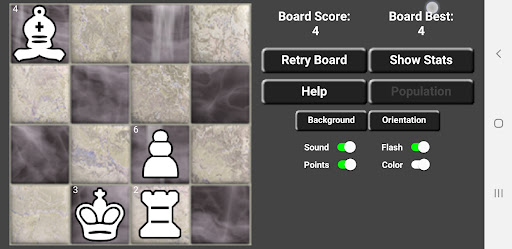
Same as the free version of 4x4 Solo Mini Chess, but testing support for both Portrait and Landscape modes.
This free version is limited to a population of four Chess pieces. Otherwise, it is fully functional.
No ads, nags, or in-app purchases. No internet connection required. Fully offline puzzle game app.
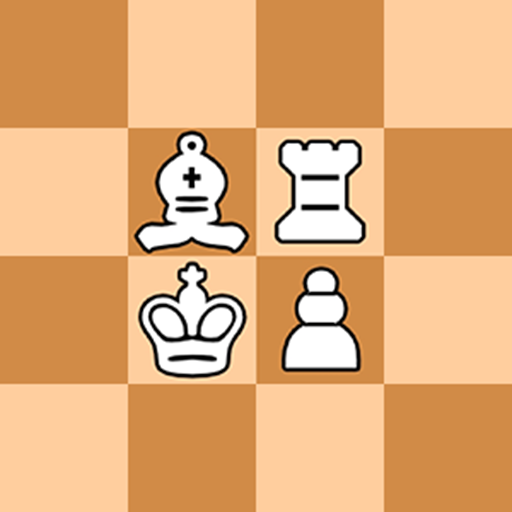
This is a solitaire variation game of Chess. You are presented with a 4x4 Chess board populated from a pool consisting of 9 pieces: 2 Rooks, 2 Bishops, 2 Knights, 1 Pawn, 1 Queen, and 1 King. You may populate the board with 2-8 pieces.
Using the movement rules of standard Chess, your goal is to clear the board of all but 1 piece with the highest possible score. Each board presents a unique puzzle. Boards are not just randomly generated or preset, but go through a complex algorithm to generate a solvable scenario.
Tap on a piece to lift it from the board (it will glow blue), then tap on the piece you wish to capture. If you make a mistake and wish to choose a different piece, tap on the piece you originally chose and it will release (it will not glow blue).
Alternatively, although you cannot drag or fling the pieces, you can sort of slide your finger from the attacking piece over to the capture piece and lift without highlighting either piece.
Here are the rules:
1) Each move must result in a capture.
2) There is no Check rule for the King.
3) To win the board, capture all but the last attacking piece.
Points are awarded depending on which piece you use to capture, and are assigned as follows:
Queen = 1 point
Rook = 2 points
King = 3 points
Bishop = 4 points
Knight = 5 points
Pawn = 6 points
For example, if you capture another piece with the Knight you are awarded 5 points.
Boards will usually have more than one solution. However, your goal is to try to solve the board with the most points for that scenario.
If you get stuck on a board, you may request another configuration by selecting Populate and choosing your desired board. You may adjust the volume and backflash either On or Off. You may also choose black or white pieces.
One approach to these Chess brain game puzzles is to initially solve the board any way you can without regard to score. This will give you a goal upon which to improve. After subsequent retries you will oftentimes find other solutions which result in higher scores, even if only by 1 or 2 points but sometimes as much as 8 or 10 points. You may retry a board as many times as you wish.
Mostra altro

1. Scarica il programma di installazione di MEmu e completa l'installazione

2. Avvia il Memu e apri il Google Play sulla homepage

3. Cerca 4x4 Solo Mini Chess LS test in Google Play
Install
4. Scarica e installa 4x4 Solo Mini Chess LS test
5. Al termine dell'installazione, fai clic sull'icona per avviar

6. Divertiti giocando a 4x4 Solo Mini Chess LS test su PC con MEmu
MEmu App Player è il miglior emulatore Android gratuito, utilizzato da 50 milioni di persone per ottenere un'esperienza di gioco Android superba. La tecnilogia di virtualizzazione MEmu ti permette di giocare a migliaia di giochi Android con semplicità sul tuo computer, anche i giochi con la grafica più esigente.
Schermo più grande con una grafica migliore; Lunga durata, senza limitazione di batteria o dati mobili.
Supporto completo per mappa di tastiera per un controllo preciso di tastiera e mouse o gamepad.
Multipli account di gioco o attività su un singolo PC contemporaneamente con il gestore di multi istanza.
Play 4x4 Solo Mini Chess LS test on PC by following steps: