Tasty Tile - Match 3 Puzzle
Aggiornata
Versione corrente
1732887042
Offerta da

Vista tutta la passione dimostrata nel giocare a Tasty Tile - Match 3 Puzzle, le tue mani non dovrebbero essere limitate al minuscolo schermo di un telefono. Gioca come un professionista e ottieni il pieno controllo del gioco con tastiera e mouse. MEmu ti offre tutto ciò che ti aspetti. Scarica e gioca a Tasty Tile - Match 3 Puzzle su PC. Gioca quanto vuoi, niente più limitazioni di batteria, dati mobili e chiamate inquietanti. Il nuovissimo MEmu 9 è la scelta migliore per giocare a Tasty Tile - Match 3 Puzzle su PC. Realizzato sulla base della nostra esperienza, lo squisito sistema di mappatura dei tasti preimpostati rende Tasty Tile - Match 3 Puzzle un vero e proprio gioco per PC. MEmu è un gestore multi-instanza che permette di giocare con 2 o più account sullo stesso dispositivo. E la cosa più importante, il nostro esclusivo motore di emulazione può liberare tutto il potenziale del tuo PC, rendendo tutto fluido.
Mostra altro
Scarica Tasty Tile - Match 3 Puzzle su PC con MEmu Android Emulator. Divertiti giocando sul grande schermo. Embark on the final frontier of tile matching games with Tasty Tile!
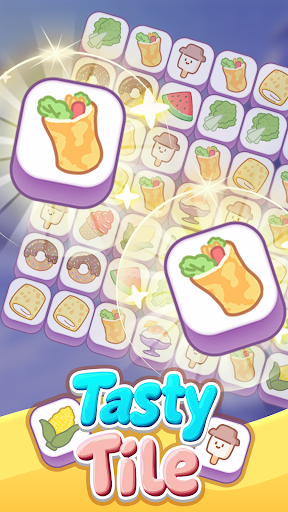

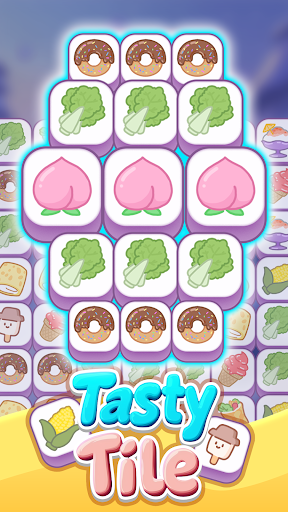

Embark on the final frontier of tile matching games with Tasty Tile! Set off on countless hours of tile-matching enjoyment. Immerse yourself in a bewitching puzzle odyssey where your mission is to find and match three identical tiles from a variety of piles to eliminate them. Each stage is engineered to stimulate your brain and hone your skills! Features: Assorted Levels: Triumph over an array of levels that come in different dimensions and exclusive pile shapes. Distinctive Tri-Match Support: Utilize the auto-fill feature to assist in tile removal and surpass obstacles with shuffle and backtrack choices. Skill Examination: Encounter increasingly intricate piles to assess your spotting and matching talents. Uncomplicated Gameplay: Simply spot and match three identical tiles from the pile to remove them. Ideal for laid-back gaming and relaxation. Attractive Graphics: Take pleasure in exquisitely designed tiles and fluid animations that bolster your game-playing experience. Engage with Tasty Tile and commence your passage to becoming the uncontested master of tile-matching!
Mostra altro

1. Scarica il programma di installazione di MEmu e completa l'installazione

2. Avvia il Memu e apri il Google Play sulla homepage

3. Cerca Tasty Tile - Match 3 Puzzle in Google Play
Install
4. Scarica e installa Tasty Tile - Match 3 Puzzle
5. Al termine dell'installazione, fai clic sull'icona per avviar

6. Divertiti giocando a Tasty Tile - Match 3 Puzzle su PC con MEmu
MEmu App Player è il miglior emulatore Android gratuito, utilizzato da 50 milioni di persone per ottenere un'esperienza di gioco Android superba. La tecnilogia di virtualizzazione MEmu ti permette di giocare a migliaia di giochi Android con semplicità sul tuo computer, anche i giochi con la grafica più esigente.
Schermo più grande con una grafica migliore; Lunga durata, senza limitazione di batteria o dati mobili.
Supporto completo per mappa di tastiera per un controllo preciso di tastiera e mouse o gamepad.
Multipli account di gioco o attività su un singolo PC contemporaneamente con il gestore di multi istanza.
Play Tasty Tile - Match 3 Puzzle on PC by following steps: