Dragon Village 3
Aggiornata
Versione corrente
Offerta da

Vista tutta la passione dimostrata nel giocare a Dragon Village 3, le tue mani non dovrebbero essere limitate al minuscolo schermo di un telefono. Gioca come un professionista e ottieni il pieno controllo del gioco con tastiera e mouse. MEmu ti offre tutto ciò che ti aspetti. Scarica e gioca a Dragon Village 3 su PC. Gioca quanto vuoi, niente più limitazioni di batteria, dati mobili e chiamate inquietanti. Il nuovissimo MEmu 9 è la scelta migliore per giocare a Dragon Village 3 su PC. Realizzato sulla base della nostra esperienza, lo squisito sistema di mappatura dei tasti preimpostati rende Dragon Village 3 un vero e proprio gioco per PC. MEmu è un gestore multi-instanza che permette di giocare con 2 o più account sullo stesso dispositivo. E la cosa più importante, il nostro esclusivo motore di emulazione può liberare tutto il potenziale del tuo PC, rendendo tutto fluido.
Mostra altro
Scarica Dragon Village 3 su PC con MEmu Android Emulator. Divertiti giocando sul grande schermo. ■ Back after 12 years, the official sequel!
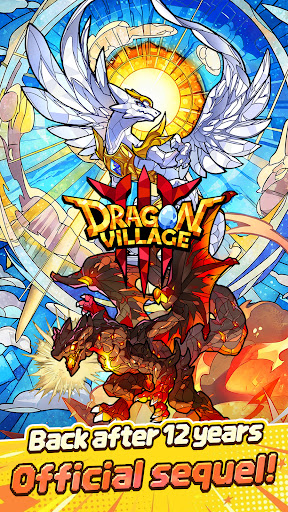
■ Back after 12 years, the official sequel!
The legendary collection RPG Dragon Village returns with a completely new look.
Join the grand conflict between God Dragon and Darknix, and step into the newly forged epic world of Dragon Village 3.
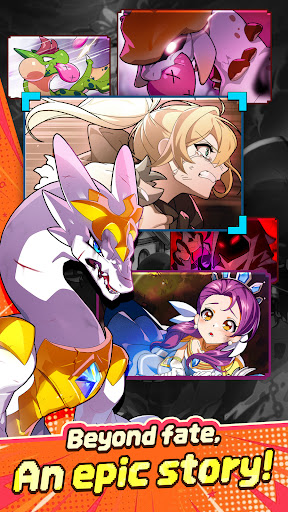
■ Beyond fate, an epic story!
Uncover the hidden tales of dragons with immersive illustrations.
Experience a touching epic woven by diverse dragons and tamers, brought to life with high-quality cutscenes.
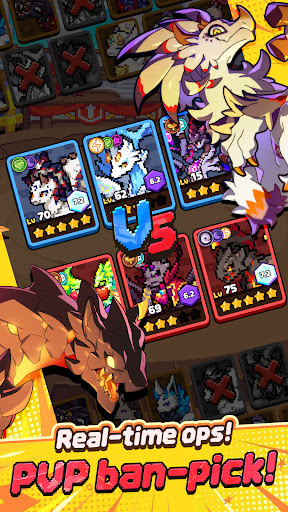
■ Real-time strategy, PVP ban-pick system!
Compete against global tamers in the arena with fierce mind games.
Analyze your opponent's deck, ban their key dragons, and pick your best team to seize control of the battlefield and claim victory.
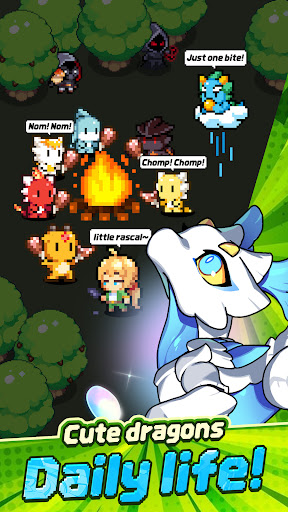
■ Healing daily life of cute dragons!
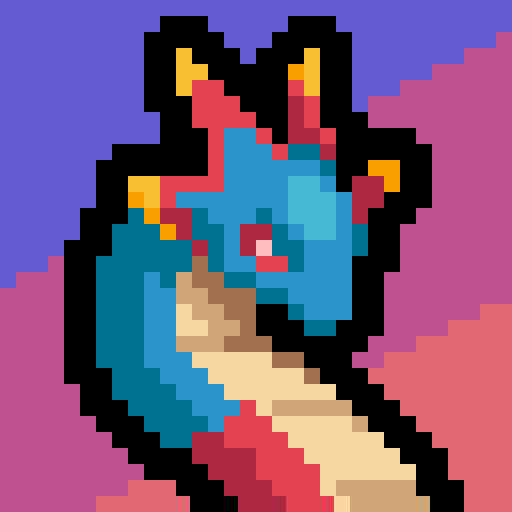
Spend peaceful times with pixel dragons in Dragon Village.
Enjoy the simple pleasures of feeding, interacting, and watching your charming dragons gather around the campfire to play.
■ Express yourself, complete tamer customization!
Create your perfect look with hundreds of costume combinations.
Show off your unique style using various outfits and accessories from head to toe, and stand out in the game world.
■ Infinite possibilities, Altar of Life breeding system!
Breed two dragons to acquire completely new and rare dragons.
Discover hidden legendary eggs through strategic breeding based on elements and lineage, and enjoy the thrill of completing the ultimate dragon collection.
■ Endless challenge for the top, giant boss raids!
Fight against mighty boss monsters with your best dragon team.
Test your limits in extreme battles that require precise elemental synergies and skill timing. Reach the highest rankings to claim honorable rewards.
[Subscription Description]
1. Subscription Price and Period
By clicking the "Remove Ads" button in the menu, you can subscribe to "Remove Ads Premium".
The subscription price is $6.99, and the subscription period is one month.
2. Subscription Details
The subscription type is "Remove Ads Premium".
Subscriptions automatically renew every month. If you cancel your subscription during the validity period, you will no longer receive the monthly benefits after the current subscription period ends.
The Remove Ads subscription removes all ads during the subscription period and instantly grants items that are normally rewarded for watching ads.
3. Auto-Renewal Description
The Google Play subscription feature is an auto-renewing system, and payments are automatically charged to your Google Play Account. To cancel the subscription service, you can turn off the auto-renewal feature in the Google Play Store subscriptions management page on your mobile device. Auto-renewals are charged within 24 hours prior to the end of the current subscription cycle, and payment is confirmed directly through your Google Play Account. If you do not cancel the auto-renewing subscription at least 24 hours before the end of the current cycle, your subscription will automatically renew.
Upon confirmation of purchase, the subscription cost will be charged to your Google Play Account.
The subscription extension and the cost of the extension are verified within 24 hours before the end of the subscription period.
4. How to Cancel
To cancel your subscription, open the "Google Play Store" app on your Android device ---> tap the profile icon on the top right ---> select "Payments & subscriptions" ---> tap "Subscriptions" ---> select the subscription for "Dragon Village 3" to cancel.
[Personal Information Processing Policy]
https://terms.withhive.com/terms/policy/view/M371/T167#T167
[Terms of Service]
https://terms.withhive.com/terms/policy/view/M371/T167#T166
Mostra altro

1. Scarica il programma di installazione di MEmu e completa l'installazione

2. Avvia il Memu e apri il Google Play sulla homepage

3. Cerca Dragon Village 3 in Google Play
Install
4. Scarica e installa Dragon Village 3
5. Al termine dell'installazione, fai clic sull'icona per avviar

6. Divertiti giocando a Dragon Village 3 su PC con MEmu
MEmu App Player è il miglior emulatore Android gratuito, utilizzato da 50 milioni di persone per ottenere un'esperienza di gioco Android superba. La tecnilogia di virtualizzazione MEmu ti permette di giocare a migliaia di giochi Android con semplicità sul tuo computer, anche i giochi con la grafica più esigente.
Schermo più grande con una grafica migliore; Lunga durata, senza limitazione di batteria o dati mobili.
Supporto completo per mappa di tastiera per un controllo preciso di tastiera e mouse o gamepad.
Multipli account di gioco o attività su un singolo PC contemporaneamente con il gestore di multi istanza.
Play Dragon Village 3 on PC by following steps: