Dragon Village 3
Diupdate
Versi Saat Ini
Ditawarkan Oleh

Dengan sepenuh kebulatan hati Anda dalam memainkan Dragon Village 3, tangan Anda tak seharusnya hanya terbatas pada layar kecil handphone Anda.Bermainlah layaknya seorang profesional dan dapatkan kendali penuh dalam permainan Anda dengan papan ketik dan tetikus.MEmu menawarkan seluruh hal yang Anda harapkan.Unduh dan mainkan Dragon Village 3 pada PC. Bermainlah selama yang Anda inginkan, tanpa keterbatasan dari baterai, data seluler dan panggilan yang mengganggu.MEmu 9 baru merupakan pilihan terbaik untuk memainkan Dragon Village 3 pada PC. Dipersiapkan bersama teknologi ahli kami, sistem pemetaan kunci preset yang canggih menjadikan Dragon Village 3 sebagai permainan PC sejati.Manajer banyak hal dari MEmu memungkinkan Anda untuk memainkan 2 atau banyak akun pada perangkat yang sama.Dan yang terpenting, mesin emulasi eksklusif kami bisa melepaskan potensi penuh PC Anda, membuat segalanya berjalan lancar.
Tampilkan Lebih banyak
Unduh Dragon Village 3 di PC dengan Emulator Android MEmu. Nikmati permainan pada layar yang besar. ■ Back after 12 years, the official sequel!
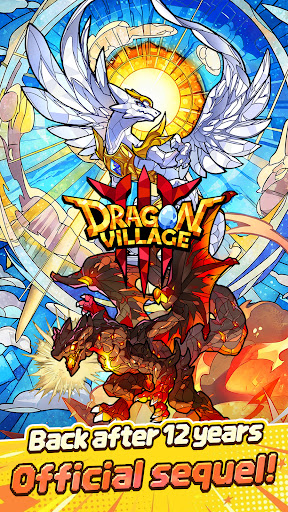
■ Back after 12 years, the official sequel!
The legendary collection RPG Dragon Village returns with a completely new look.
Join the grand conflict between God Dragon and Darknix, and step into the newly forged epic world of Dragon Village 3.
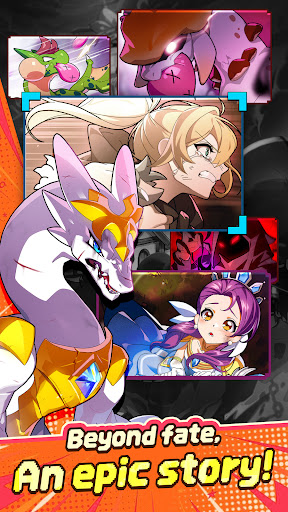
■ Beyond fate, an epic story!
Uncover the hidden tales of dragons with immersive illustrations.
Experience a touching epic woven by diverse dragons and tamers, brought to life with high-quality cutscenes.
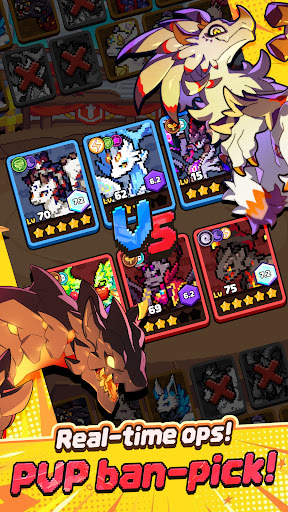
■ Real-time strategy, PVP ban-pick system!
Compete against global tamers in the arena with fierce mind games.
Analyze your opponent's deck, ban their key dragons, and pick your best team to seize control of the battlefield and claim victory.
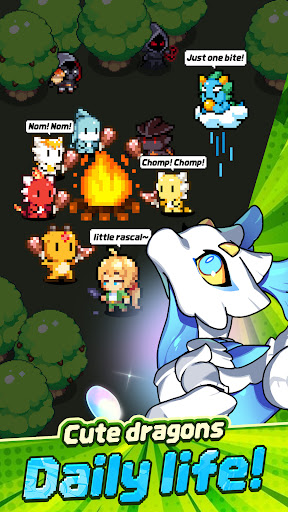
■ Healing daily life of cute dragons!
Spend peaceful times with pixel dragons in Dragon Village.
Enjoy the simple pleasures of feeding, interacting, and watching your charming dragons gather around the campfire to play.
■ Express yourself, complete tamer customization!
Create your perfect look with hundreds of costume combinations.
Show off your unique style using various outfits and accessories from head to toe, and stand out in the game world.
■ Infinite possibilities, Altar of Life breeding system!
Breed two dragons to acquire completely new and rare dragons.
Discover hidden legendary eggs through strategic breeding based on elements and lineage, and enjoy the thrill of completing the ultimate dragon collection.
■ Endless challenge for the top, giant boss raids!
Fight against mighty boss monsters with your best dragon team.
Test your limits in extreme battles that require precise elemental synergies and skill timing. Reach the highest rankings to claim honorable rewards.
[Subscription Description]
1. Subscription Price and Period
By clicking the "Remove Ads" button in the menu, you can subscribe to "Remove Ads Premium".
The subscription price is $6.99, and the subscription period is one month.
2. Subscription Details
The subscription type is "Remove Ads Premium".
Subscriptions automatically renew every month. If you cancel your subscription during the validity period, you will no longer receive the monthly benefits after the current subscription period ends.
The Remove Ads subscription removes all ads during the subscription period and instantly grants items that are normally rewarded for watching ads.
3. Auto-Renewal Description
The Google Play subscription feature is an auto-renewing system, and payments are automatically charged to your Google Play Account. To cancel the subscription service, you can turn off the auto-renewal feature in the Google Play Store subscriptions management page on your mobile device. Auto-renewals are charged within 24 hours prior to the end of the current subscription cycle, and payment is confirmed directly through your Google Play Account. If you do not cancel the auto-renewing subscription at least 24 hours before the end of the current cycle, your subscription will automatically renew.
Upon confirmation of purchase, the subscription cost will be charged to your Google Play Account.
The subscription extension and the cost of the extension are verified within 24 hours before the end of the subscription period.
4. How to Cancel
To cancel your subscription, open the "Google Play Store" app on your Android device ---> tap the profile icon on the top right ---> select "Payments & subscriptions" ---> tap "Subscriptions" ---> select the subscription for "Dragon Village 3" to cancel.
[Personal Information Processing Policy]
https://terms.withhive.com/terms/policy/view/M371/T167#T167
[Terms of Service]
https://terms.withhive.com/terms/policy/view/M371/T167#T166
Tampilkan Lebih banyak

1. Unduh dan instal MEmu APP

2. Menjalankan MEmu lalu buka Google Play di halaman

3. Cari Dragon Village 3 di Google Play
Install
4. Unduh dan instal Dragon Village 3
5. Setelah insatl APP selesai,klik ikon untuk mulai

6. Nikmati bermain Dragon Village 3 di PC dengan MEmu
MEmu App Player adalah emulator Android gratis terbaik dan 50 Juta orang sudah menikmati pengalaman luar biasa dalam bermain gim Android. Teknologi virtualisasi MEmu memberi kekuasaan untuk memainkan ribuan gim Android dengan lancar di PC anda, bahkan gim dengan grafis yang paling tinggi.
Layar lebih besar dengan grafis yang lebih baik; durasi panjang, tanpa batasan baterai atau data seluler.
Didukung penuh oleh Pemetaan tombol yang lengkap untuk keakuratan kontrol keyboard dan mouse maupun gamepad.
Membuka beberapa akun game atau tugas di waktu yang sama hanya pada satu PC, dengan Multi-Instance manager.
Play Dragon Village 3 on PC by following steps: