Dragon Village 3
อัปเดตเมื่อ
เวอร์ชันปัจจุบัน
ให้บริการโดย

เวลาคุณเล่น Dragon Village 3, คุณอาจรู้สึกว่ามือคุณอาจบังจอแล้วทำให้ไม่ได้เล่นแบบเต็มที่. เล่นแบบไร้ขีดจำกัดด้วยเม้าส์และคีย์บอร์ด. MEmu มีตัวเลือกหลายอย่างให้คุณใช้งานเกมที่คุณเล่นแบบที่คุณต้องการ. ดาวน์โหลดและเล่น Dragon Village 3 บน PC. เล่นนานแค่ไหนก็ได้, ไม่ต้องชาร์จแบตเตอรี่, หรือเจอคนโทรเข้ามาระหว่างเล่น. MEmu 9 เป็นตัวเลือกสำหรับการเล่น Dragon Village 3 บน PC. ทางทีมงานเราได้ปรับแต่งเกม, ปรับให้เล่นเกมบางเกมได้เหมือนเล่น Dragon Village 3 เป็นเกม PC เช่นเล็งด้วยเม้าส์หรือใช้คีย์บอร์ด. ระบบของเรายังทำให้คุณสามารถเปิดเล่นได้มากกว่า 2 เกมพร้อมๆกันในคอมของคุณ. และที่สำคัญที่สุด, ระบบโปรแกรมของเราสามารถทำให้คุณใช้ระบบของ PC ทำให้เกมลื่นเหมือนกับใช้โทรศัพท์รุ่นล่าสุด. เราไม่ได้ดูแลเรื่องการเล่นเกม, แต่เราดูแลถึงความสนุกสนานที่คุณได้จากการเล่นด้วย.
แสดงเพิ่มเติม
ดาวน์โหลด Dragon Village 3 บน PC ด้วย MEmu Android Emulator สนุกกับการเล่นบนหน้าจอขนาดใหญ่ ■ Back after 12 years, the official sequel!
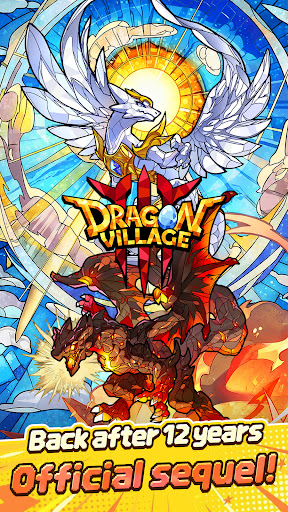

■ Back after 12 years, the official sequel!
The legendary collection RPG Dragon Village returns with a completely new look.
Join the grand conflict between God Dragon and Darknix, and step into the newly forged epic world of Dragon Village 3.
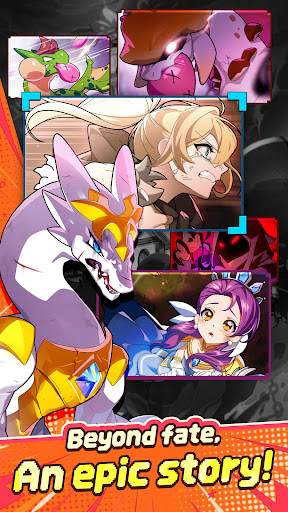
■ Beyond fate, an epic story!
Uncover the hidden tales of dragons with immersive illustrations.
Experience a touching epic woven by diverse dragons and tamers, brought to life with high-quality cutscenes.
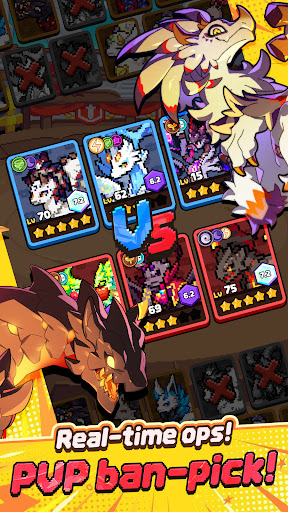
■ Real-time strategy, PVP ban-pick system!
Compete against global tamers in the arena with fierce mind games.
Analyze your opponent's deck, ban their key dragons, and pick your best team to seize control of the battlefield and claim victory.
■ Healing daily life of cute dragons!
Spend peaceful times with pixel dragons in Dragon Village.
Enjoy the simple pleasures of feeding, interacting, and watching your charming dragons gather around the campfire to play.
■ Express yourself, complete tamer customization!
Create your perfect look with hundreds of costume combinations.
Show off your unique style using various outfits and accessories from head to toe, and stand out in the game world.
■ Infinite possibilities, Altar of Life breeding system!
Breed two dragons to acquire completely new and rare dragons.
Discover hidden legendary eggs through strategic breeding based on elements and lineage, and enjoy the thrill of completing the ultimate dragon collection.
■ Endless challenge for the top, giant boss raids!
Fight against mighty boss monsters with your best dragon team.
Test your limits in extreme battles that require precise elemental synergies and skill timing. Reach the highest rankings to claim honorable rewards.
[Subscription Description]
1. Subscription Price and Period
By clicking the "Remove Ads" button in the menu, you can subscribe to "Remove Ads Premium".
The subscription price is $6.99, and the subscription period is one month.
2. Subscription Details
The subscription type is "Remove Ads Premium".
Subscriptions automatically renew every month. If you cancel your subscription during the validity period, you will no longer receive the monthly benefits after the current subscription period ends.
The Remove Ads subscription removes all ads during the subscription period and instantly grants items that are normally rewarded for watching ads.
3. Auto-Renewal Description
The Google Play subscription feature is an auto-renewing system, and payments are automatically charged to your Google Play Account. To cancel the subscription service, you can turn off the auto-renewal feature in the Google Play Store subscriptions management page on your mobile device. Auto-renewals are charged within 24 hours prior to the end of the current subscription cycle, and payment is confirmed directly through your Google Play Account. If you do not cancel the auto-renewing subscription at least 24 hours before the end of the current cycle, your subscription will automatically renew.
Upon confirmation of purchase, the subscription cost will be charged to your Google Play Account.
The subscription extension and the cost of the extension are verified within 24 hours before the end of the subscription period.
4. How to Cancel
To cancel your subscription, open the "Google Play Store" app on your Android device ---> tap the profile icon on the top right ---> select "Payments & subscriptions" ---> tap "Subscriptions" ---> select the subscription for "Dragon Village 3" to cancel.
[Personal Information Processing Policy]
https://terms.withhive.com/terms/policy/view/M371/T167#T167
[Terms of Service]
https://terms.withhive.com/terms/policy/view/M371/T167#T166
แสดงเพิ่มเติม

1. ดาวน์โหลดตัวติดตั้ง MEmu และสิ้นสุดการติดตั้ง

2. เริ่ม MEmu จากนั้นเปิด Google Play บนหน้าแรก

3. ค้นหา Dragon Village 3 ใน Google Play
Install
4. ดาวน์โหลดและติดตั้ง Dragon Village 3
5. เมื่อติดตั้งเสร็จให้คลิกที่ไอคอนเพื่อเริ่มใช้งาน

6. สนุกกับการเล่น Dragon Village 3 บนพีซีด้วย MEmu
MEmu App Player เป็นอีมูเลเตอร์ Android ที่ดีที่สุดและผู้คนกว่า 50 ล้านคนเพลิดเพลินไปกับประสบการณ์การเล่นเกม Android ที่ยอดเยี่ยม เทคโนโลยีการจำลองเสมือนของ MEmu ช่วยให้คุณเล่นเกม Android หลายพันเกมได้อย่างราบรื่นบนพีซีของคุณแม้แต่เกมที่ต้องใช้กราฟิกมากที่สุด
จอใหญ่และกราฟฟิกสวยกว่า; เล่นได้นาน, ไม่ต้องใช้แบตเตอรี่โทรศัพท์หรือเน็ตโทรศัพท์.
ระบบปรับแต่งปุ่มคีย์บอร์ดและเม้าส์ตามที่คุณเลือก
เล่นมากกว่าหนึ่งเกมบน PC ในเวลาเดียวกันด้วยระบบหลายจอหรือ Multi-Instance manager.
Play Dragon Village 3 on PC by following steps: