
Idle Gnome Garden: Farm Tycoon
Aggiornata
Versione corrente
Offerta da

Vista tutta la passione dimostrata nel giocare a Idle Gnome Garden: Farm Tycoon, le tue mani non dovrebbero essere limitate al minuscolo schermo di un telefono. Gioca come un professionista e ottieni il pieno controllo del gioco con tastiera e mouse. MEmu ti offre tutto ciò che ti aspetti. Scarica e gioca a Idle Gnome Garden: Farm Tycoon su PC. Gioca quanto vuoi, niente più limitazioni di batteria, dati mobili e chiamate inquietanti. Il nuovissimo MEmu 9 è la scelta migliore per giocare a Idle Gnome Garden: Farm Tycoon su PC. Realizzato sulla base della nostra esperienza, lo squisito sistema di mappatura dei tasti preimpostati rende Idle Gnome Garden: Farm Tycoon un vero e proprio gioco per PC. MEmu è un gestore multi-instanza che permette di giocare con 2 o più account sullo stesso dispositivo. E la cosa più importante, il nostro esclusivo motore di emulazione può liberare tutto il potenziale del tuo PC, rendendo tutto fluido.
Mostra altro
Scarica Idle Gnome Garden: Farm Tycoon su PC con MEmu Android Emulator. Divertiti giocando sul grande schermo. Welcome to Idle Gnome Garden: Farm Tycoon, the charming and highly addictive management game where you turn a tiny patch of land into the most bustling and profitable farm in the valley!
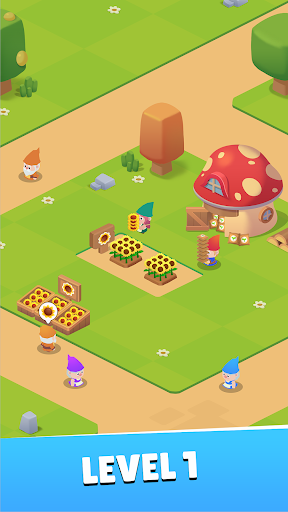
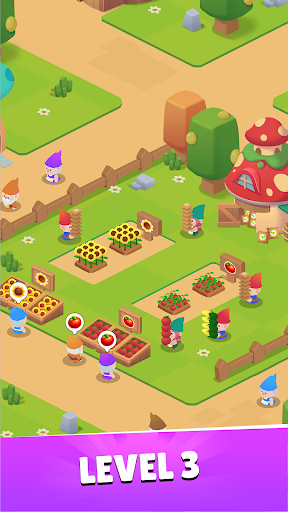
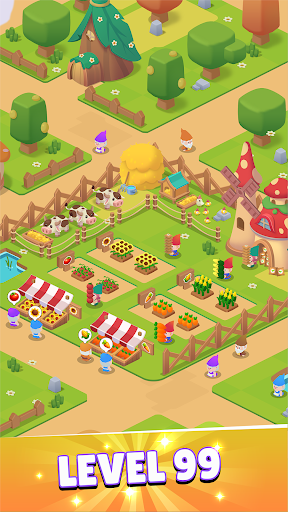
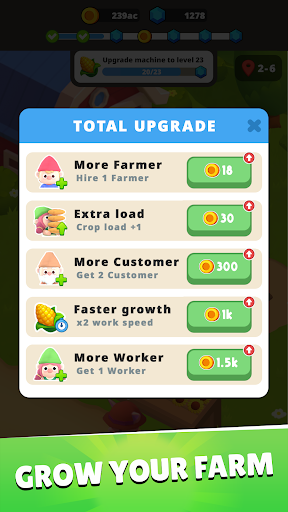
Welcome to Idle Gnome Garden: Farm Tycoon, the charming and highly addictive management game where you turn a tiny patch of land into the most bustling and profitable farm in the valley!
Simple Management, Deep Tycoon Experience
Let's experience the full cycle of farm management. You are the ultimate farm manager, overseeing every lively step.
Planting & Growing: Dive into your abundant Seed Storage and collect a vast variety of seeds. Sow them carefully to grow a huge bounty of fresh, high-quality fruits and vegetables.
Harvesting: Watch your crops ripen and enjoy the satisfying hustle of a big harvest! The more you plant, the more you reap.
Market & Sales: Run your very own lively market stall! Adorable gnome customers are lining up to buy your fresh produce. Manage your inventory and set up your stall to maximize profits.
Expansion & Upgrade: Reinvest your earnings to unlock new fields, faster growing methods, and exotic seeds to attract even more customers. Expand your little farm into a sprawling tycoon empire!
A Farm Brimming with Life & Hustle
The atmosphere on your farm is bursting with vibrant energy! Feel the exhilarating hustle and bustle as you constantly plant, harvest, and sell to meet the growing demand. Every seed sown and every coin earned contributes to the lively growth of your farm. Get ready for the thrilling, non-stop action of a real-life farm manager!
Start with nothing and strategically grow your operations, from the first seed planted to the final sale at the farmer's market.
Download Idle Gnome Garden: Farm Tycoon now and start building your thriving agricultural empire!
You need help? Contact us via email: support@unimobgame.com
Mostra altro

1. Scarica il programma di installazione di MEmu e completa l'installazione

2. Avvia il Memu e apri il Google Play sulla homepage

3. Cerca Idle Gnome Garden: Farm Tycoon in Google Play
Install
4. Scarica e installa Idle Gnome Garden: Farm Tycoon
5. Al termine dell'installazione, fai clic sull'icona per avviar

6. Divertiti giocando a Idle Gnome Garden: Farm Tycoon su PC con MEmu
MEmu App Player è il miglior emulatore Android gratuito, utilizzato da 50 milioni di persone per ottenere un'esperienza di gioco Android superba. La tecnilogia di virtualizzazione MEmu ti permette di giocare a migliaia di giochi Android con semplicità sul tuo computer, anche i giochi con la grafica più esigente.
Schermo più grande con una grafica migliore; Lunga durata, senza limitazione di batteria o dati mobili.
Supporto completo per mappa di tastiera per un controllo preciso di tastiera e mouse o gamepad.
Multipli account di gioco o attività su un singolo PC contemporaneamente con il gestore di multi istanza.
Play Idle Gnome Garden: Farm Tycoon on PC by following steps: