Idle Gnome Garden: Farm Tycoon
Оновлено
Поточна версія
Постачальник

Перестаньте турбуватися про надмірні витрати, використовуючи ххх на своєму мобільному телефоні, звільніться від крихітного екрану і насолоджуйтеся використанням програми на набагато більшому дисплеї. Відтепер отримуйте повний екран свого додатка за допомогою клавіатури та миші. MEmu пропонує вам усі дивовижні функції, які ви очікували: швидка установка та просте налаштування, інтуїтивно зрозумілі елементи керування, більше обмежень від акумулятора, мобільних даних та тривожних дзвінків. Новий MEmu 9 - найкращий вибір використання Idle Gnome Garden: Farm Tycoon на вашому комп’ютері. За допомогою нашого поглинання менеджер із кількома примірниками одночасно дозволяє відкрити 2 або більше рахунків. І найголовніше, наш ексклюзивний емуляційний двигун може вивільнити весь потенціал вашого ПК, зробити все гладким і приємним.
Show more
Насолоджуйтесь чудовим досвідом Idle Gnome Garden: Farm Tycoon гри на ПК за допомогою програми MEMU App Player. Це потужний безкоштовний емулятор Android, який дозволяє вам грати в тисячі ігор Android. Welcome to Idle Gnome Garden: Farm Tycoon, the charming and highly addictive management game where you turn a tiny patch of land into the most bustling and profitable farm in the valley!


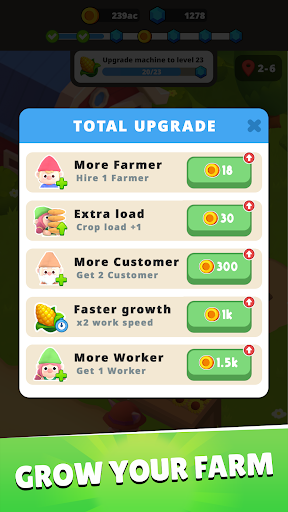
Welcome to Idle Gnome Garden: Farm Tycoon, the charming and highly addictive management game where you turn a tiny patch of land into the most bustling and profitable farm in the valley!
Simple Management, Deep Tycoon Experience
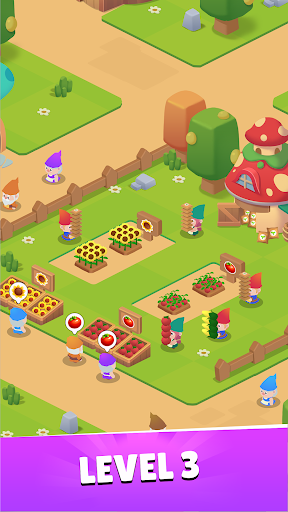
Let's experience the full cycle of farm management. You are the ultimate farm manager, overseeing every lively step.
Planting & Growing: Dive into your abundant Seed Storage and collect a vast variety of seeds. Sow them carefully to grow a huge bounty of fresh, high-quality fruits and vegetables.
Harvesting: Watch your crops ripen and enjoy the satisfying hustle of a big harvest! The more you plant, the more you reap.
Market & Sales: Run your very own lively market stall! Adorable gnome customers are lining up to buy your fresh produce. Manage your inventory and set up your stall to maximize profits.
Expansion & Upgrade: Reinvest your earnings to unlock new fields, faster growing methods, and exotic seeds to attract even more customers. Expand your little farm into a sprawling tycoon empire!
A Farm Brimming with Life & Hustle
The atmosphere on your farm is bursting with vibrant energy! Feel the exhilarating hustle and bustle as you constantly plant, harvest, and sell to meet the growing demand. Every seed sown and every coin earned contributes to the lively growth of your farm. Get ready for the thrilling, non-stop action of a real-life farm manager!
Start with nothing and strategically grow your operations, from the first seed planted to the final sale at the farmer's market.
Download Idle Gnome Garden: Farm Tycoon now and start building your thriving agricultural empire!
You need help? Contact us via email: support@unimobgame.com
Show more

1. Download MEmu installer and finish the setup

2. Start MEmu then open Google Play on the desktop

3. Search Idle Gnome Garden: Farm Tycoon in Google Play
Install
4. Download and Install Idle Gnome Garden: Farm Tycoon
5. On install completion click the icon to start

6. Enjoy playing Idle Gnome Garden: Farm Tycoon on PC with MEmu
MEmu App Player є кращим безкоштовним емулятором Android, і 50 мільйонів людей вже користуються його чудовим ігровим досвідом Android. Технологія віртуалізації MEmu дає вам змогу відтворювати тисячі ігор Android на вашому комп'ютері, навіть найбільш насичених графікою.
Bigger screen with better graphics; Long duration, without limitation of battery or mobile data.
Full Keymapping support for precise control of keyboard and mouse or gamepad.
Multiple game accounts or tasks on single PC at one time with Multi-Instance manager.
Play Idle Gnome Garden: Farm Tycoon on PC by following steps: