Lucky Match Path Journey
Aggiornata
Versione corrente
1.0.6
Offerta da

Vista tutta la passione dimostrata nel giocare a Lucky Match Path Journey, le tue mani non dovrebbero essere limitate al minuscolo schermo di un telefono. Gioca come un professionista e ottieni il pieno controllo del gioco con tastiera e mouse. MEmu ti offre tutto ciò che ti aspetti. Scarica e gioca a Lucky Match Path Journey su PC. Gioca quanto vuoi, niente più limitazioni di batteria, dati mobili e chiamate inquietanti. Il nuovissimo MEmu 9 è la scelta migliore per giocare a Lucky Match Path Journey su PC. Realizzato sulla base della nostra esperienza, lo squisito sistema di mappatura dei tasti preimpostati rende Lucky Match Path Journey un vero e proprio gioco per PC. MEmu è un gestore multi-instanza che permette di giocare con 2 o più account sullo stesso dispositivo. E la cosa più importante, il nostro esclusivo motore di emulazione può liberare tutto il potenziale del tuo PC, rendendo tutto fluido.
Mostra altro
Scarica Lucky Match Path Journey su PC con MEmu Android Emulator. Divertiti giocando sul grande schermo. Are you ready for a casual gaming experience that’s easy to pick up but hard to put down?
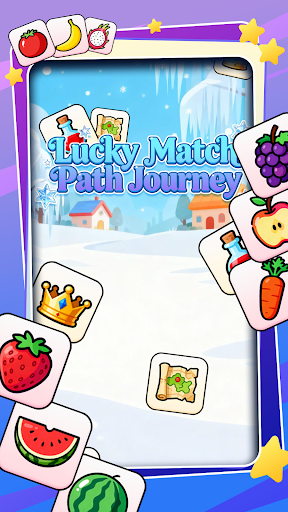
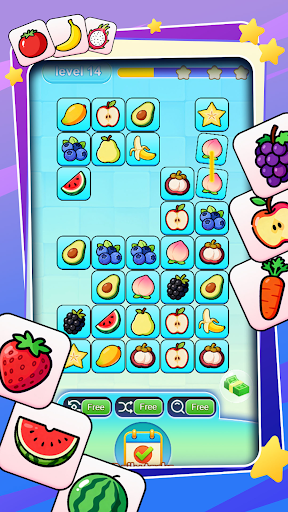
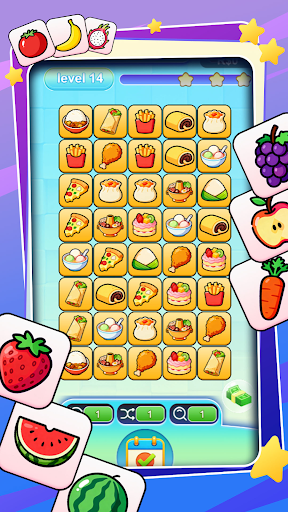
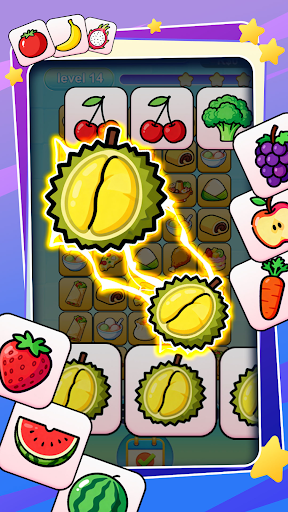
Are you ready for a casual gaming experience that’s easy to pick up but hard to put down? Introducing Lucky Match Path Journey – the charming block-matching adventure designed to bring joy to your daily moments! The gameplay is straightforward yet endlessly engaging: simply tap and connect two identical blocks, watch them vanish in a satisfying burst, and keep matching until every block on the board is cleared to conquer the level. Whether you’re waiting for a bus, relaxing at home, or taking a quick break at work, this game fits perfectly into your schedule.
What makes Lucky Match Path Journey stand out from other matching games? We’ve crafted it with players like you in mind, boasting two unbeatable features:
1.Ultra-simple level difficulty: No steep learning curve, no frustrating challenges – just smooth, stress-free matching that’s accessible to kids, teens, and adults alike. Perfect for casual players who want to unwind without feeling overwhelmed.
2.Huge rewards after every win: Clear a level, and you’ll be greeted with generous prizes, valuable in-game items, and surprise bonuses that enhance your journey! These rewards keep the excitement going and make every victory feel meaningful.
With vibrant visuals, cheerful sound effects, and a relaxing atmosphere, Lucky Match Path Journey turns ordinary moments into delightful adventures. There are no complicated rules to memorize, no time limits to rush you, and new levels to explore regularly – ensuring endless hours of fun. Whether you’re a seasoned matching game fan or new to the genre, this game promises pure entertainment that’s just a tap away.
Don’t miss out on the luckiest matching journey around! Download Lucky Match Path Journey today, sharpen your matching skills, collect amazing rewards, and let the fun begin – one block at a time!
Mostra altro

1. Scarica il programma di installazione di MEmu e completa l'installazione

2. Avvia il Memu e apri il Google Play sulla homepage

3. Cerca Lucky Match Path Journey in Google Play
Install
4. Scarica e installa Lucky Match Path Journey
5. Al termine dell'installazione, fai clic sull'icona per avviar

6. Divertiti giocando a Lucky Match Path Journey su PC con MEmu
MEmu App Player è il miglior emulatore Android gratuito, utilizzato da 50 milioni di persone per ottenere un'esperienza di gioco Android superba. La tecnilogia di virtualizzazione MEmu ti permette di giocare a migliaia di giochi Android con semplicità sul tuo computer, anche i giochi con la grafica più esigente.
Schermo più grande con una grafica migliore; Lunga durata, senza limitazione di batteria o dati mobili.
Supporto completo per mappa di tastiera per un controllo preciso di tastiera e mouse o gamepad.
Multipli account di gioco o attività su un singolo PC contemporaneamente con il gestore di multi istanza.
Play Lucky Match Path Journey on PC by following steps: