Ragnarok Origin Global
Aggiornata
Versione corrente
6.7.2
Offerta da

Vista tutta la passione dimostrata nel giocare a Ragnarok Origin Global, le tue mani non dovrebbero essere limitate al minuscolo schermo di un telefono. Gioca come un professionista e ottieni il pieno controllo del gioco con tastiera e mouse. MEmu ti offre tutto ciò che ti aspetti. Scarica e gioca a Ragnarok Origin Global su PC. Gioca quanto vuoi, niente più limitazioni di batteria, dati mobili e chiamate inquietanti. Il nuovissimo MEmu 9 è la scelta migliore per giocare a Ragnarok Origin Global su PC. Realizzato sulla base della nostra esperienza, lo squisito sistema di mappatura dei tasti preimpostati rende Ragnarok Origin Global un vero e proprio gioco per PC. MEmu è un gestore multi-instanza che permette di giocare con 2 o più account sullo stesso dispositivo. E la cosa più importante, il nostro esclusivo motore di emulazione può liberare tutto il potenziale del tuo PC, rendendo tutto fluido.
Mostra altro
Scarica Ragnarok Origin Global su PC con MEmu Android Emulator. Divertiti giocando sul grande schermo. Ragnarok Origin Global — a sequel to the beloved, classic RO.
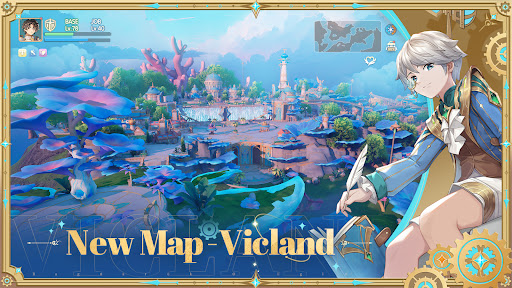
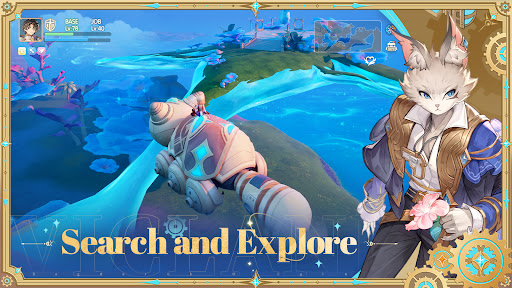
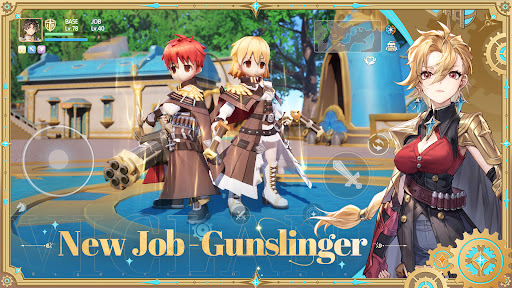
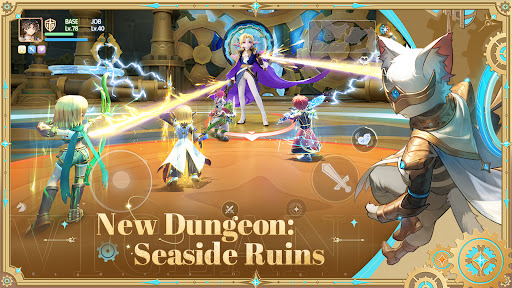
Ragnarok Origin Global — a sequel to the beloved, classic RO. Officially developed and operated by Gravity.
Immerse yourself in a vast fantasy world full of mysterious monsters and extraordinary characters. Explore massive landscapes, legendary kingdoms, and dreadful dungeons with your pets and pals!
===Highlighted Features===
Explore a Vast Fantasy World — An Adventure Awaits
Change Classes at Your Will — Endless Fun
Full Character Customization — Deep RPG Experience
Thrilling PvP and GvG Battles — Glorious and Furious
Immersive Social Features — Meet New Friends
High-Quality 3D Graphics — A Visual Feast
===Unlimited Character Customization===
-Upgrade and enchant your weapons, armor, cards, and many more to refine your build;
-Customize the skills on your skill bar to get prepared for different encounters;
-Switch among different Jobs at your will;
===Epic Fantasy Journey===
-Discover mysterious locations and secrets hidden in a detailed world;
-Choose your path and embark on unique missions, events, and daily quests;
-Collect, train, and evolve pets to fight by your side;
-Meet friends and defeat powerful foes together;
===Fast-paced Action Combats===
-Hundreds of items and skills with amazing animations and visual effects;
-Optimized controls allow swift response to changing battlefield conditions;
-Fight for glory in arenas and battlegrounds;
-Plan battle strategies, learn new techniques, and prepare potions for battles;
===Immersive Social Features===
-Adventure with your friends in real life or strangers you just met! Enjoy unique dungeons, challenges, and stories together!
-Everyone plays an important role in the group. Tank, DPS, or Support? Which role will you take to make your team unstoppable?
-Enjoy guild feasts, guild matches, and guild vs. guild tournaments with your guild mates!
===Make Yourself Shine===
-Show off your style with hundreds of outfits, hats, and accessories to choose from;
-Use the Wardrobe system to get dressed anytime, anywhere;
===A Beautiful World===
-Feast your eyes on the open world with vibrant, high-definition graphics;
-Enchanting BGM in each area to set the mood;
-Every detail, from lighting to sound effects, from the environment to climate, is brought to life;
===Cross-platform Play===
-Link your Mobile and PC accounts!
-Enjoy anytime, anywhere, on any device
Contact Us
Discord Server: https://discord.gg/rooglobal
Facebook Page (Global): https://www.facebook.com/ROOGlobal
Kind Reminder
Ragnarok Origin Global is free to download, with some of its contents and features requiring in-app payment;
Please keep your gaming time in check, and maintain proper rest.
Mostra altro

1. Scarica il programma di installazione di MEmu e completa l'installazione

2. Avvia il Memu e apri il Google Play sulla homepage

3. Cerca Ragnarok Origin Global in Google Play
Install
4. Scarica e installa Ragnarok Origin Global
5. Al termine dell'installazione, fai clic sull'icona per avviar

6. Divertiti giocando a Ragnarok Origin Global su PC con MEmu
MEmu App Player è il miglior emulatore Android gratuito, utilizzato da 50 milioni di persone per ottenere un'esperienza di gioco Android superba. La tecnilogia di virtualizzazione MEmu ti permette di giocare a migliaia di giochi Android con semplicità sul tuo computer, anche i giochi con la grafica più esigente.
Schermo più grande con una grafica migliore; Lunga durata, senza limitazione di batteria o dati mobili.
Supporto completo per mappa di tastiera per un controllo preciso di tastiera e mouse o gamepad.
Multipli account di gioco o attività su un singolo PC contemporaneamente con il gestore di multi istanza.
Play Ragnarok Origin Global on PC by following steps: