Top Guilds: Co-op ARPG
Aggiornata
Versione corrente
Offerta da

Vista tutta la passione dimostrata nel giocare a Top Guilds: Co-op ARPG, le tue mani non dovrebbero essere limitate al minuscolo schermo di un telefono. Gioca come un professionista e ottieni il pieno controllo del gioco con tastiera e mouse. MEmu ti offre tutto ciò che ti aspetti. Scarica e gioca a Top Guilds: Co-op ARPG su PC. Gioca quanto vuoi, niente più limitazioni di batteria, dati mobili e chiamate inquietanti. Il nuovissimo MEmu 9 è la scelta migliore per giocare a Top Guilds: Co-op ARPG su PC. Realizzato sulla base della nostra esperienza, lo squisito sistema di mappatura dei tasti preimpostati rende Top Guilds: Co-op ARPG un vero e proprio gioco per PC. MEmu è un gestore multi-instanza che permette di giocare con 2 o più account sullo stesso dispositivo. E la cosa più importante, il nostro esclusivo motore di emulazione può liberare tutto il potenziale del tuo PC, rendendo tutto fluido.
Mostra altro
Scarica Top Guilds: Co-op ARPG su PC con MEmu Android Emulator. Divertiti giocando sul grande schermo. ◆ EXPLORE A SHARED FANTASY WORLD.
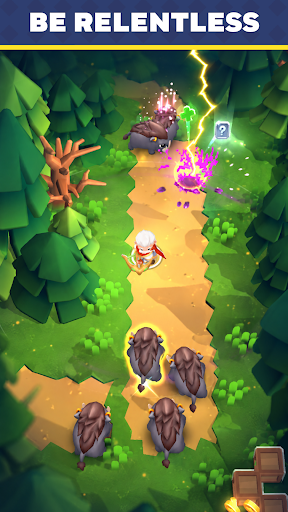
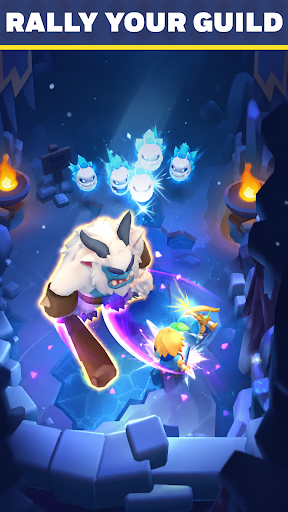
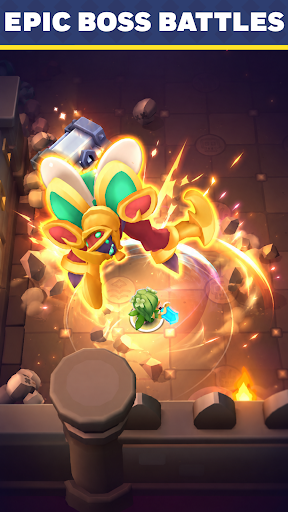
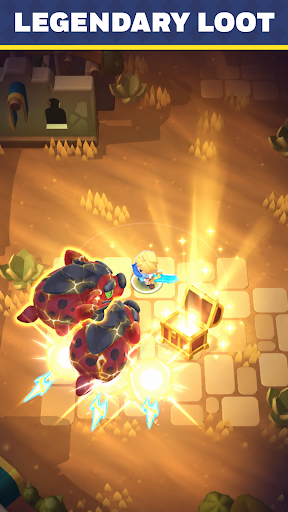
◆ EXPLORE A SHARED FANTASY WORLD
Welcome to Top Guilds, a fantasy Action RPG where players adventure together in a living online world.
Complete quests, defeat monsters, collect loot, and grow stronger as you progress through an ever-changing adventure.
Jump in and start building your legend.
◆ COMPLETE TASKS & GROW STRONGER
Always have a goal to chase.
- Defeat dangerous monsters
- Open treasure chests
- Upgrade your equipment
- Collect gold and valuable rewards
- Complete quests to unlock new regions
Every completed task brings you closer to becoming a top adventurer.
◆ RAID BOSS DUNGEONS
Gather your allies and take on colossal bosses in multiplayer co-op.
- Fight Raid Bosses together in dedicated dungeons
- Combine abilities and coordinate with your party
- Earn rare rewards to power up your gear
Some enemies are too strong to face alone.
◆ FAST-PACED ACTION RPG COMBAT
Fight your way through hordes of enemies in satisfying real-time combat.
- Unlock powerful abilities
- Upgrade your gear
- Discover stronger builds
The stronger you become, the tougher challenges you can overcome.
◆ PLAY TOGETHER IN A SHARED WORLD
- Team up naturally against powerful enemies
- Help each other clear objectives
- Encounter fellow adventurers during your journey
Whether you're exploring solo or fighting side by side with others, there's always something to do in Top Guilds.
◆ QUICK SESSIONS, CONSTANT PROGRESS
Easy to pick up, hard to put down.
Complete objectives, earn rewards, and make progress every time you play.
Jump in.
Mostra altro

1. Scarica il programma di installazione di MEmu e completa l'installazione

2. Avvia il Memu e apri il Google Play sulla homepage

3. Cerca Top Guilds: Co-op ARPG in Google Play
Install
4. Scarica e installa Top Guilds: Co-op ARPG
5. Al termine dell'installazione, fai clic sull'icona per avviar

6. Divertiti giocando a Top Guilds: Co-op ARPG su PC con MEmu
MEmu App Player è il miglior emulatore Android gratuito, utilizzato da 50 milioni di persone per ottenere un'esperienza di gioco Android superba. La tecnilogia di virtualizzazione MEmu ti permette di giocare a migliaia di giochi Android con semplicità sul tuo computer, anche i giochi con la grafica più esigente.
Schermo più grande con una grafica migliore; Lunga durata, senza limitazione di batteria o dati mobili.
Supporto completo per mappa di tastiera per un controllo preciso di tastiera e mouse o gamepad.
Multipli account di gioco o attività su un singolo PC contemporaneamente con il gestore di multi istanza.
Play Top Guilds: Co-op ARPG on PC by following steps: