IPTV Smarters Player - HD
Aggiornata
Versione corrente
10.2
Offerta da

Non devi più preoccuparti dei sovraccarichi durante l'utilizzo di IPTV Smarters Player - HD sul tuo cellulare, liberati dal piccolo schermo e goditi dell'App su uno schermo molto più grande. D'ora in poi, sperimenta la tua App a schermo intero con tastiera e mouse. MEmu ti offre tutte le sorprendenti funzioni che ti aspettavi: installazione rapida e impostazione semplice, controlli intuitivi, niente più limitazioni di batteria, dati mobili e chiamate fastidiose. Il MEmu 9 nuovo di zecca è la prima scelta per utilizzare IPTV Smarters Player - HD sul tuo computer. Codificato con il nostro assorbimento, il gestore multi-istanza consente di aprire 2 o più account contemporaneamente. E soprattutto, il nostro esclusivo motore di emulazione può sbloccare il pieno potenziale del tuo PC, rendendo tutto liscio e piacevole.
Mostra altro
Goditi un'esperienza straordinaria con IPTV Smarters Player - HD su PC con MEmu Play. È un potente emulatore Android gratuito che ti offre migliaia di app Android per la versione desktop. Divertiti a connetterti con gli amici e a perfezionare il tuo lavoro con maggiore efficienza! IPTV Smarters Player - HD - Watch Live tv streams with chromecast.
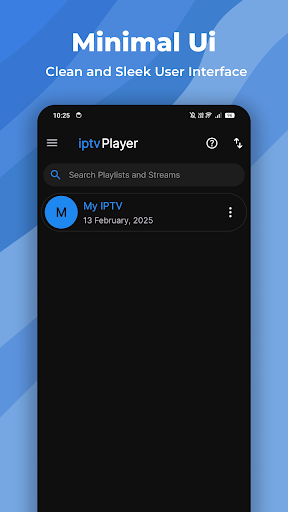
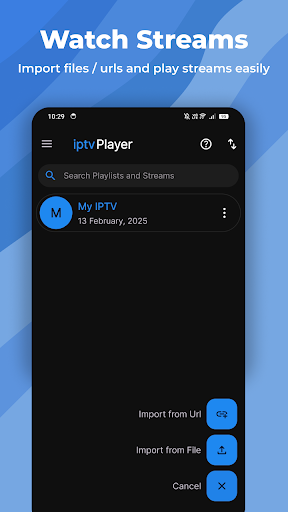
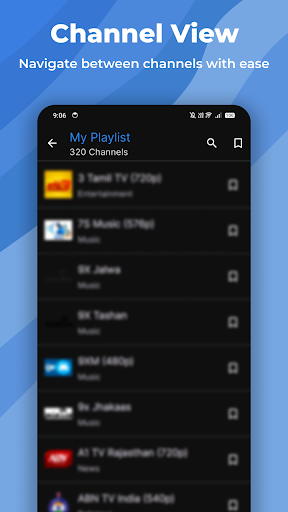
IPTV Smarters Player - HD - Watch Live tv streams with chromecast
This is a free and simple media player that lets you stream live m3u and m3u8 files and links in HD quality.
Disclaimer :- This is a free and simple media player that doesn't have any pre-added streams or playlists in it by default. Any content found being played in this app would be added by the users themselves.
Features :-
* Supports m3u and m3u8 in HD quality.
* Bookmark favourite IPTV Streams and Playlists
* Simple and Minimal Interface
* Dynamic Theming Support
* Support for Android TV and FireOS TV
* Free to Use
Features :-
This app is an easy-to-use and smart choice for people willing to stream live IPTV streams on the go. This app provides a simple, minimal interface and a reasonably priced one-time purchase to remove ads from the app.
Disclaimer :-
* This is a simple media player that helps users to play their M3u and M3u8 streams in HD and doesn't come with any type of pre-added content.
* We don't endorse or encourage our users to view copyrighted content within our app.
* We don't sell any copyrighted content in our app.
* Users have to add their content themselves. (M3u or M3u8 from file or url)
* The price of Pro version maybe dependent on user geography.
Important Notice :-
This is a an app developed and managed by SoftBuddy.org. If users need to ask any query, report bugs or request a refund, they can mail us at the support email mentioned in the store listing.
Mostra altro

1. Scarica il programma di installazione di MEmu e completa l'installazione

2. Avvia il Memu e apri il Google Play sulla homepage

3. Cerca IPTV Smarters Player - HD in Google Play
Install
4. Scarica e installa IPTV Smarters Player - HD
5. Al termine dell'installazione, fai clic sull'icona per avviar

6. Divertiti giocando a IPTV Smarters Player - HD su PC con MEmu
MEmu App Player è il miglior emulatore Android gratuito, utilizzato da 50 milioni di persone per ottenere un'esperienza di gioco Android superba. La tecnilogia di virtualizzazione MEmu ti permette di giocare a migliaia di giochi Android con semplicità sul tuo computer, anche i giochi con la grafica più esigente.
Schermo più grande con una grafica migliore; Lunga durata, senza limitazione di batteria o dati mobili.
Supporto completo per mappa di tastiera per un controllo preciso di tastiera e mouse o gamepad.
Multipli account di gioco o attività su un singolo PC contemporaneamente con il gestore di multi istanza.
Use IPTV Smarters Player - HD on PC by following steps: