
Oxford Learner's Bookshelf
Aggiornata
Versione corrente
5.20.1
Offerta da

Non devi più preoccuparti dei sovraccarichi durante l'utilizzo di Oxford Learner's Bookshelf sul tuo cellulare, liberati dal piccolo schermo e goditi dell'App su uno schermo molto più grande. D'ora in poi, sperimenta la tua App a schermo intero con tastiera e mouse. MEmu ti offre tutte le sorprendenti funzioni che ti aspettavi: installazione rapida e impostazione semplice, controlli intuitivi, niente più limitazioni di batteria, dati mobili e chiamate fastidiose. Il MEmu 9 nuovo di zecca è la prima scelta per utilizzare Oxford Learner's Bookshelf sul tuo computer. Codificato con il nostro assorbimento, il gestore multi-istanza consente di aprire 2 o più account contemporaneamente. E soprattutto, il nostro esclusivo motore di emulazione può sbloccare il pieno potenziale del tuo PC, rendendo tutto liscio e piacevole.
Mostra altro
Scarica Oxford Learner's Bookshelf su PC con MEmu Android Emulator. Divertiti giocando sul grande schermo. Take Oxford University Press English language learning wherever you go, with the Oxford Learner's Bookshelf app.
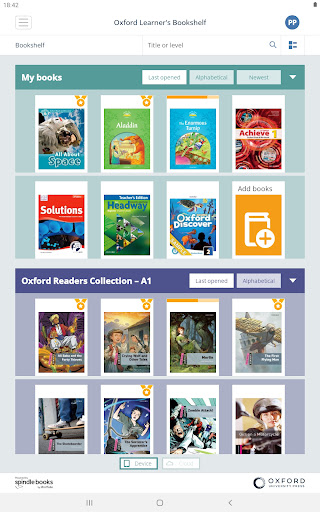
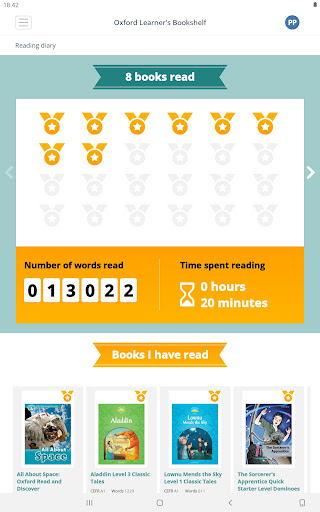
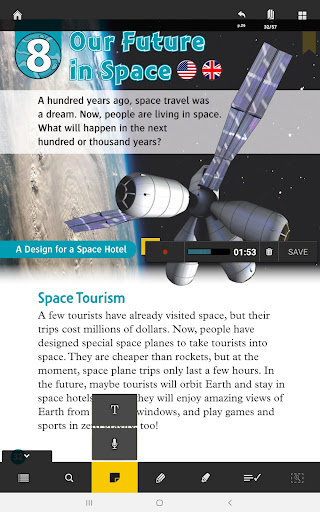
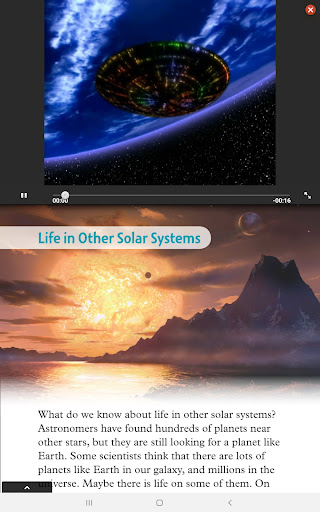
Take Oxford University Press English language learning wherever you go, with the Oxford Learner's Bookshelf app.
Learn and teach with enhanced Coursebooks, Workbooks and Graded Readers. Complete interactive activities, watch videos and complete listening activities from the page. Then, sync your progress and access your books from your tablet or computer.
LEARNING COMES TO LIFE WITH OXFORD UNIVERSITY PRESS E-BOOKS
* Develop skills watching videos and listening to audio while you complete interactive activities
* Check answers and progress instantly.
* Slow down or speed up the audio to suit the pace of learning
* Improve pronunciation: listen to audio, record your own and compare
* Keep notes in one place on the page: write sticky notes or record voice notes
* Highlight or underline important vocabulary with the pen or highlighter, or simply annotate your pages
*Keep track of how many words and Graded Readers you read with the reading diary and certificate
* Teachers can also track their students’ progress.
Different e-books have different features.
Requires Android 9.0 and up.
We recommend using a tablet with the following minimum specifications:
• CPU: Dual Core - 1200 MHz or faster
• Memory: 1GB RAM or more
• Display: 7 inches or greater
• Rooted devices are not supported. Stock Android operating system required.
HOW DO I START USING MY E-BOOKS?
Download Oxford Learner’s Bookshelf app, tap ‘Add books’ and enter your access code if you have been given one by your school.
WHICH LEARNING MATERIALS ARE AVAILABLE?
GRADED READERS
Read your way to better English with Graded Readers. Choose the genre you like:
Fiction, non-fiction and fairy tales including Classic Tales, Oxford Read and Discover, Dominoes, Oxford Bookworms, Oxford Read and Imagine and Totally True. Collect reading awards and share the number of words and books read in your reading diary and get a certificate to share with friends, parents and teachers.
COURSEBOOKS AND WORKBOOKS
Favourite Oxford University Press coursebooks and workbooks are available for all ages, from young learners to adults as well as the Oxford Grammar Course.
Mostra altro

1. Scarica il programma di installazione di MEmu e completa l'installazione

2. Avvia il Memu e apri il Google Play sulla homepage

3. Cerca Oxford Learner's Bookshelf in Google Play
Install
4. Scarica e installa Oxford Learner's Bookshelf
5. Al termine dell'installazione, fai clic sull'icona per avviar

6. Divertiti giocando a Oxford Learner's Bookshelf su PC con MEmu
MEmu App Player è il miglior emulatore Android gratuito, utilizzato da 50 milioni di persone per ottenere un'esperienza di gioco Android superba. La tecnilogia di virtualizzazione MEmu ti permette di giocare a migliaia di giochi Android con semplicità sul tuo computer, anche i giochi con la grafica più esigente.
Schermo più grande con una grafica migliore; Lunga durata, senza limitazione di batteria o dati mobili.
Supporto completo per mappa di tastiera per un controllo preciso di tastiera e mouse o gamepad.
Multipli account di gioco o attività su un singolo PC contemporaneamente con il gestore di multi istanza.
Use Oxford Learner's Bookshelf on PC by following steps: