SavvyConnect
Aggiornata
Versione corrente
4.14
Offerta da

Non devi più preoccuparti dei sovraccarichi durante l'utilizzo di SavvyConnect sul tuo cellulare, liberati dal piccolo schermo e goditi dell'App su uno schermo molto più grande. D'ora in poi, sperimenta la tua App a schermo intero con tastiera e mouse. MEmu ti offre tutte le sorprendenti funzioni che ti aspettavi: installazione rapida e impostazione semplice, controlli intuitivi, niente più limitazioni di batteria, dati mobili e chiamate fastidiose. Il MEmu 9 nuovo di zecca è la prima scelta per utilizzare SavvyConnect sul tuo computer. Codificato con il nostro assorbimento, il gestore multi-istanza consente di aprire 2 o più account contemporaneamente. E soprattutto, il nostro esclusivo motore di emulazione può sbloccare il pieno potenziale del tuo PC, rendendo tutto liscio e piacevole.
Mostra altro
Scarica SavvyConnect su PC con MEmu Android Emulator. Divertiti giocando sul grande schermo. Welcome to SavvyConnect, the app that connects you to Luth Research’s premier market research panel and puts you in complete control of how you want to participate.
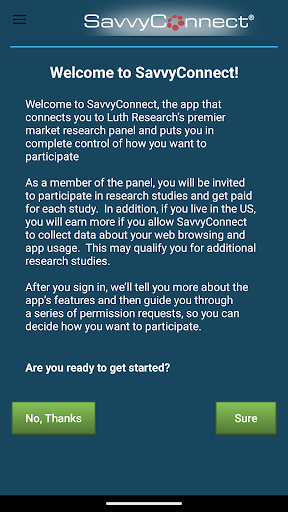
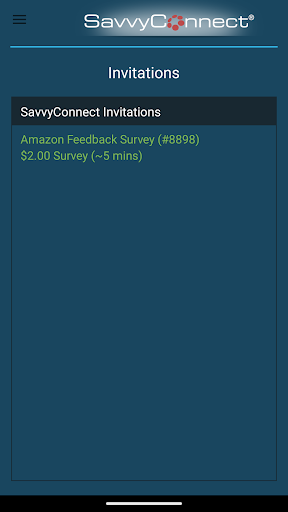
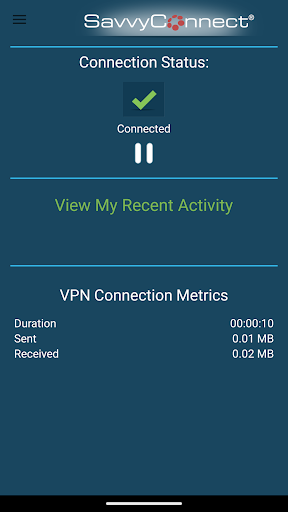
Welcome to SavvyConnect, the app that connects you to Luth Research’s premier market research panel and puts you in complete control of how you want to participate.
We believe that you should always be in control of your data. Our research platform is built to give you full control over what information you share with us and how we use it. We understand that your data is valuable, and we'll never use it in ways you haven't explicitly agreed to. With our app, you can rest assured that your privacy and data security are our top priorities, and you're always in the driver's seat when it comes to your data.
As a member of the panel, you will be invited to participate in research studies and get paid for each study. In addition, if you live in the US, you will earn more if you allow SavvyConnect to collect data about your web browsing and app usage. This may qualify you for additional research studies.
THIS APP USES A VPN SERVICE
SavvyConnect collects information about what websites you visit using your web browser. We turn this information into insights into your browsing behavior such as websites you visit, searches you make, videos you watch, and products you shop for. We share those insights with our clients, who use them to improve their apps and online offerings.
To collect this information, SavvyConnect uses a VpnService that establishes a Virtual Private Network (VPN) tunnel to VPN servers that collect web requests while adding an additional layer of security to your sensitive information.
THIS APP USES ACCESSIBILITY SERVICES
SavvyConnect can now also optionally collect information related to your online shopping and media consumption, such as products you purchase, videos you watch, and ads you see.
We turn this information into insights around these activities and share those insights with our clients, who use them to improve their apps and online offerings. To collect this information, SavvyConnect will establish an Accessibility Service that allows it to view interactions and content displayed within other apps.
We respect your privacy. This information is used only for market research, not to target you for advertisements, marketing campaigns, or any other purpose.
For more information visit www.surveysavvy.com/savvyconnect, or contact us via email at savvyconnect@surveysavvy.com.
Terms of Service: https://www.surveysavvy.com/savvyconnect_terms
Mostra altro

1. Scarica il programma di installazione di MEmu e completa l'installazione

2. Avvia il Memu e apri il Google Play sulla homepage

3. Cerca SavvyConnect in Google Play
Install
4. Scarica e installa SavvyConnect
5. Al termine dell'installazione, fai clic sull'icona per avviar

6. Divertiti giocando a SavvyConnect su PC con MEmu
MEmu App Player è il miglior emulatore Android gratuito, utilizzato da 50 milioni di persone per ottenere un'esperienza di gioco Android superba. La tecnilogia di virtualizzazione MEmu ti permette di giocare a migliaia di giochi Android con semplicità sul tuo computer, anche i giochi con la grafica più esigente.
Schermo più grande con una grafica migliore; Lunga durata, senza limitazione di batteria o dati mobili.
Supporto completo per mappa di tastiera per un controllo preciso di tastiera e mouse o gamepad.
Multipli account di gioco o attività su un singolo PC contemporaneamente con il gestore di multi istanza.
Use SavvyConnect on PC by following steps: