
T-Life
Aggiornata
Versione corrente
Offerta da

Non devi più preoccuparti dei sovraccarichi durante l'utilizzo di T-Life sul tuo cellulare, liberati dal piccolo schermo e goditi dell'App su uno schermo molto più grande. D'ora in poi, sperimenta la tua App a schermo intero con tastiera e mouse. MEmu ti offre tutte le sorprendenti funzioni che ti aspettavi: installazione rapida e impostazione semplice, controlli intuitivi, niente più limitazioni di batteria, dati mobili e chiamate fastidiose. Il MEmu 9 nuovo di zecca è la prima scelta per utilizzare T-Life sul tuo computer. Codificato con il nostro assorbimento, il gestore multi-istanza consente di aprire 2 o più account contemporaneamente. E soprattutto, il nostro esclusivo motore di emulazione può sbloccare il pieno potenziale del tuo PC, rendendo tutto liscio e piacevole.
Mostra altro
Scarica T-Life su PC con MEmu Android Emulator. Divertiti giocando sul grande schermo. Whether you’re shopping, managing your account and devices, looking for a new plan, or snagging exclusive benefits, start with the T-Life app.

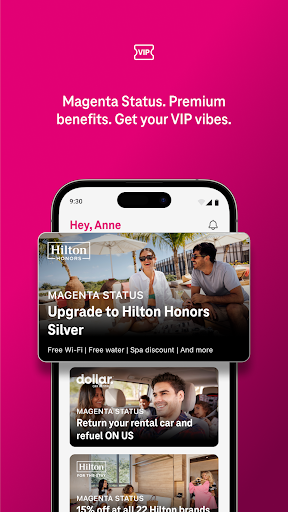
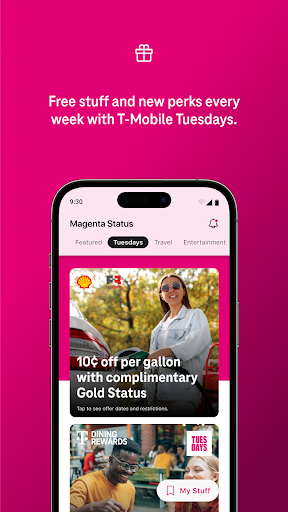
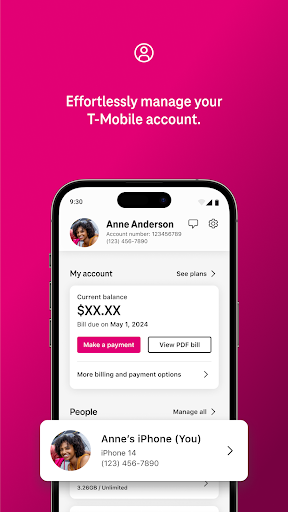
Whether you’re shopping, managing your account and devices, looking for a new plan, or snagging exclusive benefits, start with the T-Life app.
• Shopping for a new device? Shop our widest selection without leaving your couch.
• Access exclusive benefits including like Netflix On Us and savings on travel and dining.
• Get freebies, fun perks, and a chance at epic prizes on T-Mobile Tuesday.
• Try America’s Best Network and some of our favorite benefits for 30 days. For free.
• Switch to T-Mobile. Check out rate plans, shop devices, and more.
• Manage your account, pay bills, and track your usage with just a few taps.
• Configure your T-Mobile Home Internet gateway with ease.
• Stay connected with SyncUP devices for home, car, and family.
• Access your T-Mobile Money® and T-Mobile Visa® accounts.
• Protect yourself from spam and robocalls with Scam Shield.
• Scam Shield also blocks malicious internet connections with VPN-based protection from T-Mobile.
T-Mobile Trial: Limited-time; subject to change. Available to non-T-Mobile customers only. One trial per user. A compatible device is required. A 5G-capable device is required to access the 5G network. BEST: Based on analysis of Ookla® of Speedtest Intelligence® data Q4 2024-Q1 2025.
Mostra altro

1. Scarica il programma di installazione di MEmu e completa l'installazione

2. Avvia il Memu e apri il Google Play sulla homepage

3. Cerca T-Life in Google Play
Install
4. Scarica e installa T-Life
5. Al termine dell'installazione, fai clic sull'icona per avviar

6. Divertiti giocando a T-Life su PC con MEmu
MEmu App Player è il miglior emulatore Android gratuito, utilizzato da 50 milioni di persone per ottenere un'esperienza di gioco Android superba. La tecnilogia di virtualizzazione MEmu ti permette di giocare a migliaia di giochi Android con semplicità sul tuo computer, anche i giochi con la grafica più esigente.
Schermo più grande con una grafica migliore; Lunga durata, senza limitazione di batteria o dati mobili.
Supporto completo per mappa di tastiera per un controllo preciso di tastiera e mouse o gamepad.
Multipli account di gioco o attività su un singolo PC contemporaneamente con il gestore di multi istanza.
Use T-Life on PC by following steps: