
Turbo VPN - Secure VPN Proxy
Aggiornata
Versione corrente
3
Offerta da

Non devi più preoccuparti dei sovraccarichi durante l'utilizzo di Turbo VPN - Secure VPN Proxy sul tuo cellulare, liberati dal piccolo schermo e goditi dell'App su uno schermo molto più grande. D'ora in poi, sperimenta la tua App a schermo intero con tastiera e mouse. MEmu ti offre tutte le sorprendenti funzioni che ti aspettavi: installazione rapida e impostazione semplice, controlli intuitivi, niente più limitazioni di batteria, dati mobili e chiamate fastidiose. Il MEmu 9 nuovo di zecca è la prima scelta per utilizzare Turbo VPN - Secure VPN Proxy sul tuo computer. Codificato con il nostro assorbimento, il gestore multi-istanza consente di aprire 2 o più account contemporaneamente. E soprattutto, il nostro esclusivo motore di emulazione può sbloccare il pieno potenziale del tuo PC, rendendo tutto liscio e piacevole.
Mostra altro
Scarica Turbo VPN - Secure VPN Proxy su PC con MEmu Android Emulator. Divertiti giocando sul grande schermo. Turbo VPN is a free and unlimited VPN proxy, offering you a fast VPN connection and stable VPN servers.
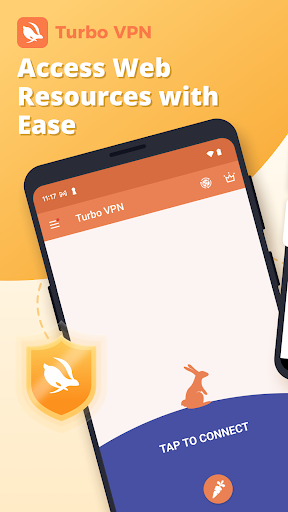
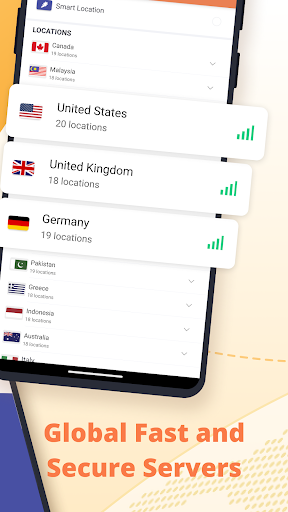
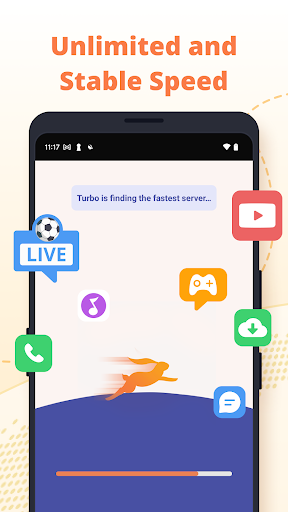
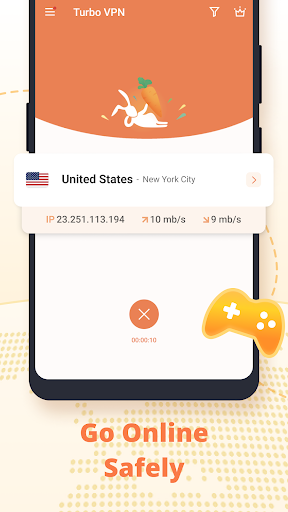
Turbo VPN is a free and unlimited VPN proxy, offering you a fast VPN connection and stable VPN servers. Turbo VPN help you secure your online activities and enjoy the web and app resources with ease, freedom and security. Download Turbo VPN now to enjoy fast, private and safe internet.
Install Turbo VPN now:
✔ Unlimited and free VPN
The best unlimited free VPN proxy for android. You can enjoy unlimited free VPN service and free VPN proxy servers anytime, anywhere.
✔Access websites with secure Turbo VPN
Access sites and apps at super stable and fast VPN speed. No worry about the unvaliable access problem, because when the network condition is unsatisfying, you can connect to Turbo VPN free vpn proxy servers or dedicated servers to access the web resources, forum, news, social network, shopping websites or the streaming services at stable and fast speed.
✔ Anonymous connection by Turbo VPN
Turbo VPN protects your network under WiFi hotspot or any network condition. You can browse anonymously and securely without being tracked. Military-grade AES 128-bit encryption to secure WiFi hotspot. Multiple protocols like IPsec, ISSR, SSR, OpenVPN (UDP / TCP) to ensure your network connection and mask your online identity. Secure your internet connection and guard your sensitive data wherever you are.
✔Streaming and gaming with super fast VPN
Stream videos, live sports and TV shows on any streaming platform without buffering. Listen to popular songs from anywhere on any music player. Improve your gaming experience by connecting to the fastest VPN game server.
✔User-friendly VPN experience
One tap to connect to a free VPN proxy server. Turbo VPN works with WiFi, LTE, 3G, and all mobile data carriers and is compatible with all kinds of browsers.
As an Turbo VPN user you will enjoy
* Unlimited and free VPN servers
* Access web and app resources with ease
* Anonymous and secure internet
* Stream anything you want
* Specialized video and game servers
* Advanced protections on your devices
* Military-grade network traffic encryption
Download the secure, fast and free Turbo VPN! Secure your online activities and enjoy the web and app resources with ease, freedom and security now!
User Terms:
By downloading and/or using this product, you acknowledge and agree to the end user license agreement and Privacy Statement at:
https://www.turbovpn.co/static/privacy_policy_turbovpn.html
Our 24/7 customer support team is always here with you. Contact us If you have any queries: turbovpn@inconnecting.com
Mostra altro

1. Scarica il programma di installazione di MEmu e completa l'installazione

2. Avvia il Memu e apri il Google Play sulla homepage

3. Cerca Turbo VPN - Secure VPN Proxy in Google Play
Install
4. Scarica e installa Turbo VPN - Secure VPN Proxy
5. Al termine dell'installazione, fai clic sull'icona per avviar

6. Divertiti giocando a Turbo VPN - Secure VPN Proxy su PC con MEmu
MEmu App Player è il miglior emulatore Android gratuito, utilizzato da 50 milioni di persone per ottenere un'esperienza di gioco Android superba. La tecnilogia di virtualizzazione MEmu ti permette di giocare a migliaia di giochi Android con semplicità sul tuo computer, anche i giochi con la grafica più esigente.
Schermo più grande con una grafica migliore; Lunga durata, senza limitazione di batteria o dati mobili.
Supporto completo per mappa di tastiera per un controllo preciso di tastiera e mouse o gamepad.
Multipli account di gioco o attività su un singolo PC contemporaneamente con il gestore di multi istanza.
Use Turbo VPN - Secure VPN Proxy on PC by following steps: