Lil' Guardsman
更新日
現在のバージョン
提供元

スマホ不要!プロ選手のようにキーボードとマウスで操作しよう。MEmuエミュはあなたにすべての期待を与える。電池が切れてしまうとか画面が小さいとかの問題を心配する必要がなくて、存分Lil' Guardsmanを楽しんでください。新しいMEmuエミュ7はPCでLil' Guardsmanをプレイするのに最適!完璧なキーマッピングシステムにより、まるでパソコンゲームみたい。マルチインスタンスで複数のゲームやアプリを同時に実行!唯一無二な仮想化エンジンがパソコンの可能性を最大限になる。遊べるだけでなく、より楽しめる!
もっと見る
Lil' GuardsmanをPCでダウンロード!大画面でより楽しむ。電源が落ちてしまうとか通信料が足りないとかの問題を心配する必要がなく、PCの大画面でより快適にゲームを楽しましょう! Pre-register now and enjoy 10% off during the first two weeks after launch!
Pre-register now and enjoy 10% off during the first two weeks after launch!
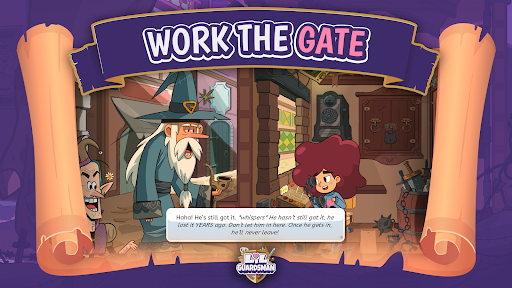
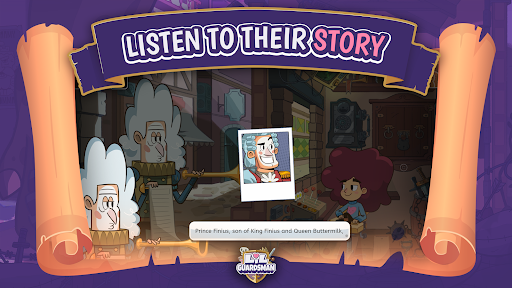
In this deduction adventure, you play as Lil - an unlikely 12-year-old hero - covering your dad's shift at the guard shed and are tasked with deciding the fate of over 100 unique characters.
You will question humans, elves, goblins, cyclopes, and other fantasy creatures using your powers of deduction to determine who to admit or deny based on how they respond to your questions and your trusty tools. Sending visitors to jail, inadvertently zapping them to smithereens, or letting them go on their merry way are all part of the job. But be careful: who you let through the castle gates will determine the kingdom's fate.
See the Sprawl and its fantastical & quirky citizens through a royal wedding to one of two kingdoms vying for an alliance, and a subsequent siege by whoever you've angered in the process. Your decisions can determine the fate of the city and its people!
Key features:
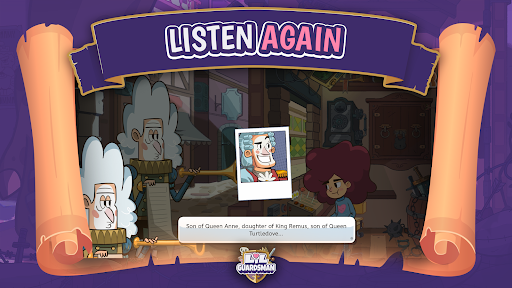
Interrogate 100+ fully voiced characters in just the right way to earn a perfect score!
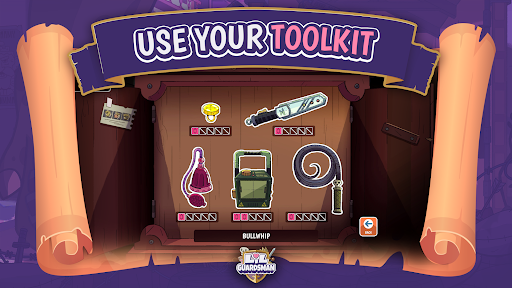
Spend your hard earned gold wisely on powering up your guardsman toolkit, and strategically deploy these to admit or deny the right people or...goblins?
Use your trusty Chronometer3000 to go back and get a higher score... but be careful not to break space and time in the process.
もっと見る

1. MEmuインストーラーをダウンロードしてセットアップを完了する

2. MEmuを起動し、デスクトップでのPlayストアを開く

3. PlayストアでLil' Guardsmanを検索する
Install
4. Lil' Guardsmanをダウンロードしてインストールする
5. インストールが完了したら、アイコンをクリックしてスタート

6. MEmuを使用してPCでLil' Guardsmanを楽しむ
MEmu App Playerは最高の無料で提供されるAndroidエミュレータで、5,000万人がすでに優れたAndroidゲーム体験を楽しんでいます。 MEmuの仮想化技術は、あなたのPCで何千ものAndroidゲームを快適にプレイすることを可能にします。
大画面でより精細;無限の待機、電池とドラフィックの極限を超え
キーボード・マウス・コントローラーを全力でサポート、より快適
マルチインスタンスで複数のゲームを同時に実行
Play Lil' Guardsman on PC by following steps: