Spin Dreams
更新日
現在のバージョン
提供元

スマホ不要!プロ選手のようにキーボードとマウスで操作しよう。MEmuエミュはあなたにすべての期待を与える。電池が切れてしまうとか画面が小さいとかの問題を心配する必要がなくて、存分Spin Dreamsを楽しんでください。新しいMEmuエミュ7はPCでSpin Dreamsをプレイするのに最適!完璧なキーマッピングシステムにより、まるでパソコンゲームみたい。マルチインスタンスで複数のゲームやアプリを同時に実行!唯一無二な仮想化エンジンがパソコンの可能性を最大限になる。遊べるだけでなく、より楽しめる!
もっと見る
Spin DreamsをPCでダウンロード!大画面でより楽しむ。電源が落ちてしまうとか通信料が足りないとかの問題を心配する必要がなく、PCの大画面でより快適にゲームを楽しましょう! Join your Facebook friends and millions of players around the world to build village after village and complete the great journey along the Silk Road!
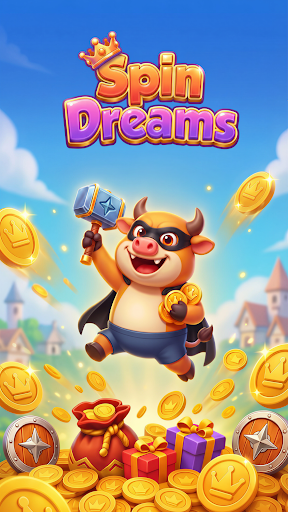

Join your Facebook friends and millions of players around the world to build village after village and complete the great journey along the Silk Road!
Do you have what it takes to be the next Dreamer?
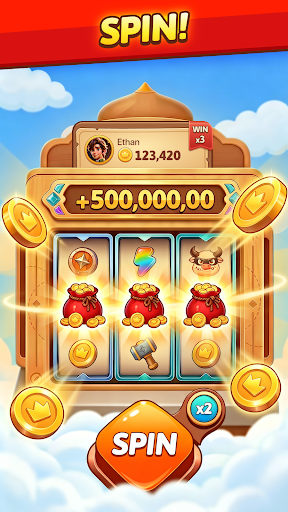
Spin to Collect Game Resources
Spin the wheel to collect riches to build your own village! You can also win bags of gold to construct magnificent villages throughout the game and conquer thousands of levels along the way.
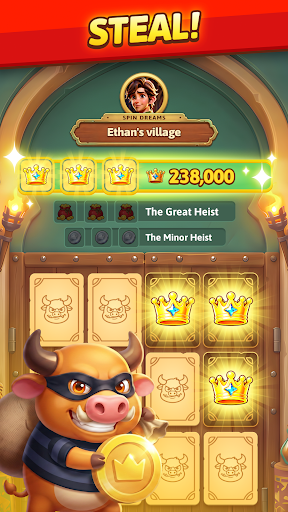
Social Interaction
You have the chance to attack other players’ villages, destroy their buildings, and hinder their progress in upgrading their villages; you also have the chance to steal other players’ gold treasures, slowing down their village construction. At the same time, don’t forget to win shields through the wheel—you’ll need them to defend your own village and prevent other players from striking back! Become a great visionary of the Silk Road.
Build Your Village
To reach the great Silk Road, you must continuously collect in-game resources to build and upgrade your village. Experience different cultures and customs around the world, and see who can reach the finish line first!
Exciting Events
Multiplayer tournaments, 7-day check-ins, limited-time gold boosts, and other rich in-game events bring you new surprises and fun every day.
Spin Dreams is available for free on all devices and has no in-app purchases.
MUST BE 18 YEARS OR OLDER TO PLAY.
This game is for amusement purposes only. It does not offer real money gambling. Past success here has no nexus to real money gambling.
Follow Spin Dreams on Facebook and YouTube for exclusive offers and perks!
Facebook: https://www.facebook.com/SpinDreamsGame
Youtube: https://www.youtube.com/@SpinDreamsOfficial
Telegram: https://t.me/SpinDreamsGroup
Terms of Service: https://www.spindreams.games/terms.html
Privacy Notice: https://www.spindreams.games/privacy.html
もっと見る

1. MEmuインストーラーをダウンロードしてセットアップを完了する

2. MEmuを起動し、デスクトップでのPlayストアを開く

3. PlayストアでSpin Dreamsを検索する
Install
4. Spin Dreamsをダウンロードしてインストールする
5. インストールが完了したら、アイコンをクリックしてスタート

6. MEmuを使用してPCでSpin Dreamsを楽しむ
MEmu App Playerは最高の無料で提供されるAndroidエミュレータで、5,000万人がすでに優れたAndroidゲーム体験を楽しんでいます。 MEmuの仮想化技術は、あなたのPCで何千ものAndroidゲームを快適にプレイすることを可能にします。
大画面でより精細;無限の待機、電池とドラフィックの極限を超え
キーボード・マウス・コントローラーを全力でサポート、より快適
マルチインスタンスで複数のゲームを同時に実行
Play Spin Dreams on PC by following steps: