acba digital
更新日
現在のバージョン
3.9.3
提供元

スマートフォンは不要!パソコンと同じようにキーボードとマウスで操作できます。MEmu Playは、あなたが待ち望んでいたすべての楽しみをお届けします。バッテリー残量や小さな画面を気にすることなく、acba digitalをご利用ください。最新のMEmu 9は、acba digitalをPCで体験するのに最適です!完璧なキーマッピングシステムにより、PCのようなスムーズな操作性を実現します。マルチインスタンス機能により、複数のアプリケーションを同時に実行できます。独自の仮想化エンジンがPCのパフォーマンスを最大限に引き出します。アプリを使用するだけでなく、高品質な体験を得ることができます。
もっと見る
acba digitalをPCでダウンロード!大画面でより楽しむ。電源が落ちてしまうとか通信料が足りないとかの問題を心配する必要がなく、PCの大画面でより快適にゲームを楽しましょう! acba digital is the mobile banking application of Acba bank OJSC.
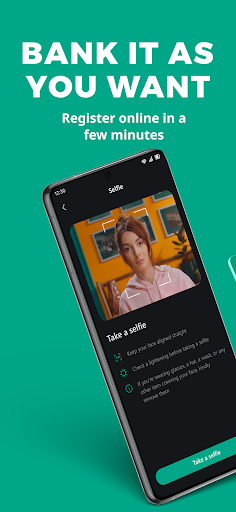
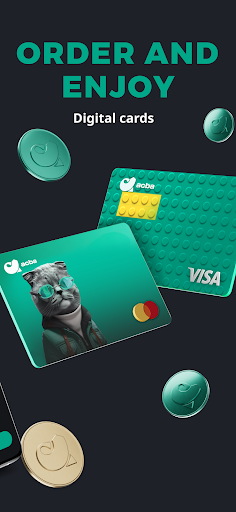
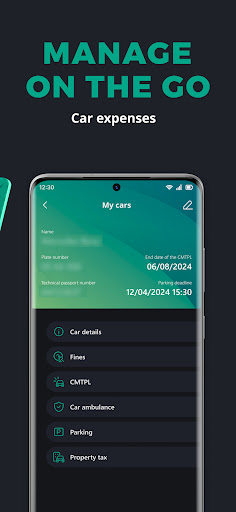
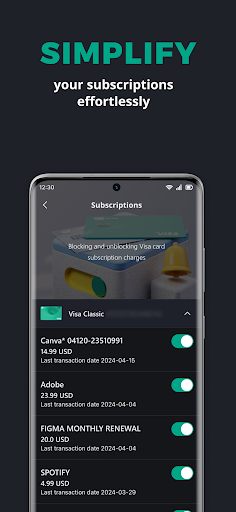
acba digital is the mobile banking application of Acba bank OJSC. It is a secure and convenient tool for everyday remote banking. The brand new app was designed and created to make your banking simple and fast. You just need to download the app, become a user via online registration and gain the benefits of the provided services. acba digital allows you to manage your finances whenever and wherever it is convenient for you. The application will give you access to the following features:
• Become a customer via online onboarding process (some services are limited)
• Get access to your banking products via online registration process
• Log on quickly and securely with your fingerprint or facial recognition
• Check your account balances and pending payments
• View individual transaction details
• Transfer money between accounts, and make transfer within Republic of Armenia
• Pay utility bills and make utility payment groups
• Pay Road Police fines, property taxes, parking bills and much more
• Pay your loan or credit card bill
• Apply for loans, savings, cards and more
• Block card transactions, close cards, activate SMS service and more
• Reset your password
• Update your contact details
• Get Visa digital card in your application and make payments via Apple Pay/Google Pay
• Make card to card transfers within Armenia and worldwide
• Order Bank to make periodic transfers and payments instead of you
• Track your pension program balance anytime
• Purchase car, travel and other insurances
• Invest your money buying securities
• Send or receive money via Contact, QR and Link and ATM
• And much more
KEEPING YOU SAFE ONLINE
We use the latest online security measures to protect your money, your personal information and your privacy. acba digital is protected by Thales Gemalto Mobile Protector SDK. Gemalto Mobile Protector makes wise and privacy-friendly use of biometrics: no biometric data is stored in data centers or servers. It all stays within the user's mobile securely. Gemalto Mobile Protector integrates a combination of proven security mechanisms – such as code obfuscation, encryption, key protection mechanisms with appropriate key management, device binding, and root and jailbreaking detection.
This solution helps to comply with the requirements of the revised PSD2's Regulatory Technical Standard (RTS).
https://www.thalesgroup.com/en/markets/digital-identity-and-security/banking-payment/digital-banking/sdk/mobile-protector
CONTACTING YOU
We won't contact you any more than normal if you use the app. But please stay alert to email, text messages or phone calls that appear to be from us. Criminals may try to trick you into giving them sensitive personal or account information. We'll never contact you to ask for these details. Any emails from us will always greet you personally using your title and surname. Any text messages we send you will come from Acba bank.
もっと見る

1. MEmuインストーラーをダウンロードしてセットアップを完了する

2. MEmuを起動し、デスクトップでのPlayストアを開く

3. Playストアでacba digitalを検索する
Install
4. acba digitalをダウンロードしてインストールする
5. インストールが完了したら、アイコンをクリックしてスタート

6. MEmuを使ってパソコンでacba digitalを体験する
MEmu Playは現在、最高の無料Androidエミュレーターであり、5,000万人のユーザーが優れたAndroidアプリ体験を楽しんでいます。MEmuの仮想化テクノロジーにより、数千ものAndroidアプリをコンピューターでスムーズに実行できます。
大画面でより精細;無限の待機、電池とドラフィックの極限を超え
キーボード・マウス・コントローラーを全力でサポート、より快適
マルチインスタンスで複数のゲームを同時に実行
Use acba digital on PC by following steps: