Adobe Scan: PDF Scanner, OCR
更新日
現在のバージョン
提供元

スマートフォンは不要!パソコンと同じようにキーボードとマウスで操作できます。MEmu Playは、あなたが待ち望んでいたすべての楽しみをお届けします。バッテリー残量や小さな画面を気にすることなく、Adobe Scan: PDF Scanner, OCRをご利用ください。最新のMEmu 9は、Adobe Scan: PDF Scanner, OCRをPCで体験するのに最適です!完璧なキーマッピングシステムにより、PCのようなスムーズな操作性を実現します。マルチインスタンス機能により、複数のアプリケーションを同時に実行できます。独自の仮想化エンジンがPCのパフォーマンスを最大限に引き出します。アプリを使用するだけでなく、高品質な体験を得ることができます。
もっと見る
Adobe Scan: PDF Scanner, OCRをPCでダウンロード!大画面でより楽しむ。電源が落ちてしまうとか通信料が足りないとかの問題を心配する必要がなく、PCの大画面でより快適にゲームを楽しましょう! The Adobe Scan scanner app turns your device into a powerful portable scanner that recognizes text automatically (OCR) and allows you to save to multiple file formats including PDF and JPEG.
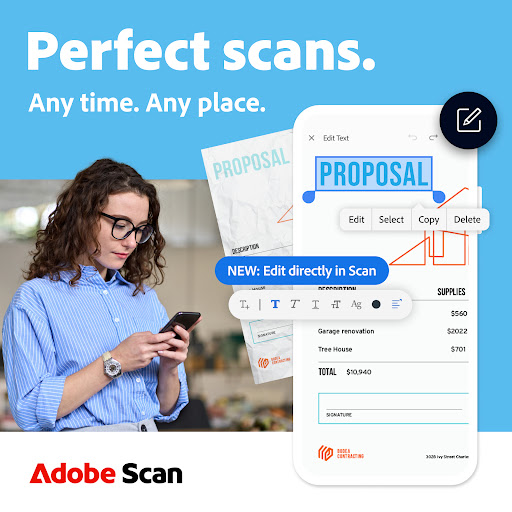
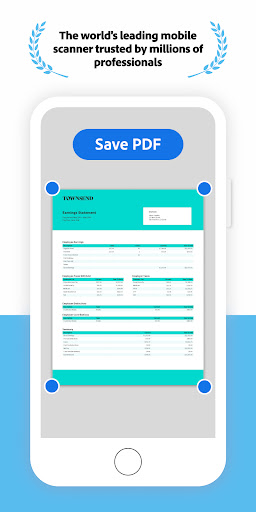
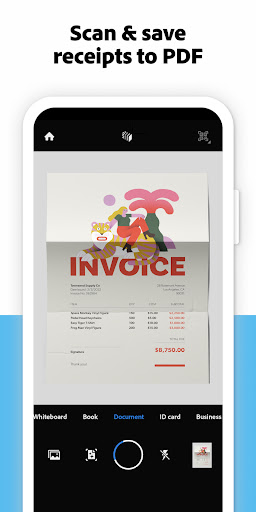
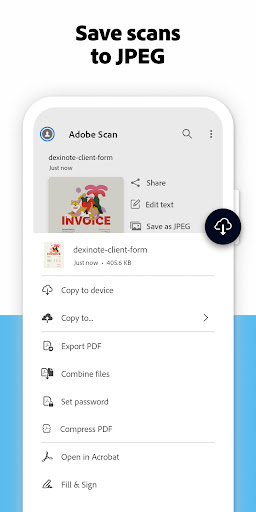
The Adobe Scan scanner app turns your device into a powerful portable scanner that recognizes text automatically (OCR) and allows you to save to multiple file formats including PDF and JPEG.
The most intelligent scanner app. Scan anything — receipts, notes, documents, photos, business cards, whiteboards — with text you can reuse from each PDF and photo scan.
HOW IT WORKS
• With the Adobe Scan scanner app, you can make anything scannable.
• Use the PDF scanner to quickly create a photo scan or PDF scan.
• Scan any document and convert to PDF.
CAPTURE
• Scan anything with precision with this mobile PDF scanner.
• Advanced image technology automatically detects borders, sharpens scanned content, and recognizes text (OCR).
ENHANCE
• Touch up scans or photos from your camera roll.
• Whether it’s a PDF or photo scan, you can preview, reorder, crop, rotate, and adjust color.
CLEANUP UP YOUR SCANS
• Remove and edit imperfections, erase stains, marks, creases, even handwriting.
REUSE
• Turn your photo scan into a high-quality Adobe PDF that unlocks text through automated text recognition (OCR).
• Reuse text from each PDF scan thanks to OCR.
SCAN ANYTHING, ANYWHERE, ANYTIME
• Capture forms, receipts, notes, and business cards with this mobile PDF scanner.
• The amazing new High-Speed Scan tool uses AI to bulk scan larger documents in seconds.
RECYCLE CONTENT
• The Adobe Scan PDF scanner makes any content scannable and reusable.
• Free, built-in optical character recognition (OCR) lets you reuse scanned text and content by creating a high-quality PDF you can work with in the free Adobe Acrobat Reader app.
• You can even turn Adobe Scan into a tax receipt scanner to highlight expenses with ease.
QUICKLY FIND DOCUMENTS IN PHOTO LIBRARY
• This powerful scanner app automatically finds documents and receipts in your photos and turns them into PDF scans, so you don't have to.
• Automatic OCR turns text into content you can edit, resize, and reuse in other documents.
SAVE BUSINESS CARDS TO CONTACTS
• Scan a business card and Adobe Scan turns into a fast business card scanner and reader.
• Contact information will be automatically extracted so you can quickly add to your device contacts — no typing needed.
GET MORE DONE ON THE GO
• Save each scan to Adobe Document Cloud for instant access and sharing.
• Even lengthy legal documents become manageable and scannable with the Adobe Scan scanner app, which lets you search, select, and copy text.
• You can also open a PDF scan in Acrobat Reader to highlight key sections, add comments, fill and sign.
IN-APP PURCHASE
Subscribe for even more scanning power. Subscriptions work across Scan and Reader mobile apps and Acrobat on the web.
• Combine scans into one file so you can take multiple scans and consolidate into one document.
• Export PDFs to Microsoft Word or PowerPoint file formats to integrate with your workflows.
• Increase OCR capacity from 25 to 100 pages so that you can find text in multiple scans.
Download the best free mobile scanner to convert photos and documents into PDF and JPEG files wherever you are. With OCR technology, you can easily digitalize books, business cards, and business receipts and access them via the Adobe Document Cloud. Adobe Scan is the PDF converter trusted by millions worldwide. Scan photos to high-quality PDFs or JPEGs and share easier than ever before.
Terms & Conditions:
Your use of this application is governed by the Adobe General Terms of Use http://www.adobe.com/go/terms_en and the Adobe Privacy Policy http://www.adobe.com/go/privacy_policy_en
Do Not Sell My Personal Information: www.adobe.com/go/ca-rights
もっと見る

1. MEmuインストーラーをダウンロードしてセットアップを完了する

2. MEmuを起動し、デスクトップでのPlayストアを開く

3. PlayストアでAdobe Scan: PDF Scanner, OCRを検索する
Install
4. Adobe Scan: PDF Scanner, OCRをダウンロードしてインストールする
5. インストールが完了したら、アイコンをクリックしてスタート

6. MEmuを使ってパソコンでAdobe Scan: PDF Scanner, OCRを体験する
MEmu Playは現在、最高の無料Androidエミュレーターであり、5,000万人のユーザーが優れたAndroidアプリ体験を楽しんでいます。MEmuの仮想化テクノロジーにより、数千ものAndroidアプリをコンピューターでスムーズに実行できます。
大画面でより精細;無限の待機、電池とドラフィックの極限を超え
キーボード・マウス・コントローラーを全力でサポート、より快適
マルチインスタンスで複数のゲームを同時に実行
Use Adobe Scan: PDF Scanner, OCR on PC by following steps: