AI Video Generator - Clips AI
更新日
現在のバージョン
2.4.71
提供元

スマートフォンは不要!パソコンと同じようにキーボードとマウスで操作できます。MEmu Playは、あなたが待ち望んでいたすべての楽しみをお届けします。バッテリー残量や小さな画面を気にすることなく、AI Video Generator - Clips AIをご利用ください。最新のMEmu 9は、AI Video Generator - Clips AIをPCで体験するのに最適です!完璧なキーマッピングシステムにより、PCのようなスムーズな操作性を実現します。マルチインスタンス機能により、複数のアプリケーションを同時に実行できます。独自の仮想化エンジンがPCのパフォーマンスを最大限に引き出します。アプリを使用するだけでなく、高品質な体験を得ることができます。
もっと見る
AI Video Generator - Clips AIをPCでダウンロード!大画面でより楽しむ。電源が落ちてしまうとか通信料が足りないとかの問題を心配する必要がなく、PCの大画面でより快適にゲームを楽しましょう! Introducing the future of digital storytelling: Our AI-powered app revolutionizes the way you bring your words to life by turning text into captivating 5-second videos.
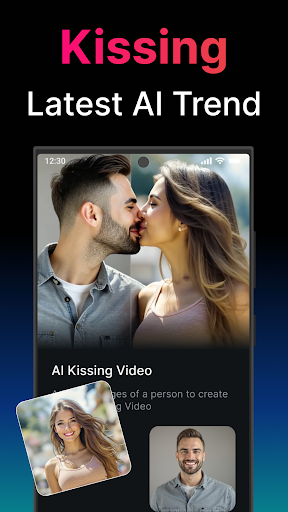
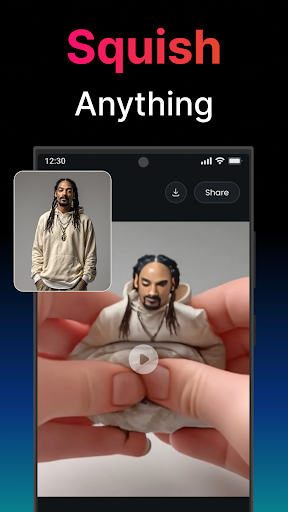
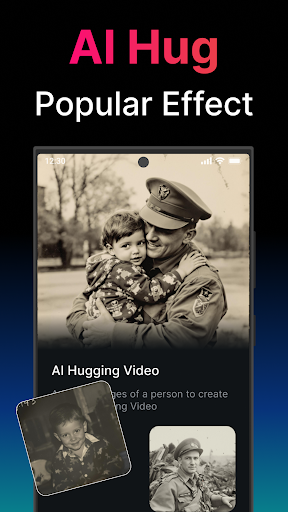
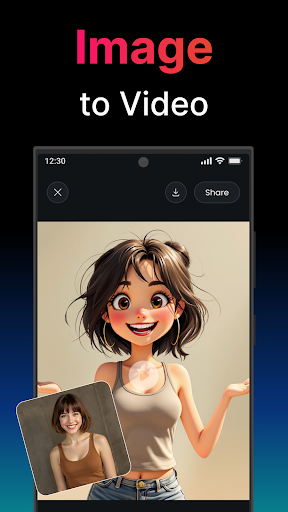
Introducing the future of digital storytelling: Our AI-powered app revolutionizes the way you bring your words to life by turning text into captivating 5-second videos. With the latest advancements in artificial intelligence, this app is designed to unleash your creativity, making it easier than ever to create engaging content, share ideas, and tell stories in a visually stunning format.
Features:
- Instant Video Creation: Simply type your text, and let our AI work its magic, transforming your words into a 4-second video masterpiece in seconds. Perfect for social media stories, ads, educational content, or just for fun.
- AI-Driven Visuals: Powered by cutting-edge AI, our app intelligently selects visuals and animations that best represent your text, creating a unique and compelling video every time.
- Easy Sharing: Share your creations directly from the app to social media platforms, messaging apps, or download them to your device for unlimited use.
- No Design Skills Needed: You don’t need to be a designer or video editor to create professional-looking videos. Our intuitive interface makes it easy for anyone to produce high-quality videos in just a few taps.
- Regular Updates: We constantly update our app with new features, themes, and improvements, ensuring you always have access to the latest in AI video technology.
How It Works:
1. Enter Your Text: Start with typing the text you want to transform into video.
2. Generate: Hit the generate button and watch as our AI brings your words to life in video form.
3. Share or Download: Directly share your video masterpiece with your audience or download it for future use.
Whether you're looking to create dynamic ads, engaging social media content, educational materials, or just want to experiment with AI-generated visuals, our app provides an effortless and innovative solution. Say goodbye to the days of spending hours on video editing software. With our AI app, you have the power to transform text into video in the palm of your hand, making your stories, ideas, and messages visually irresistible.
Experience the magic of AI and elevate your digital content with our revolutionary app. Download now and start creating videos that captivate, inspire, and engage.
Privacy Policy: https://univenn.com/app/agreement/policy
Terms of Use: https://univenn.com/app/agreement/terms
もっと見る

1. MEmuインストーラーをダウンロードしてセットアップを完了する

2. MEmuを起動し、デスクトップでのPlayストアを開く

3. PlayストアでAI Video Generator - Clips AIを検索する
Install
4. AI Video Generator - Clips AIをダウンロードしてインストールする
5. インストールが完了したら、アイコンをクリックしてスタート

6. MEmuを使ってパソコンでAI Video Generator - Clips AIを体験する
MEmu Playは現在、最高の無料Androidエミュレーターであり、5,000万人のユーザーが優れたAndroidアプリ体験を楽しんでいます。MEmuの仮想化テクノロジーにより、数千ものAndroidアプリをコンピューターでスムーズに実行できます。
大画面でより精細;無限の待機、電池とドラフィックの極限を超え
キーボード・マウス・コントローラーを全力でサポート、より快適
マルチインスタンスで複数のゲームを同時に実行
Use AI Video Generator - Clips AI on PC by following steps: